
A fast crypto card for freelancers paid in stablecoins, with real gaps in the fine print
 Available in US
The Munify card is a virtual Visa card that spends a balance you load with USDC or USDT, and on paper it does the two things that matter most for a freelancer paid in stablecoins: 0% exchange rate on card spending across all three account tiers, and near-instant top-ups from an external wallet on five major networks. That combination is genuinely good, and I scored the card 6.7 out of 10 after reading through the terms, the product pages and the user reviews.
The reason it is not higher is on the other side of the ledger. The issuing bank is not named. The country of registration is not stated. The crypto-to-card conversion fee — the single number that decides whether a payment is cheap or expensive — is not published. The account is explicitly not a bank account, and a small, telling number of reviews describe accounts blocked shortly after money went in. None of that means the card does not work. It means the fine print is thinner than the marketing, and you should size your exposure accordingly.
Conditions are current as of October 28, 2026.
Verdict: 6.7 out of 10
Munify fits a specific person well: a freelancer, contractor or small business paid in USDC or USDT who spends online, in USD, and who wants a card without waiting for a physical card in the post. For that person the top-up mechanics are excellent and the spending fee is zero.
Munify fits badly if you need a plastic card, a bank account, a cash machine, a human on the phone when something goes wrong, or a transparent breakdown of what one euro of spending costs you. It also fits badly if you are anywhere near the jurisdictions the terms exclude.
Here is how the score breaks down.
| Criterion | Mark | Why |
|---|---|---|
| Who can get it | 7 / 10 | Individuals and companies located in the listed jurisdictions, which include Belarus and Russia, are closed off; the test is location, not citizenship |
| Cost | 8 / 10 | 0% exchange rate on card spending on all three tiers; Standard has no listed price, Plus $7.99, Premium $19.99; card issuance fee and crypto conversion fee are not disclosed |
| Top-up options | 9 / 10 | USDC and USDT from an external wallet on Base, Solana, Polygon, Arbitrum and Ethereum, credited “in seconds” |
| Reliability and complaints | 4 / 10 | Munify Corporation, “Backed by YC”; country of registration and issuer unnamed, “does not act as a bank, custodian”; Trustpilot 3.2 out of 7 reviews: accounts blocked after deposit, support silent |
| Everyday use | 5 / 10 | Virtual Visa created instantly, unlimited cards, Apple Wallet in the App Store listing; Google Pay not disclosed, no plastic, no cash machine |
Total: 6.7 / 10.
That “everyday use” mark is the one I would argue hardest about. Instant virtual cards are genuinely convenient, but a card with no physical version and no stated ATM access is a narrower tool than most people picture when they hear “payment card”. The “reliability and complaints” mark is the one I would defend least comfortably, because a 3.2 out of 5 on seven reviews is a small sample, and complaints pages are not a fair measure of how many accounts work perfectly. I weighted it heavily anyway, because the accounts described as blocked were blocked *after* money arrived, and that is the failure mode that costs a person real time.
Will they give you the card
The short answer is: probably, unless you are in one of the places the terms name.
Section 6.4 of the terms says the services are “not available to individuals, entities, or businesses located in” a list of jurisdictions, and that list includes Belarus and the Russian Federation. Everything I saw points the same way on the reasoning: the test is where you are, not what passport you hold. That distinction matters more than it sounds. Two people with the same citizenship, one in a permitted country and one in an excluded one, will get different answers.
Two things are worth sitting with. First, the product page does not carry a country list of the places that *are* supported, so the excluded set is documented and the included set is not. You would be joining on an assumption. Second, if you move — even for a few months — your own terms require you to keep location and business information accurate, which means you are expected to tell them, not to sit on it.
Nothing in the terms suggests the exclusions are about crypto. They read like standard jurisdiction and compliance screening.
How to get it
Munify does not publish a step-by-step list, and I am not going to invent one. What is documented is the shape of the process.
The terms say Munify “may request identity verification, source-of-funds information, or other documentation at any time”. Read that sentence carefully twice, because the “at any time” is doing the work: onboarding is not a gate you pass once, it is a standing possibility. Your second deposit can trigger a document request just as plausibly as your first. If your income is in stablecoins, be ready to explain where it came from — the same way a bank would ask.
The App Store text speaks of “quick onboarding”, and the reviews do mention quick sign-up as a positive. That is a real advantage over some peers, but it describes the start of the relationship, not the whole of it.
What is not stated on the public pages: which documents are needed, whether proof of address is required, whether there is an age threshold beyond the usual adult minimum for prepaid and debit cards, and whether verification levels differ between tiers. I would plan on being asked for more than a photo of an ID card.
What you get at the end is a virtual card in USD, “powered by Visa”, with unlimited virtual cards and instant creation. No physical card is mentioned anywhere, and delivery is virtual only. That is the shape of the product: the card exists in your app and in your phone wallet, and that is where it lives.
Fees: what it really costs
Here is the part where I want to slow you down, because the card is strong on the number it advertises and quiet on the number that matters most.

Munify runs three account tiers. Standard has no listed price. Plus is $7.99. Premium is $19.99. The billing period is not stated on the page, so I cannot tell you whether that is monthly or annual — check before you commit.
| Fee or limit | Standard | Plus | Premium |
|---|---|---|---|
| Account price | No price listed | $7.99 | $19.99 |
| Card issuance fee | Not stated | Not stated | Not stated |
| Exchange rate on card spending | 0% | 0% | 0% |
| Crypto-to-card conversion fee | Not stated | Not stated | Not stated |
| Local-transfer exchange rate | 1% | 0.4% | 0% |
| Digital-wallet transfer fee | 0.9% (min $2.99) | 0.4% (min $1.99) | 0% |
| Points back on card spending | 10% | 25% | 50% |
| ATM withdrawal | Not stated | Not stated | Not stated |
| ATM / cash machine access | Not stated | Not stated | Not stated |
| Daily spending limit | Not stated | Not stated | Not stated |
| Monthly spending limit | Not stated | Not stated | Not stated |
| USD account deposit | Min $2.00, max $10,000 | Min $2.00, max $10,000 | Min $2.00, max $10,000 |
| Premium eligibility | — | — | Funding “at least $2,000 via USD earnings or USDC by end of 2026” |
The banner on the site says “Get 0% FX and $0 fees on Munify!”, and for card spending in USD the 0% rate is stated plainly for all three tiers. Good.
Now the gaps, which I would not gloss over:
- The crypto-to-card conversion fee is not stated. This is the fee for turning your USDC or USDT into spendable dollars. Without it you cannot work out your true cost per purchase.
- The card issuance fee is not stated. You do not know whether there is a one-off cost to create a card.
- ATM is not mentioned at all. Not the fee, not whether cash withdrawal is possible.
- Daily and monthly spending limits are not stated for the card. You cannot plan around a ceiling you do not know.
Two everyday payments, and what applies to each:
- A $30 software subscription paid from a balance you loaded with USDC. The card spending rate is 0%. What you pay on top is the conversion fee when your USDC becomes USD — an amount not published — plus the on-chain network fee the blockchain charges for your deposit, which the network sets rather than Munify. Tier also matters: Standard would add a 0.9% digital-wallet transfer fee with a $2.99 minimum, so on a $30 top-up the fixed floor dominates.
- A $600 invoice to a client, paid from your USD balance. 0% on the card, no local-transfer exchange rate involved, and no points question to worry about. If you had used a local transfer instead, Standard would add 1% and Premium none — which is exactly where the tier price starts to make sense.
And one that’s easy to miss: the card is a USD card. Your USD balance “is accepted and converted wherever needed”, and Munify publishes local USD and EUR account details for ACH, Fedwire, SWIFT and SEPA. That reads well until you spend in another currency, at which point you are back to the conversion question the card does not answer.
Top up: how the money gets in
This is the strongest part of the product and the reason I scored it 9 out of 10.
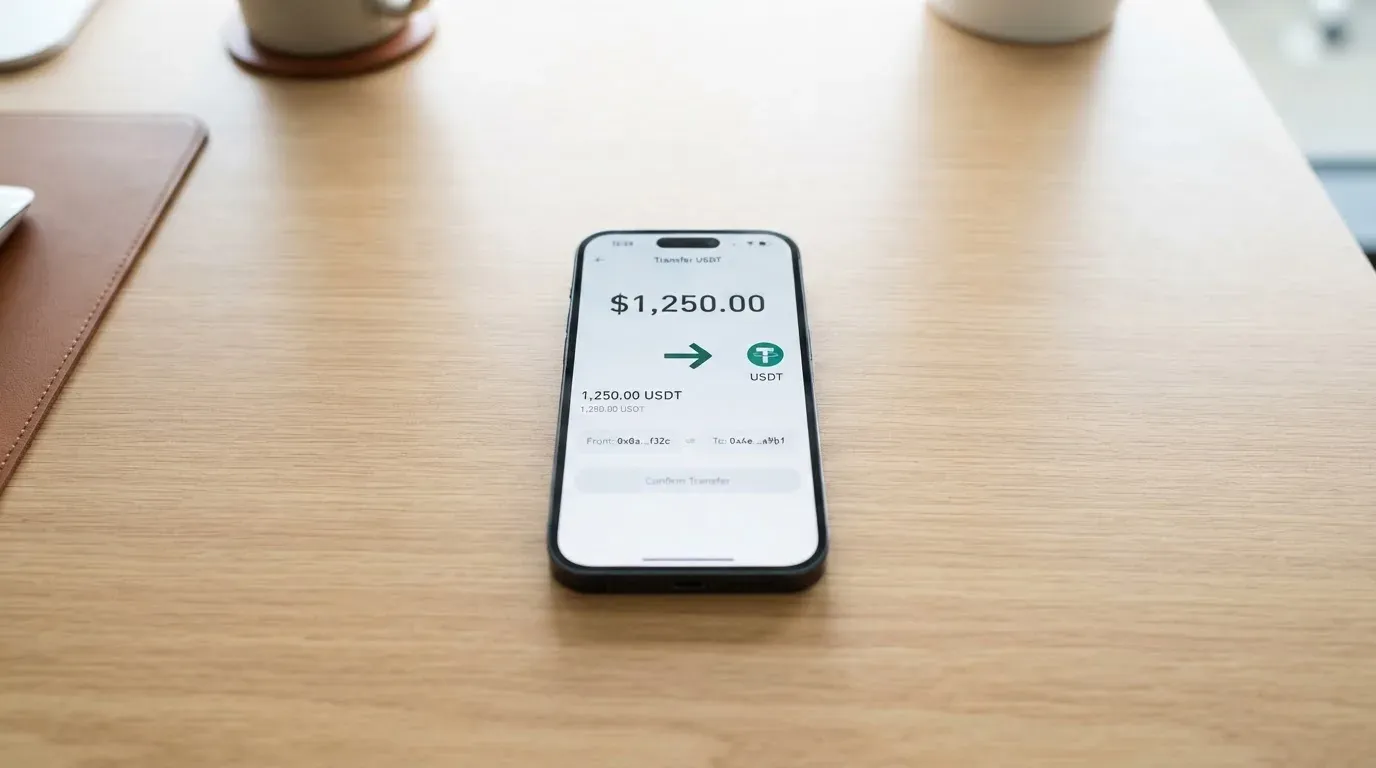
You send USDC or USDT from an external wallet on Base, Solana, Polygon, Arbitrum or Ethereum, and the funds are added “in seconds”. Five networks, two major stablecoins, no waiting. For a freelancer whose invoice arrives as USDC on Solana on a Friday, that is a genuinely useful answer.
The page also promises “predictable network fees and zero hidden exchange markups”, and a USD account deposit by ACH is received free.
Three cautions:
- The card top-up fee and minimum are not stated. The tier fees in the table above are for digital-wallet transfers and local transfers — I could not find a separate card top-up figure published.
- “Predictable network fees” is not the same as “no network fee”. On-chain costs are charged by the blockchain, not by the card provider. On Ethereum in particular a transfer can cost meaningfully more than on Solana or Base, and that cost lands in your stablecoin, not in USD.
- The direction is irreversible. Crypto transfers cannot be undone. Send on the wrong network, or to an address belonging to another network, and the funds can be gone or be sitting in an account nobody controls, recoverable only by manual support with no guarantee. If you are new to moving funds between networks, this is where mistakes happen. It is also worth knowing that Tether says it disables tokens in wallets on the OFAC sanctions list and has frozen funds tied to illicit activity — stablecoins are not censorship-proof.
Getting money back out: you add a bank account through “Transfer” in the app, and it settles “within minutes using instant local rails such as instapay etc.”. The fee is not stated, and the terms say Munify may restrict, suspend or close accounts, with no description of what your balance does if that happens. That last point deserves a second look from anyone treating this card as their operating account rather than a spending tool.
Paying with it every day
The mechanics are good where they exist. A virtual Visa card is created instantly, you can hold unlimited virtual cards — useful for one card per subscription or per client — and the App Store listing mentions adding the card to Apple Wallet.
Beyond that, the everyday picture thins out fast:
- Google Pay is not mentioned. Apple Pay yes, Google Pay not disclosed — and if you are on Android, that is a real gap, not a technicality, because it decides whether the card lives in your phone’s tap-to-pay at all.
- No physical card, so no cold-weather tap problems, no queue-and-pay situations, no shop where online-only is not accepted.
- No ATM mentioned.
- Blocked merchant categories are not stated. You cannot know in advance whether gambling, adult content or fuel will be declined by policy.
- Apple Pay specifics worth knowing: the card number is replaced by a device-specific number stored in the Secure Element, never on Apple’s servers, and each payment carries a one-time dynamic code. The issuer can separately restrict that tokenised number to specific channels.
Points. Standard 10% back, Plus 25%, Premium 50%. The payout currency and the conditions are not stated, so I would treat this as a headline rate rather than a plan. Whether it offsets fees or requires a minimum spend is exactly the kind of thing that would be in the small print if the small print existed.
The app. On iOS and iPad the App Store listing sits at 2.9 out of 5 from 28 ratings, which I read on 2026-10-21. Google Play is listed on the site but I did not read its rating. Twenty-eight ratings is a small sample and 2.9 on iOS is a genuinely poor score either way; if the app is the only surface for your card, that number belongs in your decision.
If a payment goes wrong, the terms route you through internal complaint review with at least 30 days for informal resolution, then binding AAA arbitration, and claims must be brought within one year. Fees are non-refundable except where law requires otherwise. Chargebacks are not addressed in what I read, and a separate Refund Policy exists at /legal/munify-refund-policy. Short version: the complaints path is slow, formal, and not the one you would use for a small sum.
One practical warning about declines generally: a declined authorisation can leave a hold on your funds that persists for several days, typically up to seven. That applies to any card, but on a prepaid balance it eats money you were counting on.
What can go wrong
The account gets blocked after you fund it
This is the finding that moved me most, and it is not hypothetical — it is in the reviews.
On Trustpilot, which sits at 3.2 out of 5 from 7 reviews, all within the last twelve months as I read it on 2026-10-21, users describe accounts being blocked after deposits: one after a $4,000 deposit in August and September 2026, and another profile marked “Rejected” after a $50 deposit in September 2026. Other themes are support not replying to chat or email in August 2026, and slow service in July 2026. The positives in the same reviews are quick sign-up and easy spending, May to September 2026.
I searched for an official explanation of any incident and found none. That absence cuts both ways: no incident means no systemic event, but it also means no reassurance. What I would not do is explain away a $50 rejection as low value and move on. The pattern that worries me is not the size of the deposit, it’s that money was already in the account when access stopped.
Nobody will tell you who is behind the card
Munify Corporation. Described as “Backed by YC”. Delaware law governs the terms.
That is where the disclosure stops. The country of registration is not stated. The card issuer is not named — the terms refer only to “banking and card network partners”. Munify states it “does not act as a bank, custodian, trustee, or fiduciary”. No licences are named. The terms also say Munify is not a custodian, but the same terms do not describe how funds are held, which leaves an obvious gap. There is a “secured dashboard” with card limits, usage tracking and management, which is a product feature rather than a custody answer.
Support is reachable: a contact page, Discord, X, YouTube and LinkedIn. I found no dated licence, issuer or programme announcements at all, which is neither good nor bad on its own — but it means there is no news trail to point you at.
Practical KYC friction
Whatever the tone, the underlying rules are standard and unforgiving. Regulated businesses must verify customers and assess risk under anti-money-laundering law, with ongoing monitoring and suspicious-activity reporting. In the EU that due diligence covers name, address, date of birth, nationality, identity documents, a sanctions check, the purpose of the relationship, and politically-exposed-person status. If it cannot be completed, the institution must not proceed and may have to end the relationship — which is the ordinary explanation for a frozen account.
In the US the customer identification programme requires name, date of birth, address and an identification number. Nationality is recorded and screened separately from residence, because sanctions screening and issuer risk policy often apply to citizenship and country of birth as well as address. Munify’s own location-based exclusion rule fits that pattern.
Small-sample negativity
Seven reviews and 28 App Store ratings are not a statistical foundation. I am weighting them because of *what* they describe, not how many people described it. Treat them as a reason to keep a modest balance on the card and a bank relationship elsewhere — not as proof the product is broken.
What to take instead
I looked at three alternatives and scored them on the same basis. Munify still comes out ahead, but not by the margin the marketing suggests.
| Munify | International Visa Card | UNi Card | Whop Cards | |
|---|---|---|---|---|
| Score | 6.7 / 10 | 6.7 / 10 | 6.1 / 10 | 5.2 / 10 |
| Card | Virtual USD Visa, instant, unlimited | U.S.-issued Platinum Visa, virtual; physical “Coming soon” | Multicurrency card on Mastercard | Visa, online and in stores |
| Price | Standard free-tier price not listed; Plus $7.99; Premium $19.99 | $5 one-time issuance, no maintenance; Classic free, Pro $9.00/month, Max $19.00/month | No annual fee | “No extra fees” |
| Spending in USD | 0% | Free | Live OTC rates | Not stated |
| Foreign currency | USD balance “accepted and converted wherever needed” | Visa exchange rate + 2% FX fee | No FX fee | Not stated |
| Funding | USDC/USDT on Base, Solana, Polygon, Arbitrum, Ethereum | USDC or USDT at 1:1, plus USD, EUR, SEPA, SWIFT, FedNow | Not stated | Whop balance backed by stablecoin collateral from a linked wallet; coins and networks not stated |
| Rewards | 10% / 25% / 50% points | No cashback stated | Up to 3% spend-to-Earn | 5% cashback at select merchants, currently Uber |
| Not available in | Includes Belarus and Russia | Belarus, mainland China, North Korea, Cuba, India, Iraq, Iran, Israel, Myanmar, Nepal, Nicaragua, Russia, Syria, Turkey, Ukraine, Venezuela, Vietnam | Not stated | 31 US states for consumers, 41 for businesses; unsupported consumer countries include Belarus, China (Mainland), Cuba, Hong Kong, India, Iran, Iraq, Israel, Myanmar, Nepal, Nicaragua, North Korea, Russia, Syria, Turkey, Ukraine, Venezuela, Vietnam |
| Elsewhere | — | Purchases blocked in North Korea, Cuba, Iran, Russia, Syria, Ukraine, Venezuela; FATF grey-list reviewed case by case | — | Business cards can also be issued to team members |
Reading across the table, three things stand out.
The International Visa Card is the real comparison, not a also-ran. Same score, and more of the important boxes filled in: a named issuing country, a stated $5 issuance fee, a stated 2% FX fee, deposits stated as free, and a jurisdiction list that is explicit rather than implied. Its drawbacks are real too — it names Visa exchange rate plus 2% for foreign currency, its physical card is “Coming soon”, and it does not say which networks the stablecoin deposits run on. If you spend outside the US, do the arithmetic on that 2% before assuming Munify’s “converted wherever needed” is cheaper.
UNi Card is quiet rather than broken. “No annual fee or foreign transaction fee” and conversion at live OTC rates are good words. But nothing is stated about who can get one or how you fund it, which makes it impossible to compare honestly.
Whop Cards is the narrowest. A stated US state list rather than country coverage, and 5% cashback at select merchants only — currently Uber. Spending from a Whop balance has its own timing rule: a pending balance is usable as soon as a payment arrives, while standard withdrawals need settled funds.
What none of them gives you, and what no card in this category does, is a deposit guarantee. An electronic money institution in the EU must safeguard customer funds by segregating them or insuring them, but such funds are not the same as bank deposits and may not be covered by deposit guarantee schemes. MiCA also matters here: under it, e-money tokens may be issued only by a credit institution or an electronic money institution, its stablecoin rules applied from 30 June 2024 and the remaining provisions from 30 December 2024, and the transitional period runs only until 1 July 2026 or until a provider receives or is refused authorisation, whichever comes first. If you want to check a provider, ESMA keeps an interim register of authorised CASPs, white papers and non-compliant entities.
And a caution that applies across the whole category: Visa and Mastercard do not issue crypto cards to consumers themselves. They license issuers, and they can suspend a programme. Visa terminated its global agreements with FTX on 13 November 2022 and the FTX US debit card was wound down by its issuer; WaveCrest, a Visa issuer that supplied crypto card brands, was suspended by Visa in Europe in 2018, closing all WaveCrest-issued Visa programmes. Programme closures typically mean a notice period, then loading and spending stop, then you are asked to withdraw remaining balances. I found one 2026 closure reported by a secondary source where new loads ended 8 July 2026 and spending stopped 8 August 2026 — single source, unconfirmed, and offered only as an illustration of the pattern rather than as fact about any card here.
Who I would recommend it to
Yes, if you are paid in USDC or USDT, spend mainly online in USD, and you are the kind of person who keeps their balance on a card small and their cash somewhere else. You will like the instant virtual cards, the five-network top-up and the 0% spending rate.
Yes, with one eye open, if you are a business entity with real volume and you can sit on the Plus or Premium tier, where the digital-wallet transfer fee drops to 0.4% and 0% respectively and the local-transfer exchange rate falls to 0.4% and 0%. Just check the billing period on that $7.99 and $19.99, and read the Premium requirement about funding “at least $2,000 via USD earnings or USDC by end of 2026” before you assume you qualify.
No, if any of these apply: you are located in Belarus or Russia, or anywhere else on the excluded list; you need a physical card; you need cash from an ATM; you need a bank account with deposit protection; you are on Android and want tap-to-pay; or you intend to hold a large balance on the card. That last one is not caution for its own sake — it is the direct response to the reports of accounts blocked after deposits of $4,000 and $50.
And whatever you decide, ask Munify the two questions the public pages do not answer: what the crypto-to-card conversion fee is, and who the issuing bank is. Your answer will tell you more about how the product is built than any marketing line will.
Frequently asked questions
What is the Munify card?
The Munify card is a virtual Visa card, denominated in USD, that spends a balance you load yourself. You send USDC or USDT from an external wallet on Base, Solana, Polygon, Arbitrum or Ethereum, the funds are credited in seconds, and you pay with the resulting balance online. Cards are created instantly and there is no stated limit on how many you can hold. No physical card is mentioned.
How does the Munify card work?
It works more like a prepaid card than a debit card. You top up first, then the card spends only what is loaded, so it cannot overdraw. Exchange rate on card spending is 0% on all three tiers. Because the card number begins with an issuer identification number, merchants can look up which institution and country issued it, and some will apply extra scrutiny if that country differs from your billing address.
Is Munify a bank?
No. Munify states it “does not act as a bank, custodian, trustee, or fiduciary”, and the terms refer only to “banking and card network partners” without naming an issuer. The country of registration is not stated, Delaware law governs the terms, and the description “Backed by YC” is a statement about backing, not about supervision. Treat the balance as held with a private company, not a bank.
Who owns Munify?
The terms name Munify Corporation and describe it as “Backed by YC”. That is as far as the public information goes: no country of registration, no named issuing bank, no licences named, and no dated announcements about a licence, issuer or programme that I could find. Support runs through a contact page, Discord, X, YouTube and LinkedIn.
Does the Munify card require KYC?
Yes, potentially at any time. The terms say Munify “may request identity verification, source-of-funds information, or other documentation at any time”, and you must keep your location and business information accurate. Which documents are needed, whether proof of address is required, and whether different tiers have different verification levels are not stated on the public pages.
Are there limits on Munify card spending?
Standard has no listed price, Plus is $7.99 and Premium is $19.99, with the billing period not stated. The exchange rate on card spending is 0% on all three. But the card issuance fee and the crypto-to-card conversion fee are not published, and ATM fees and daily or monthly card limits are not mentioned at all — so the true cost of a purchase cannot be calculated from the public pages alone.
How do I top up the Munify card?
Send USDC or USDT from an external wallet over Base, Solana, Polygon, Arbitrum or Ethereum. The card provider says funds are added “in seconds” with “predictable network fees and zero hidden exchange markups”. Two warnings: on-chain network fees are set by the blockchain, not by Munify, and blockchain transfers are irreversible, so a deposit sent on the wrong network or to another network’s address can be lost.
Can I add the Munify card to Apple Wallet or Google Pay?
Apple Wallet yes — the App Store listing mentions adding the card. Google Pay is not disclosed anywhere I looked, so if you are on Android, do not assume tap-to-pay will be available. Apple Pay replaces the card number with a device-specific number kept in the Secure Element rather than on Apple’s servers, and the issuer can still restrict that tokenised number to specific channels.
How do I withdraw money from Munify?
You add a bank account through “Transfer” in the app, and settlement is described as happening within minutes using instant local rails such as instapay. The fee is not stated. More importantly, the terms say Munify may restrict, suspend or close accounts, and do not describe what happens to your balance if that occurs — which is the main reason not to treat this as your only account.
Is the Munify card safe?
It has the expected safeguards for this category: a “secured dashboard” with card limits, usage tracking and instant management, and Apple Pay tokenisation if you use it. But safety here is mostly counterparty risk. Munify is not a custodian and does not describe how funds are held, Trustpilot shows 3.2 out of 5 from 7 reviews including accounts blocked after deposits, and no fees are refundable except where law requires.
App and neobank card fees – cryptocardfacts
Content created by the «cryptocardfacts» team