
A virtual Mastercard that lives inside a non-custodial wallet — useful for crypto holders, awkward for everyone else
 Available in US
SafePal is best known as a hardware-wallet brand, and the card is built around the same app: a virtual Mastercard debit card that draws on a Swiss IBAN account run by Fiat24 and is funded from the SafePal wallet. For someone who already lives inside SafePal and wants a fiat off-ramp with a card number, that is a sensible combination. For anyone shopping for a general-purpose payment card it is harder to recommend, because the regional list is hard to find, the support record is poor, and the main cost (a 1% fee on every non-USD Mastercard settlement) is easy to miss.
I went through the card’s own pages, the banking-gateway help centre and the fee articles, then cross-checked what users are saying on Trustpilot, Reddit and a couple of card-tracking sites. What follows is what I found, written so you can decide whether the SafePal card fits your situation.
Conditions are current as of October 28, 2026.
Verdict
SafePal scores 6.2 out of 10 in my reading. That is a “fits a narrow audience” score, not a “good all-rounder” score. The strongest points are the funding side (40+ blockchains, USDC conversion, no top-up fee on the standard rate) and the cost structure (no account or card fee, no cashback drag). The weakest points are the regional availability (the supported-regions page is empty when fetched), the unclear card issuer, the data breach disclosed in 2026 and the volume of Trustpilot complaints about missing withdrawals.
| Criterion | Mark | Why |
|---|---|---|
| Who can get it | 5 / 10 | Citizens of supported regions who live in supported areas; the actual list was empty when I checked |
| Cost | 8 / 10 | No creation, management or standard top-up fee; 1% on non-USD Mastercard settlement; refunds charged 1 USD/EUR/CHF |
| Top-up options | 9 / 10 | Crypto from 40+ chains, default conversion to USDC, activation 10 USDC on Arbitrum |
| Reliability and complaints | 4 / 10 | Swiss IBAN via Fiat24, issuer not named; 2026 data breach; Trustpilot 3.1/5 across 394 reviews; recurring complaints about unreturned withdrawals |
| Everyday use | 5 / 10 | Virtual Mastercard, Apple Pay, Google Pay, Samsung Pay and PayPal; physical card not named; ATM details are unofficial and inconsistent |
The card is most useful for existing SafePal users who want a Swiss IBAN and a card number tied to the same app. If you want physical card options, broad regional coverage or a clearly named issuer, this is not the card to choose first.
Who can get the SafePal card
SafePal’s own page says the card is for “citizens of supported regions who live in supported areas”. That is the entire eligibility statement on the public site, and it is less informative than it looks, because the page that should list those regions — the Supported Regions page for the SafePal Fiat gateway — was empty when I fetched it. The only numbers on that page were the account caps: $100,000 a month with a Mastercard, $1,000 a month without.
So in practice you can only find out whether you qualify by starting the application, which means handing over your details. The card is positioned as a Swiss IBAN account held at Fiat24, a Swiss e-money institution, and the IBAN is what makes it feel different from a typical crypto card.
There is a few things you should check before you go further:
- The KYC is handled by Fiat24, not by SafePal itself. You will need to verify your email and phone, prove a residential address, and have a passport scanned through the ReadID Ready app. The address check is unusually strict: your residential address has to be within about 2 km of the location the app reads, and the app needs location access. A VPN does not help, because the check is on the address you live at, not on your network.
- Age and minimum requirements: not stated in the help centre.
- Sanctions and ineligibility reasons: not stated, but standard for the category.
- You need the SafePal app version 4.5.0 or later, plus 0.0001 ETH on Arbitrum to cover the on-chain part of activation.
The credit-check side is benign: there is no credit pull and no staking is required to apply, although staking $SFP (locked for 90 days, no early redemption) is how you move up the account tiers.
Because the supported-regions list is not public, the honest answer to “is the SafePal card available in my country” is that you have to try. That is not unusual for crypto cards, but it is a worse experience than cards that publish the list up front.
How to get the card
The signup path runs through the SafePal app and the Fiat24 KYC flow. There is no separate web application I could find, and no physical card variant described in the banking-gateway help section.
The practical steps look like this:
- Install the SafePal app on a recent iPhone or iPad (iOS 15.0+), make sure it is at version 4.5.0 or later, and hold 0.0001 ETH on Arbitrum in your wallet for the activation transaction.
- Open the Banking Gateway section and start the Fiat24 sign-up. You will be asked to verify your email and phone, agree to Fiat24’s terms, and run the ReadID Ready passport check. Give the app location access for the residential-address check.
- Wait for Fiat24 to approve the account. Account limits are set by region: $100,000 a month with the Mastercard active, $1,000 a month without. Processing time is not stated in the help articles.
- Activate the Mastercard by sending at least 10 USDC on Arbitrum to the deposit address, plus a small amount of ETH for gas. The activation article is dated 2026-07-25.
- Add the card to Apple Pay, Google Pay, Samsung Pay or PayPal. There is no physical card to wait for.
What is not stated: how long KYC usually takes, what counts as a rejection, whether you can reapply after a rejection, or what happens if the address is slightly outside the 2 km window.
Fees and limits: what it really costs
The fee structure is one of the better things about this card, but it is also the part that is easiest to misread, because the fee article, the bank page and the tier article do not always agree with each other.
| Fee or limit | Value | Notes |
|---|---|---|
| Account creation | Free | No account creation fee |
| Account management | Free | No monthly or annual account fee |
| Card issuance | Not stated | Virtual Mastercard is the only card form described |
| Top-up (standard) | 0% | Standard top-up rate on the fee article |
| Top-up (tier example) | 1% deposit, 0.1% rebate | Silver tier pays the 1% rate and gets 0.1% back |
| Top-up (other page) | 0.6% fiat / 0.4% crypto | Bank page quotes “as low as” rates on the top tier |
| Non-USD Mastercard settlement | 1% | FX fee when the card settles in something other than USD |
| Refund processing | 1 USD / 1 EUR / 1 CHF / 7 CNH | Per refund |
| Swaps | Spread (not quantified) | Card spending involves a conversion spread on top of the network fee |
| ATM withdrawal | Not stated | Unofficial sources conflict: one says “ATM withdrawals: yes” with no fee, another says no physical card, so there is no cash machine |
| Contactless daily limit | 1,600 EUR | Per day |
| Other payment methods daily limit | 5,000 EUR | Per day |
| Monthly limit | Equals transaction limit | Plus the region cap: $100,000 with Mastercard, $1,000 without |
To make that concrete, here is what three everyday situations actually cost.
Paying a 50 EUR coffee in a European café. The card runs on Mastercard. If your balance is in EUR and EUR is one of your enabled currencies, the payment clears with no exchange fee, only the spread already baked into the conversion rate. If your balance is in USDC and you have not enabled EUR, the card converts at the Mastercard rate and adds the 1% non-USD settlement fee. On a 50 EUR payment that is roughly 0.50 EUR, before the spread. There is no separate merchant fee.
Booking a 300 USD flight in a US store. As long as you hold USD or USDC and the settlement is in USD, you pay only the spread between USDC and USD inside the app. There is no Mastercard FX fee on USD settlement. The spread is what costs you here, and the fee article does not put a number on it.
Buying something in a currency you do not hold. Say you have USDC only and you pay 100 GBP. The card converts to GBP and adds the 1% non-USD settlement fee. The fee article also lists zero FX fees on EUR, CHF, USD and CNY, so the 1% is on top of an “intermediate” conversion through your enabled currency if you have one. The exact number depends on which currencies you have toggled on inside the account.
Tier discounts soften the cost if you deposit enough or stake $SFP. Higher tiers reduce the top-up fee (Silver pays 1% and gets 0.1% back as an example) and reduce the fee for buying USDC with the card. Referral commissions also rise with tier. The tier is reset on the first of each month from points earned over the previous three months; opening the IBAN account itself gives you 1,500 points.
A small but real cost to remember: the on-chain gas you pay when you top up with crypto. That is paid by the sender on the originating network, not by SafePal, but it is part of the effective cost of using the card.
Top up: how to fund the card
Funding is where SafePal is genuinely strong. Crypto is the main route, and it is built around the wallet you already have.
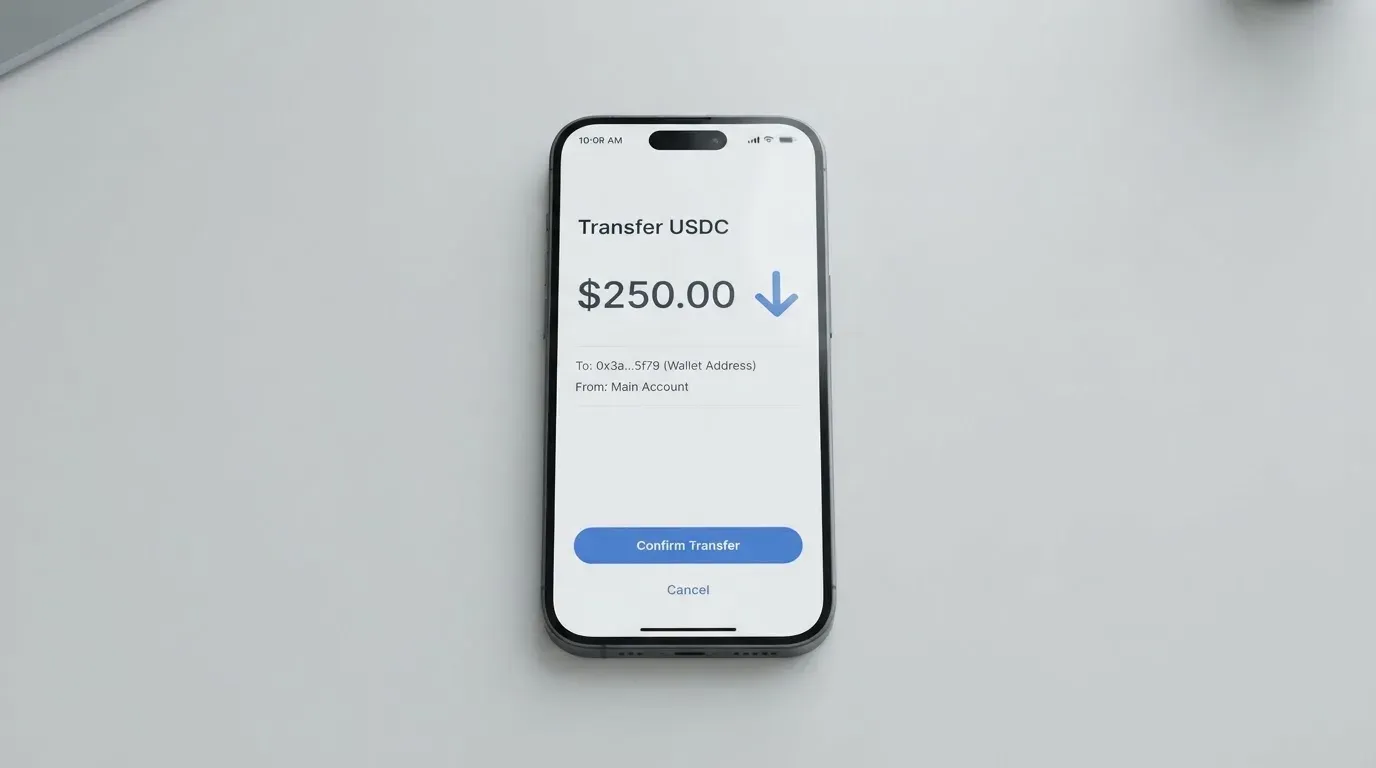
- 40+ blockchains are supported. USDC is the default conversion target, and the transactions land on Arbitrum. That means the app receives your crypto, swaps it into USDC on Arbitrum if needed, and credits your IBAN.
- Standard top-up fee is 0%. The bank page elsewhere quotes 0.6% fiat and “as low as 0.4%” on the top tier for crypto top-ups, and a different article quotes a standard 1% deposit rate with a 0.1% rebate for Silver. The numbers are inconsistent on the public pages; treat 0% as the standard rate and check your tier if you are at scale.
- The card must be activated by a deposit of 10 USDC on Arbitrum, plus ETH for gas. The activation article is dated 2026-07-25, so check for an updated version.
- The sender pays blockchain gas. If you are sending from another network, you also need a bridge or a swap that lands USDC on Arbitrum; that bridge or swap is on you.
- Zero-fee waivers on the on-ramp and deposit are listed as part of a SafePal programme that can change. Do not assume the waiver will still be there in six months.
- Internal IBAN transfers are free. Transfers out to external banks: SafePal and Fiat24 do not charge, but the receiving bank may. Help articles on payout transfers exist; the procedure for withdrawing back to crypto and the balance treatment on account closure are not stated.
- A 2026-03 blog note from SafePal says the fiat on-ramp is disabled “until further notice” while third-party on-ramps like MoonPay still work. If you were planning to fund the IBAN by bank transfer, check whether that is back on before you apply.
In short: the card is built for someone who already holds crypto and is comfortable moving it on Arbitrum. If that is not you, the friction will be much higher.
Paying with it every day
Once the card is active, day-to-day use is straightforward in the supported directions and patchy in others.
- Mobile wallets work: Apple Pay, Google Pay, Samsung Pay and PayPal. The SafePal app on iPhone/iPad is at version 4.11.12 (12 October) and sits at 4.7 out of 5 on the App Store across 17,000 ratings, though that is the wallet rating, not the card rating.
- In-store and online payments run on the Mastercard rails. Contactless is capped at 1,600 EUR per day, and other payment methods are capped at 5,000 EUR per day, with the monthly limit equal to the transaction limit.
- Blocked merchants and merchant category code rules: not stated. That is normal for crypto cards, but worth knowing if you expect, for example, gambling transactions to be allowed — many issuers block those on policy grounds.
- There is no cashback. The reward side is the referral programme (commissions up to 40% of referred top-up fees) and tier privileges tied to deposits, referrals and $SFP staking.
- ATM access: the official site does not say. Unofficial sources disagree — one says ATM withdrawals are supported, another says there is no physical card at all, which would rule out most ATMs. Treat ATM as unsupported until you confirm it inside the app.
- The card can be frozen and unfrozen from inside the app, transactions can be reviewed, and the spending limit can be customised. That is a sensible set of controls, but it does not compensate for the missing physical card and the lack of clarity on cash access.
For most people, the practical experience will be: top up with USDC, add the card to Apple Pay or Google Pay, pay in EUR/USD/CHF/CNY with no exchange fee, and live with the 1% Mastercard fee for any other currency.
What can go wrong
I read through the official help centre, the SafePal Trustpilot page (3.1 out of 5 across 394 reviews, read 2026-10-20), and a separate Trustpilot page at 3.5 across 374 reviews. The picture is mixed, with a few named problems and a long tail of complaints.
The data breach. SafePal disclosed a 2026 data breach exposing order information for about 39,798 customers. SafePal states that no seed phrases, private keys, card numbers or ID documents were exposed. Weeks before the disclosure, users reported phishing calls that knew accurate personal details, which is consistent with order data being in circulation. The blast radius is real even if the most damaging fields were not leaked: order data plus an active customer is enough fuel for convincing scams.
The card issuer is not named publicly. The IBAN is held by Fiat24, a Swiss e-money institution, but the card-issuing bank is not stated. For a regulated product, that is an unusual amount of daylight between the brand and the back end. If something goes wrong with a specific transaction, you will be passed between SafePal and Fiat24 — which is exactly what the reviews describe.
Withdrawal complaints are the most common. Multiple users between February and September 2026 reported swaps and withdrawals shown as “completed” inside the app that never arrived. One user said a May 2026 Fiat24 refund came back roughly 20% short and was told to take it up with Fiat24. No review I read mentioned the card or the IBAN directly; the complaints are about the wallet and the gateway.
Support is email-first. The help centre runs on Zendesk with a request form, and Fiat24 account problems are routed through a Telegram bot. The Trustpilot reviews include complaints about copy-paste replies and email-only support between June and July 2026. Hours are not stated, and Russian is one of the languages in the app interface.
Security controls. The card can be frozen and unfrozen, transactions can be reviewed, the spending limit is customisable, and there is a dedicated support channel set up specifically to counter impersonation. KYC and the IBAN account are run by Fiat24; the SafePal wallet itself is non-custodial, which means SafePal does not hold your seed phrase. Insurance on balances is not stated.
Other things to be aware of:
- The fee article notes zero-fee waivers on the on-ramp and deposit that can change at any time. The 2026-03 note that the fiat on-ramp is disabled is the kind of change that happens without warning.
- KYC and account issues land with Fiat24, not SafePal. If your account is frozen, you are dealing with a Swiss e-money institution and its Telegram bot, not a crypto support team.
- Refunds cost 1 USD/EUR/CHF (7 CNH) each, and failed registrations or banned accounts are routed to Fiat24 support. There is no chargeback process described for the card in the help centre.
What to take instead
SafePal sits in an unusual slot: a virtual Mastercard funded from a non-custodial wallet, with a Swiss IBAN. If that combination is exactly what you want, nothing else on the list below quite matches it. If you only care about one of the two — a card, or a non-custodial wallet — there are stronger options.
| Card | Score | What it is | Where it works | Headline cost | Headline reward |
|---|---|---|---|---|---|
| SafePal | 6.2 / 10 | Virtual Mastercard, Swiss IBAN via Fiat24, funded from SafePal wallet | Supported regions list not public | 0% top-up standard, 1% on non-USD Mastercard settlement, 1 USD/EUR/CHF refund | No cashback; tier-based top-up rebates and referral commissions |
| TokenPocket | 5.8 / 10 | Visa debit (Europe list) or Mastercard debit (Australia, Canada, Hong Kong, Japan, Singapore, UK, etc.); balances in EUR24 / USD24 | Europe and parts of Asia; Americas “planned for Q2 2025” | 1% crypto deposit fee (refundable later via rewards); FX not stated | 1% deposit fee refunded through rewards |
| MetaMask | 7.1 / 10 | Mastercard via Monovate, issuer Crypto Life; Virtual free, Metal $199/year; spends directly from the connected wallet on Linea, Base, Monad, Solana | 45 listed countries; US/UK sign-ups temporarily closed | “Minimal fee” per transaction; no foreign-transaction fee, Mastercard rate | Virtual 1% cashback in mUSD; Metal 3% up to $10,000 then 1% |
| KAST | 6.1 / 10 | Visa Platinum / Infinite, virtual and physical, up to 10 cards, USD stablecoin balance | Residence-based list shown at KYC; list not published | 0% stablecoin top-up, 0% spend in USD, 0% Apple/Google Pay; non-USD FX 0.5%–1.75%; declined 0.50 USD | USD cashback 1.5%–3% by tier, plus KAST Points 1%–2% |
If you want a card you can apply for with a known region list and a clear fee table, MetaMask Card is the most competitive on this list, especially on the Metal cashback rate. KAST is the better fit if you want both virtual and physical cards, multi-currency support and a published FX tier table. TokenPocket Card is the closest cousin to SafePal in the sense that it also lives on Arbitrum and is built on the Fiat24 stack, but the deposit fee is paid up front and refunded later, which is a worse cash-flow story than SafePal’s 0% standard top-up.
None of these alternatives give you a Swiss IBAN, and that is the single biggest reason someone would still pick SafePal.
Who I would recommend it to
I would recommend the SafePal card to a fairly specific reader: someone who already uses the SafePal wallet, is comfortable moving USDC on Arbitrum, does not need a physical card, and specifically wants a Swiss IBAN with a Mastercard attached. For that reader the cost is honest (0% top-up, 1% on non-USD Mastercard settlement, 1 USD/EUR/CHF on refunds) and the funding side is strong.
I would not recommend it as a first crypto card for someone exploring the category. The supported-regions list is not public, the card issuer is not named, the data breach is recent, the withdrawal complaints are frequent, and the 1% non-USD Mastercard fee is easy to miss until you actually pay in a non-USD currency. Anyone who needs a physical card, anyone in a country where the regional list is hard to verify, and anyone whose main use case is spending in a non-USD currency should look at MetaMask Card or KAST first and only come back to SafePal if the Swiss IBAN is the deciding feature.
Frequently asked questions
What is the SafePal card?
A virtual Mastercard debit card connected to a Swiss IBAN account at Fiat24, funded from the SafePal wallet. The Mastercard is the only card form described in the public help centre; no physical card is offered.
How does the SafePal card work?
You hold crypto in your SafePal wallet, send USDC (or another supported token) to the deposit address, the app converts it to your enabled currency, and the card spends the resulting balance. Conversion to USDC is the default, and the activation flow runs on Arbitrum.
Is SafePal a bank?
No. SafePal is a wallet brand. The IBAN and the account behind the card are held by Fiat24, a Swiss e-money institution, which is the regulated entity that runs the KYC and the fiat side.
Who owns SafePal?
The help centre and the cards pages do not say. Fiat24 is the licensed partner that holds the IBAN; the card issuer is not publicly named.
Is the SafePal card available in my country?
The supported-regions page was empty when I fetched it. The only numbers on that page were the account caps ($100,000 a month with the Mastercard, $1,000 a month without). The honest answer is that you can only find out by starting the application.
Does the SafePal card require KYC?
Yes. KYC is mandatory and is run by Fiat24: email and phone verification, a residential address check (within 2 km, location access required), and a passport scan inside the ReadID Ready app. Passport is the only ID document named.
How do I activate the SafePal card?
By sending at least 10 USDC on Arbitrum to the deposit address, plus a small amount of ETH to cover gas. The help article on activation is dated 2026-07-25; check for a newer version before you do it.
How do I add the SafePal card to Apple Wallet?
From the card screen in the SafePal app, choose Add to Apple Wallet, follow the prompts, and complete the issuer’s verification (usually Face ID, Touch ID or a code from your bank). The card is a tokenised Mastercard; the device-specific number is stored in the Secure Element, not on Apple’s servers.
Is the SafePal card safe?
The card can be frozen from inside the app, transactions can be reviewed, and the spending limit is customisable. SafePal disclosed a 2026 data breach exposing order data for about 39,798 customers; the company states that no seed phrases, keys, card numbers or ID documents were exposed. Phishing attempts using accurate personal details were reported in the weeks before the disclosure.
How do I delete my SafePal account?
The public help centre does not describe a card-account closure flow. Account problems are routed to Fiat24 support; the app’s account section is the starting point for wallet-level changes. Withdraw your balance to an external bank or back to your own wallet first, because the closure procedure and any residual balance treatment are not stated.
Wallet card fees and costs – cryptocardfacts
Content created by the «cryptocardfacts» team