
A USD crypto card that mostly lives in Bolivia
 Available in US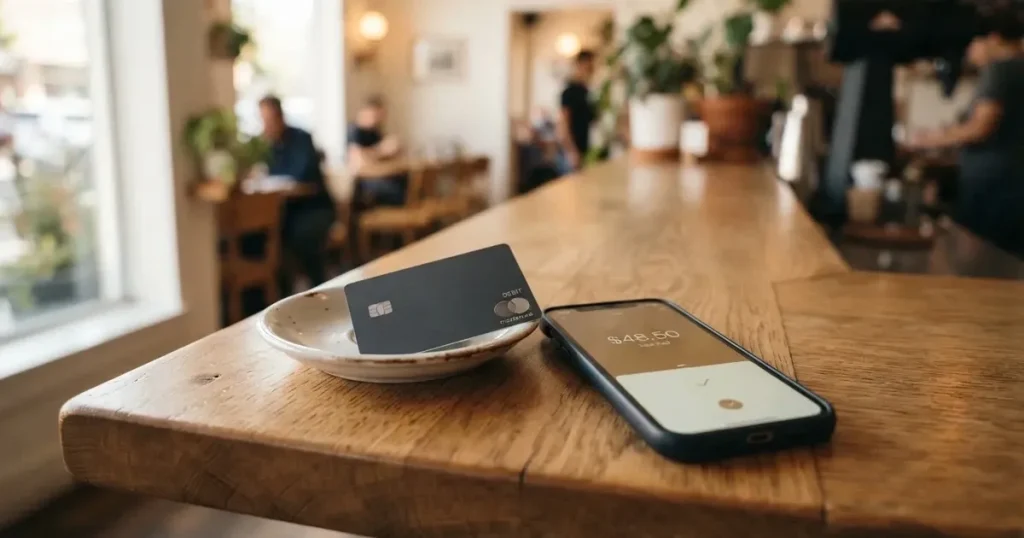
TakeCard is a prepaid Visa card that spends a balance you load first, and the balance comes from a Takenos crypto wallet. That is the whole mechanism in one sentence, and it is a mechanism with real appeal for one specific reader: someone holding crypto, paying in US dollars, who has been turned away by ordinary banks or who simply wants a card number that exists in the US rather than in a country where crypto is awkward. If that is you, the card does a few things well. It is cheap to start, the virtual version arrives immediately, and it drops into Apple Pay and Google Pay without ceremony.
If you are outside that situation, the picture is narrower than the marketing suggests. The physical card is only for Bolivian users. The countries that can get the virtual card are not listed on the help pages. The issuer and the licences are not named. And the complaints section of a public review site is the part I could not stop thinking about while reading: an account deactivated without explanation, with more than USD 10,000 held, is the kind of story that changes how you should treat money you put in.
So: 5.5 out of 10. That is not a rejection. It is a card with a clear use case and an unclear foundation, and I would want to see the issuer named and the eligible countries published before I moved real money through it.
Conditions described here are current as of October 28, 2026.
Scorecard
| Criterion | Mark | Why |
|---|---|---|
| Who can get it | 4 / 10 | Countries are not listed in the help articles; the physical card is only for Bolivia, and the virtual-country list is unconfirmed |
| Cost | 7 / 10 | Virtual card USD 5, 1% per purchase, USD payments 1:1, ATM 1% plus the ATM operator’s fee; no monthly fee stated |
| Top-up options | 6 / 10 | Top up from the Takenos account; the coins are not named in the article, and the chain list is unconfirmed |
| Reliability and complaints | 4 / 10 | Issuer and licences not named, card issued in the US, Trustpilot 3.2 from 147 reviews, complaints of deactivation with frozen funds |
| Everyday use | 7 / 10 | Virtual card available immediately, Apple Pay and Google Pay, USD 250 per ATM transaction, but plastic only in Bolivia |
| Total | 5.5 / 10 | Good for a narrow case, thin on the things you would want to read before depositing |
Two of the six lines are what hold the score up rather than down. Cost and everyday use are genuinely decent. Eligibility and reliability are the weak points, and both are about trust rather than about the product’s design.
Will they give you the card?
Short answer: I cannot tell you from the card’s own pages, and that is the finding, not a preliminary.
The help articles do not list the countries where the card is available. The physical card is described as “available only to Bolivian users for now”. The Takenos site says the wallet can receive payments “from any country.” That is a claim about the wallet, not the card. Those two statements are about different things, and reading the second as though it answered the first would be a mistake. A wallet that can receive a transfer from anywhere is not the same as a card you are entitled to hold.
For the virtual card, starting data that I could not confirm on a page I could read lists virtual cards for Argentina, Bolivia, Peru, Chile, Paraguay, Colombia, Ecuador, the US, Spain and Italy. Take that as a starting point, not as a promise: none of those ten countries appears in a list on the card’s own help pages, so the claim is unofficial and unconfirmed by TakeCard.
There is a second thing worth knowing before you start the identity check. The card article names Visa as the network and says the card is issued in the United States. A card issued in the United States, held by someone whose billing address is in another country, looks foreign to a merchant’s systems, and some merchants treat foreign-issued prepaid cards more carefully than domestic ones. That is a fact about how card acceptance works generally, not a TakeCard-specific rule, but it lands harder here precisely because no country list exists.
So the practical answer to “is TakeCard available in my country” is: ask support before you upload any documents. The support channels are listed further down. Ask them to confirm in writing, for your country of residence and your country of citizenship separately. If the answer is vague, that vagueness is itself your answer.
How to get it
The signup path is short, and that is one of the card’s better qualities. Everything happens in the app.
The steps the card describes:
- Open the app.
- Go to Tarjetas.
- Choose “Internacional”.
- Tap “Quiero mi tarjeta”.
- Pass the identity check.
- You are notified when the card is ready.
The identity check is the part with substance behind it. You need a photo of the front and back of your DNI plus a short gesture video — a biometric check, comparing a live recording of your face against your document. The card says this is a one-time check taking up to 24 business hours. Twenty-four business hours is not twenty-four hours; it is roughly a working week in the worst case, so do not build a plan around the last day of that window.
What the card does not say matters just as much. There is one identity check, not a tiered system, so there is no higher limit you can unlock and no stated reason your check might fail. Proof of address and proof of age are not stated as separate documents. Nothing on the pages I read explains what happens if you are refused, whether you can appeal, or whether the check is repeated later.
You end up with one of two products. The virtual card is available immediately. The physical card is Bolivia only. The card is prepaid, in USD.
If you are outside Bolivia and you want plastic in your hand, stop here: on the published material, TakeCard does not have one for you. The virtual card plus a mobile wallet is the whole product for everyone else, and for many readers that is genuinely fine — the virtual number is what you add to Apple Pay, and the phone does the rest.
Fees
The costs are where TakeCard looks most reasonable, and also where two facts are conspicuously missing. Let me give you the numbers first, then the two payments that make the difference in a normal week.
| Fee or limit | Value |
|---|---|
| Virtual card issuance | USD 5 |
| Physical card issuance (Bolivia) | USD 20 |
| Physical card shipping (Bolivia) | USD 20 |
| Monthly fee | Not stated |
| Commission per purchase | 1% |
| USD payment | 1:1, no currency adjustment |
| Other currencies | Official Visa rate of the transaction day |
| Crypto conversion fee | Not stated |
| ATM — Takenos fee | 1% of the amount |
| ATM — operator fee | Usually around USD 5 |
| Free ATM allowance | None stated |
| Spending limit | No fixed limit; balance only |
| Default weekly limit | USD 5,000, changeable in the app |
| ATM limit | USD 250 per transaction including the ATM fee |
| ATM daily limit | USD 750, over up to 3 transactions |
| ATM attempts | 3 per 24 hours |
One conflict to flag before you compare prices: the fee page says the physical card in Bolivia costs USD 20 for issuance plus USD 20 for shipping, and another article in the same help centre says USD 10 for the physical card in Bolivia. Those two numbers cannot both be right. If you are in Bolivia, ask which applies before you pay.
Now three everyday payments, priced the way I would actually think about them.
Coffee, USD 4.99, in a country that prices in dollars. The card takes 1% of the purchase, so about USD 0.05. The USD leg is 1:1 with no currency adjustment. This is as cheap as a card payment gets, and if this is most of your week, TakeCard is fine.
A USD 40 online subscription in a local currency that is not the dollar. You pay 1%, about USD 0.40, and then the non-USD leg converts at the official Visa rate of the day. So your real cost is 1% plus whatever the day’s rate costs you against your own reference rate. This is the line that quietly eats value, because “the official Visa rate” is a neutral-sounding phrase for a number you do not choose and cannot see in advance.
A USD 200 withdrawal from an ATM. The USD 250 per-transaction limit includes the ATM fee, so this one clears. You pay 1% of the amount, USD 2.00, plus the ATM operator’s fee, which is usually around USD 5. That is USD 7.00 to convert cash that your own crypto balance already represents, and there is no free allowance stated. If you use ATMs regularly rather than as an emergency, that is a poor trade.
The missing numbers are the ones I would want before committing. No monthly fee is named — good if there is none, but unnamed. And no crypto conversion fee is stated, which matters because you are loading from crypto and the conversion has to happen somewhere. If the answer is “it is in the spread”, you will not see it on a statement.
The limits, for completeness, are on the generous side for spending and tight for cash. There is no fixed spending limit — the balance is the limit, so you cannot overdraw through a purchase — and the default weekly cap is USD 5,000, which you can change yourself in the app under Tarjetas, then Ajustes, then Límites y restricciones. A USD 5,000 weekly ceiling will not constrain an ordinary person, and changing it downwards is a sensible precaution anyway.
How to top it up
Topping up is one sentence on the card’s side: “You can top up your TakeCard quickly from your Takenos account.” The money moves from the wallet to the card. That is the supported route.
Which coins move depends on what the Takenos account supports, and this is where I have to be careful about what the card actually says versus what I found elsewhere. The TakeCard article does not name the coins. Starting data I could not verify says USDC and USDT over Polygon, BNB Chain, Tron and Ethereum. Treat that as unconfirmed. If you hold something else, or if you hold USDC and assume the Tron route works because you have seen it elsewhere, you are building on a fact the card has not published to you.
Three things about top-ups are simply not stated on the pages I could read, and all three matter:
- The deposit fee. Whether TakeCard charges to receive your transfer is not stated.
- The minimum. There is no published floor I could find.
- Who pays the network fee. On-chain network fees for your deposit are charged by the blockchain, not by the card provider — that is how networks work in general — but whether TakeCard passes it on to you, absorbs it, or expects the transfer to arrive with enough margin is not stated here.
And the general warning applies with full force, because this is where the money actually moves. Blockchain transfers are irreversible. A deposit sent on a network the provider does not support, or sent to an address belonging to a different network, can be lost or need manual recovery with no guarantee of success. Two specific traps worth naming: on Ethereum, fees are paid only in ETH, so a wallet holding USDT with no ETH in it cannot send; and Circle stopped supporting USDC on Tron in February 2024, so “USDC over TRC20” is not a native option. Send a small test amount first, on a network you have confirmed with support, and keep the confirmation hash.
One more direction to consider: you can get cash out via ATM only, as covered under fees. Withdrawing back to crypto or to a bank account, and what happens to a leftover balance when you close the account, are not stated on the pages I read. If you might want to leave, that is a question to ask before you load.
Paying with it every day
For daily use the card is better than its thin documentation suggests, mostly because the mobile wallet support is real.
Apple Pay works with the card on iPhone, Apple Watch and iPad. The card can be added once per 24 hours and entered manually. Google Pay and PayPal both have their own help articles, so they are supported products rather than hopeful integrations. That combination — virtual card immediately, then a phone wallet — covers most of what people actually do: paying in shops, in apps, online.
The reason this matters more than the plastic situation in Bolivia: a virtual card in a phone wallet behaves like an ordinary contactless card for a shop that accepts it, and you never touch a queue machine again. For a reader whose problem is “I cannot open a normal bank account”, that is the point of the product, not a consolation prize.
What the card does not tell you is worth listing, because these are the questions that decide whether a card is usable in a given place:
- Which merchant categories are blocked. Not stated. In this category, gambling (MCC 7995 — casinos, betting, lotteries) is commonly blocked by policy rather than by law, and the list varies by issuer, so you cannot assume your card behaves like another card.
- Whether 3-D Secure applies. Not stated. This matters for online payments, since 3-D Secure adds an identity step — frictionless approval, or a one-time code or biometric challenge — and can shift liability for a fraudulent online payment.
- Whether address verification works. Address Verification Service compares the numeric parts of your billing address with issuer records, and is mainly offered in the US, Canada and the UK. It is generally unavailable for foreign-issued cards, which can cause declines on a merchant that would otherwise have approved you.
Three more small facts. The app is on iOS and Android through a single link; ratings are not stated. Rewards are not stated — no cashback, no points, nothing claimed. And refunds are credited to the Takenos balance, with the standard 15 to 30 business days once the merchant processes the return — which is a slightly worse outcome than a bank card refunding to your bank account, because your money stays inside the provider’s system until you move it out yourself.
One genuinely useful detail about how card payments behave generally: a declined authorisation can leave a hold on your funds that stays for several days, typically up to seven. If a payment fails at a merchant and you do not retry, your card can look short of money for the rest of the week.
If a payment goes through that you did not authorise, the card’s own procedure is: pause the card in the app, then contact support with the date, the amount and the merchant. There is no stated time frame and no mention of a chargeback — an issuer-ordered refund that settles a dispute. I would not assume one applies here. US debit card reversal rights come from Regulation E and credit card rights from Regulation Z; prepaid-card coverage varies and should not be taken for granted.
What can go wrong
This is the section where the card’s public record gets thin, and it is the section I would read twice.
Nobody will tell you who issued it. The provider is Takenos; starting data names Global Flow S.A.U. The site names no legal entity, no issuer and no licences. The card says it is issued in the United States. Compare that with how regulated things usually present themselves: an EU e-money institution must be licensed in a member state and can serve the EU/EEA from that licence, and it must safeguard customer funds by segregating them or insuring them — and even that safeguarding is not the same as a bank deposit and may not sit under a deposit guarantee scheme. Under the EU’s MiCA regulation, which took legal effect in June 2023, e-money tokens may be issued only by a credit institution or an e-money institution, and the remaining provisions including crypto-asset service provider rules applied from 30 December 2024; the transitional period lets providers already operating under national law continue only until 1 July 2026 or until they are authorised or refused, whichever comes first. ESMA maintains an interim register of authorised crypto-asset service providers, and a card is regulated separately again as a payment service — so a crypto card often depends on two licences, not one. I could not find any of that published for TakeCard, and no dated licence or programme event was stated.
The complaints are about frozen money. On Trustpilot, read 21 October 2026, TakeCard sits at 3.2 out of 5 from 147 reviews, 28 of them in the last 12 months. The themes are consistent: accounts deactivated without explanation, and no replies from the company to negative reviews. Two specific reports are worth repeating because they show the shape of the risk. In July 2026 a user reported an account deactivated without reason with over USD 10,000 held and no replies. In September 2025 a reviewer said he was asked to deposit USD 200 to verify. I found no official incidents — no regulatory action, no published breach — so this is a pattern of user reports, not a proven failure. But “my money is gone and nobody answers” is the one complaint you cannot design your way around as a customer, because it only resolves if the provider decides to answer.
It may not be the cheapest way to hold dollars. An Argentine article says the card remains over 15% more expensive than the “financial dollar” because other levies apply. Read that as one country’s pricing comparison, not a general verdict — but it is consistent with what the fee table shows: a 1% purchase commission plus a conversion at the day’s rate is a real drag when a local dollar market exists at a different price.
Your money sits with someone else. The card’s custodial status is not stated. In general terms, control of crypto belongs to whoever holds the private key or seed phrase; a seed phrase of typically 12 to 24 words is an unencrypted form of that key, and anyone who obtains it can restore the wallet and spend the funds. Because transfers are irreversible and a stolen key has no recovery path, custodial platforms carry real counterparty and hack risk — the industry’s history includes Mt. Gox at about US$350 million reported stolen in 2011 to 2014, Coincheck at about US$400 million in 2018, and the Ronin Network at US$625 million in 2022. Stablecoins are not a neutral deposit either: Tether says it disables tokens in wallets on the OFAC sanctions list and has frozen funds tied to illicit activity. So a frozen-account complaint is not always the provider being careless — it can also be the chain or the issuer acting on someone else’s rules. Either way, the outcome for you is identical.
What the provider itself controls. You can pause the card in the app, report a lost or stolen card, and set an ATM PIN in the app. Those are the tools you have, and they are good ones. What you do not have is any published timeframe for support, any published policy on how long a review takes, and any stated appeal route.
Getting in touch. In-app chat and WhatsApp at +54 9 11 2471-6668, and email at [email protected]. The help centre has an English path, but the articles themselves are in Spanish. Hours are not stated.
What to take instead
I want to be careful here. All three alternatives below are rated lower or near TakeCard on the same criteria, and I am not offering any of them as a rescue. I am offering them as the shape of the decision you face if you need a crypto card.
| Card | Score | Who it is aimed at | Card and currency | Cost |
|---|---|---|---|---|
| TakeCard | 5.5 / 10 | Latin American crypto holders paying in USD | Virtual Visa immediately, physical in Bolivia; USD, 1:1 | USD 5 virtual; 1% per purchase |
| Cardex | 5.6 / 10 | “One crypto card, 200+ countries”; app listing is Naira-focused | Debit crypto card on VERVE, Visa, Mastercard and UnionPay; virtual and physical; Naira per the listing | Not stated |
| CardFlow | 4.9 / 10 | Nigeria (“Nigeria’s smartest fintech card platform”) and “Nigerians and global users” | Virtual USD Mastercard, created in about 3 minutes | Creating a virtual card is free |
| HyperCard | 4.7 / 10 | No country list on official pages; app says it works in “more than 176 countries” | Prepaid; network not stated on the app page; balance in USD or EUR | Not stated; no fees listed on the app page |
Two observations from putting them side by side.
First, how each one describes itself. Cardex claims “200+ countries” with no country list and no exclusions stated — a coverage claim rather than an eligibility statement, and its app listing is Naira-focused, so what you get is a naira card. CardFlow is explicit about its centre of gravity in Nigeria, which is more useful than a headline number, and it says creating a virtual card is completely free. HyperCard’s “more than 176 countries” is, in the app’s own framing, about acceptance rather than eligibility, and no fees are listed at all. TakeCard’s honest disclosure problem is the opposite of Cardex’s: it does not claim anything about countries, it just does not say.
Second, what is unpriced. On all three alternatives, the fee percentages are not stated on the pages available. Cardex converts at the moment of payment and says an “AI-Powered Conversion Rate” scans global exchange rates and picks the best one when you spend — a description of a method, not a number, and you should treat any rate-optimisation claim as something to verify at the till rather than believe. CardFlow’s funding options are Bitcoin, USDT, ETH or naira bank transfer, networks not stated. HyperCard takes crypto such as USDT, BTC and ETH in the app and converts to USD or EUR on the card, networks not stated. None of the three states rewards.
So the comparison is not “one of these is safer”. It is: TakeCard is the only one of the four that publishes a fee percentage you can actually check, and also the only one whose physical card is restricted to a single country. If your need is a USD card from a Latin American base, that trade may still be right. If your need is a card in Africa or Europe, Cardex and CardFlow are worth a look, with the understanding that you will be asking them the questions TakeCard leaves open.
If what you actually need is a normal bank card and the problem is that you cannot get one, the honest answer is that a prepaid crypto card is a workaround with a provider counterparty attached, not a replacement for an account in your own name.
Who I would recommend it to
I would recommend TakeCard to someone in this position, specifically: you hold crypto, you mostly spend in US dollars, you have a phone, and you want a working card number this week rather than a banking relationship that may take months. You are comfortable that a provider holds your funds, that your recovery route is a WhatsApp number, and that you will be one of 147 people writing a review.
I would not recommend it, and would say so twice, to a person who is planning to hold a significant balance there. Not because anything proves it is unsafe — I found no official incidents — but because the combination of unnamed issuer, unnamed licences, no country list, and a 3.2 Trustpilot score made up of “my account was deactivated and my money is frozen” reports is a profile I would not put a large sum through. If you load, load small and load repeatedly.
The three questions I would ask support before doing anything, and the answers I would want in writing, are short: who is the issuing entity and what licences does it hold; which countries may hold the virtual card; and what happens to a remaining balance if I close the account. If those come back clearly, this is a 5.5 that could be better than it looks. If they come back vaguely, you have your answer.
One last thing, since it will otherwise surprise you. In the US, digital assets are treated as property, so exchanging them for goods, services or dollars generally produces a taxable gain or loss; for personal holdings the result is a capital gain or loss, short-term if held a year or less, and the gain is measured in local fiat currency at fair market value on the date of the transaction — which means each card payment funded from crypto may be a separate disposal. I am not tax advice and I am not going to tell you what your position is. I am telling you that a card payment can be a taxable event, so keep records. That applies to any crypto card, and it applies to this one as much as any other.
Frequently asked questions
What is the TakeCard card?
TakeCard is a prepaid Visa card that spends a balance you load in advance, and that balance comes from a Takenos crypto wallet. The card is in US dollars, and USD payments go through at 1:1 with no currency adjustment. You get a virtual card straight away and a physical card only if you are in Bolivia. It is a payment tool rather than a bank account, so there is no overdraft and no line of credit.
Is TakeCard a bank?
Not as far as its public pages show, and the difference matters for you. The provider is Takenos; starting data names Global Flow S.A.U., but the site names no legal entity, no issuer and no licences. The card is stated to be issued in the United States. A genuine bank or licensed e-money institution would publish its regulator and its safeguarding arrangements. Until TakeCard does, treat it as an unverified provider you are trusting with money.
Who owns TakeCard, and who issues the card?
The card’s own material gives you the provider name, Takenos, and says the card is issued in the United States with Visa as the network. It does not name the entity that actually issues and holds the card programme — which in this category is often a licensed institution distinct from the crypto brand you see in the app. That gap is exactly what the score for reliability and complaints reflects, and it is worth asking support directly.
Can I use the TakeCard card in my country?
I cannot answer that from the card’s pages, because the help articles do not list eligible countries. Unconfirmed starting data lists the virtual card for Argentina, Bolivia, Peru, Chile, Paraguay, Colombia, Ecuador, the US, Spain and Italy. So there are two questions to separate: whether you can hold the card, and whether a shop will accept it where you are. Acceptance abroad may be affected by the US issuance.
Does the TakeCard card require KYC?
Yes, one identity check. You need a photo of the front and back of your DNI plus a short gesture video for a biometric comparison. It is described as a one-time check taking up to 24 business hours. There are no tiers, no stated higher limit to unlock, no stated rejection reasons and no stated appeal route. Proof of address and age as separate documents are not stated.
How much does the TakeCard card cost to open?
The virtual card is USD 5 and is available immediately. The physical card, which is Bolivia only, is USD 20 for issuance plus USD 20 for shipping according to the fee page — though another article in the same help centre says USD 10 for the physical card in Bolivia, which is a conflict you should resolve before paying. No monthly fee is stated, and no crypto conversion fee is stated, which leaves the largest unknown unpriced.
What are the fees on each purchase?
One percent of each purchase, plus the currency cost if you are not paying in dollars. USD payments convert 1:1 with no adjustment; other currencies convert at the official Visa rate of the day, which is a rate you do not choose and cannot see in advance. At an ATM you pay 1% of the amount plus the operator’s fee, usually around USD 5, with no free allowance stated.
Is the TakeCard card safe to use?
Safe depends on two things you cannot check. The card’s custodial status is not stated, so you do not know whether your funds sit with a provider. And the issuer and licences are not named. Separately, a paused card, a lost-card report, an app-set ATM PIN and spending limits are all available controls, and they are genuinely useful — but they protect a card that still depends on someone else holding your money.
Can I add the TakeCard card to Apple Wallet?
Yes. Apple Pay works with the TakeCard card on iPhone, Apple Watch and iPad, and the card can be added once per 24 hours, entered manually if needed. Google Pay and PayPal have their own help articles too. Worth knowing that Apple Pay replaces the card number with a device-specific number stored in the Secure Element, never on Apple servers, with a one-time dynamic security code per payment.
How do I withdraw money and get my balance back?
Cash out is ATM only: USD 250 per transaction including the ATM fee, USD 750 per day over up to three transactions, and three attempts per 24 hours. Whether you can withdraw back to crypto or to a bank account, and what happens to a remaining balance when you close the account, are not stated on the pages available. Ask before you load, because the answer decides how much you should load.
Is the TakeCard card worth it?
For someone holding crypto who pays mostly in dollars and wants a working card immediately, the economics are good: USD 5 to open, 1% per purchase, 1:1 on USD, and a phone wallet on day one. For anyone planning a larger balance, the missing pieces — no named issuer, no published country list, and a Trustpilot score of 3.2 from 147 reviews dominated by frozen-funds complaints — outweigh the fee savings. Load small, load often, and ask your three questions first.
Virtual card fees – cryptocardfacts
Content created by the «cryptocardfacts» team