
KAST card review: stablecoin spending, but the fine print deserves a close read
 Available in US
The KAST card is a Visa payment card funded from a USD-denominated balance that you top up with stablecoins. On paper it does something many readers want: you keep your money in USDT, USDC, PYUSD or RLUSD, send it to the app, and spend it anywhere Visa is taken, with Apple Pay and Google Pay supported out of the box. The cost line is also genuinely thin, especially on the Standard tier. What gives me pause is the company behind it, which is registered in Anjouan rather than in a major financial centre, and the pattern of complaints on Trustpilot about frozen accounts and repeated document requests. This review walks through what the card does well, what it costs, and where the risk sits, so you can decide whether KAST fits the way you actually use your money.
The conditions described here are current as of October 28, 2026.
Verdict
KAST scores 6.1 out of 10 in my assessment. That is not a knock-out figure, and it is not a damning one. The card handles the basic job of turning a stablecoin balance into everyday spending with very low fees, but it is let down by the regulatory footprint it sits on and by the volume of user complaints about account restrictions. For someone whose main need is moving USDT or USDC into a usable card without paying through the nose, KAST is a serious option worth comparing. For someone storing a large balance on the platform for a long time, the picture is less comfortable.
The breakdown is:
| Criterion | Mark | Short reason |
|---|---|---|
| Who can get it | 5 / 10 | Country list only shown at KYC, not published; Visa accepted in 170+ countries by the issuer’s claim |
| Cost | 6 / 10 | Standard tier has no annual fee; FX 0.5%–1.75%, ATM 3 USD + 2% |
| Top-up options | 9 / 10 | USDT, USDC, PYUSD and RLUSD across Ethereum, Solana, Polygon, Arbitrum, Tron, with 0% deposit fee |
| Reliability and complaints | 3 / 10 | Issuer not named, no licence numbers visible, entity registered in Anjouan, low Trustpilot scores |
| Everyday use | 9 / 10 | Virtual and physical cards, Apple Pay and Google Pay, Visa acceptance network |
| Total | 6.1 / 10 | Best suited to stablecoin holders who want to spend a USD balance across many networks |
The audience this card is built for is the person already sitting on USDT or USDC, possibly split across several networks, who wants one card to spend from and is comfortable with a smaller, less well-known company handling the rails. If that is you, the fees and the network coverage are genuinely attractive. If you are looking for a primary bank account or a place to park a long-term balance, the structure does not inspire that level of confidence, and I would look at alternatives further down the page before committing.
Who will they give you the card
KAST does not publish a list of supported countries. Instead, the app checks your country of residence during the sign-up flow, and if it is not on the list, the service is simply not available to you. The terms refer to a “Restricted Locations” list, but the list itself is not published on the public pages, so the only way to know whether you qualify is to start the KYC process and see what the form accepts.
Residence is not the only gate. KAST also screens your ID document. If you live in a supported country but only hold an ID from a restricted region, you may still be turned away. Dual citizens whose ID is from a supported country can in principle pass. The company is clear that only the account holder’s own identity is accepted, and that a VPN does not change the result, because the check is on the document and the address you actually provide. You can technically create an account in an unsupported country, but KYC stays locked and the card never opens up.
For the card itself, the KAST programme runs across three tiers. Standard ships a Visa Platinum, Premium ships a Visa Infinite metal, and Private ships a gold-plated Visa Infinite. There are also co-branded designs, including Pengu, Solana and Bitcoin, that sit on the same programmes. You can hold up to 10 cards on one account, and your balance is denominated in USD. Stablecoin deposits are converted at a 1:1 rate into that USD balance, with no spread shown to you at the moment of conversion.
How to get it
KYC at KAST is layered, and the layer you reach decides what you can actually do.
Level 1 is just account creation: phone number with a one-time code, a PIN, your email, and your country of residence. This gets you into the app, but it does not give you a card.
Level 2 asks for a government ID, which can be a passport, national ID card or driver’s licence, as long as it is still valid, plus a selfie and a liveness check. Once this passes, you can send and receive funds, and the card unlocks. This is the level that matters for most readers.
Level 3 is for heavier use: a proof of address, enhanced checks that may ask for your citizenship, and access to USD and EUR accounts plus global payouts. Source-of-funds documents can be requested at any point. US residents are asked for an SSN.
The minimum age is the legal age in your country, which is 18 in most places. The practical steps are simple in shape: download the app, complete the KYC for the level you need, order a virtual or physical card, top it up, and start spending. The processing time for KYC and the official reasons for rejection are not stated, beyond the broad rule that expired IDs are turned away and that unsupported or restricted countries do not pass.
The physical card takes 7 to 10 business days to arrive. Which countries the card is shipped to, and what a replacement costs, are not stated on the pages I read. If delivery to your address is the make-or-break question, you may need to confirm with support before paying the 40 USD shipping fee on the Standard tier.
Fees: what it really costs
The headline numbers on KAST are friendly. The Standard tier has no annual fee. Premium is 1,000 USD a year, billed upfront, and Private is 10,000 USD a year, also upfront, with no monthly option. The physical Standard card has no card fee, but delivery costs 40 USD. Premium and Private include shipping. Extra virtual cards cost 2 USD, and in some regions that 2 USD also applies to the included Standard virtual cards, so it is worth checking the in-app pricing for your country.

Here is the cost picture as it stands:
| Fee or limit | Amount |
|---|---|
| Standard annual fee | 0 USD |
| Premium annual fee | 1,000 USD/year |
| Private annual fee | 10,000 USD/year |
| Standard virtual card | 0 USD (2 USD in some regions) |
| Extra virtual card | 2 USD |
| Standard physical card | 0 USD + 40 USD delivery |
| Premium / Private physical card | Included |
| Stablecoin top-up | 0% |
| Spend in USD | 0% |
| Apple Pay / Google Pay | 0% |
| Non-USD FX | 0.5% to 1.75% |
| Non-USD transactions under 25 USD | 0.10 USD |
| Declined transaction (insufficient balance) | 0.50 USD |
| Inactivity fee | 1 USD/month after 12 months idle |
| ATM withdrawal | 3 USD + 2% (plus FX for non-USD) |
| ATM withdrawal limit | 250 to 500 USD per withdrawal, 3 per 24 hours (pages disagree) |
| Card transaction limit | Unlimited (subject to compliance flagging) |
| Account deposit and balance limit | Unlimited (subject to compliance flagging) |
| Renewal / reactivation fees | Exist, amounts not stated |
A few things are worth flagging in the cost section. First, the FX fee is a band, not a number, and it varies by your country of residence, the country where the transaction takes place, and the card programme. The only way to know your exact rate is to test a small transaction. Second, the ATM limit is one of the few places where the official pages directly disagree. The concierge fee page says up to 500 USD per withdrawal, up to 3 withdrawals or 1,500 USD per 24 hours. The card marketing page says 250 USD per withdrawal including fees, with three withdrawals per rolling 24 hours up to 750 USD per day. Treat the lower number as the safer one until you see the limit in your own app. Third, non-stablecoin tokens can be auto-converted to top up your balance, and that conversion carries a fee that the app shows you at the time, so it is not a flat 0%.
What this means for a coffee. A 4 USD card payment in USD, with the card balance already in USD, costs you 0 USD in fees. The merchant sees a normal Visa transaction. There is no FX conversion because the purchase and the balance are in the same currency.
What this means for a 40 EUR dinner in Paris. The 40 EUR is converted to USD at the Visa wholesale rate, then KAST adds its FX fee of somewhere between 0.5% and 1.75% on top. On 40 EUR that is roughly 0.20 to 0.70 EUR, depending on the rate band that applies to you. Not ruinous, but worth knowing if you eat out abroad a lot.
What this means for a 200 USD ATM withdrawal in a country that uses a different currency. You pay 3 USD flat, 2% (so 4 USD on 200 USD), plus the FX fee on the local-currency leg. On a 200 USD equivalent that is 7 USD in KAST fees before any charge from the ATM operator. ATMs are the place where the friendly-looking fee schedule stops being friendly, which is true of most cards in this category, but it is sharper here than the everyday spend rates suggest.
Top up: how to fund the card
This is the part of KAST that genuinely impresses me on the spec sheet, and it explains the 9 out of 10 on top-up options. The card accepts four stablecoins: USDT, USDC, PYUSD and RLUSD. USDT and USDC can be sent on five networks, namely Ethereum, Solana, Polygon, Arbitrum and Tron. The app shows the current list of supported networks at the moment of deposit, and you do not need a bank account at any stage.
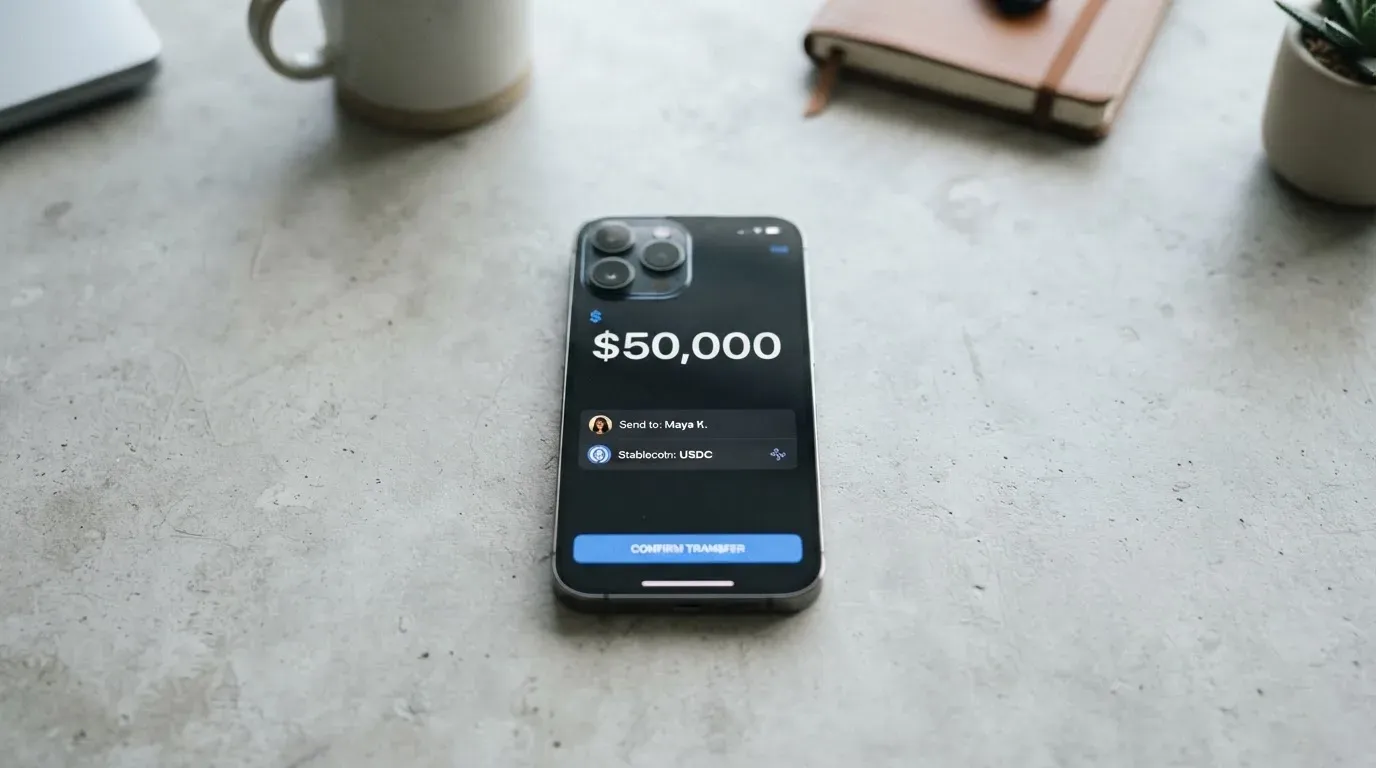
The deposit itself is free. KAST charges 0% on stablecoin top-ups, and there is no stated cap on how much you can deposit, although large transactions can be flagged for compliance review. The only cost on this leg is the network fee you pay on the blockchain itself, which goes to the network rather than to KAST, and that matters because the gap between, say, sending USDC on Solana and sending USDC on Ethereum is several dollars in gas.
There is a wrinkle worth knowing. The Terms of Service say the acceptable tokens are “currently USDT and USDC”, which does not match the marketing list that includes PYUSD and RLUSD. Treat the in-app network list as the source of truth at the moment you top up, because the legal wording and the product wording have not been fully aligned.
If you would rather use a bank rail than a stablecoin, KAST also supports USD ACH at 2 USD, FedWire at 15 USD, SWIFT at 30 USD, and EUR SEPA at 0.5%. The minimum top-up amount is not stated, so the safest approach is to send a small test transaction first if you are funding a new wallet or moving from a different exchange.
When you want to move money back out, the stablecoin withdrawal fees are: Solana (USDT, USDC) 1 USD plus 0.1%, Arbitrum (USDC) 0.20 USD plus 0.1%, Ethereum (USDT, USDC) 6 USD plus 0.1%, and Tron (USDT) 5 USD plus 0.1%. The minimum withdrawal is 5 USD. What happens to any remaining balance if you close the account is not stated.
Paying with it every day
In normal use, KAST behaves like a prepaid Visa card. You load a balance in USD, the card spends from that balance, and each purchase is deducted straight away. There is no credit line, so the card cannot overdraw, and a purchase above the available balance will be declined.
Both virtual and physical cards work with Apple Pay and Google Pay, and the tokenisation fee is 0%. Samsung Pay support is not stated. By Visa’s own figures, the card is accepted at more than 150 million merchants in 170-plus countries, which is roughly the same footprint as any other Visa debit card.
The Terms of Service block a set of merchant categories outright, including weapons, controlled substances, Ponzi, pyramid and MLM schemes, counterfeit goods, Darknet and Tor purchases, adult content, and pseudo-pharmaceuticals. Gambling is not explicitly named, and the gambling MCC 7995 is not mentioned in the prohibited list on the pages I read. Some merchants place pre-authorisation holds that can keep a portion of your balance unavailable for several days, which is a normal card-network behaviour rather than a KAST-specific issue, but worth knowing if you use the card at hotels or car rental desks.
The rewards structure is tiered and paid in USD, credited when the transaction is authorised:
| Tier | Cashback | Monthly cap |
|---|---|---|
| Standard | 1.5% | First 2,000 USD of spend |
| Premium | 2% | First 10,000 USD of spend |
| Private | 3% | First 40,000 USD of spend |
On top of that, Premium earns an extra 1% in KAST Points and Private earns 2%, while Standard earns no Points. There is also a “Reserve” reward paid on balances held in the account, ranging from 8% on Standard to 10% on Premium and 12% on Private, which is an unusually high headline rate and ends on 1 July 2027, so it is worth treating as a temporary feature rather than a permanent one. SOL staking rewards are paid in Points at a rate of 0.25 per 1 SOL roughly every two days on Standard, and 0.5 on the paid tiers. The Premium and Private Visa Infinite benefits, which include travel and purchase protection, lounge access and an eSIM, need to be activated on the Visa Benefits portal, so they do not switch on automatically.
The iOS app, listed as “KAST: Global USD Account” by developer Troia Limited, carries a 3.97 rating from 276 reviews in the US App Store, with an update dated 8 October 2026. Google Play ratings were not available. If you want a quick sense of how the app behaves today, the App Store listing is the primary place to look.
If something goes wrong with a transaction, the Terms say you have 90 days to contact KAST, and the company’s liability is capped at 500 USD. The chargeback process itself is not described, which is a gap worth keeping in mind before relying on the card for a high-value purchase.
What can go wrong
Two things about KAST give me pause, and both matter more than the everyday fees.
The first is the regulatory footprint. KAST describes itself as “a financial technology company, not a bank”, and the cards, custody and on-ramp and off-ramp are “provided by licensed partners”. The Terms name the entity as KAST Tech, registration number 16223, incorporated in Anjouan in the Comoros, with the agreement governed by Seychelles law and disputes settled by arbitration at the SIAC in Singapore. The app developer is Troia Limited. The card issuer, sometimes called the BIN sponsor, is not named, beyond a generic reference to “one of our Partner”. The named partners in the Terms are Tazapay and BitGo, and the homepage shows logos for Stripe, Privy, Fireblocks, Visa, Sardine and Elliptic, which is a long list of names, none of which directly answers the question of who is actually issuing the card and under which licence. No licence numbers appear on the public pages, and no regulator is named, beyond the line that availability is “subject to regulatory approval”. There are no public records of regulatory actions against KAST, but the absence of any visible licence number is a notable gap.
The second is the pattern of user complaints. Trustpilot shows roughly 170 reviews, with a score around 2.5 on regional pages and 2.7 on the main page, read in October 2026. The recurring themes are accounts that are frozen or restricted shortly after a deposit lands, with funds put on hold, repeated 0.50 USD declined-transaction fees that push balances negative, ATM attempts where cash is not dispensed but the amount is debited, and repeated document requests on straightforward self-transfers. KAST has replied to most of these negative reviews, usually with an explanation that accounts can be restricted by the security and compliance systems. Positive reviews tend to praise the low fees and the convenience of spending stablecoins directly. The mix tells me that the cost story is real for many users, and that the compliance story is real for a meaningful minority.
On the security side, the company positions itself as a stablecoin money app with custody handled by licensed partners, and users can set lower spend limits inside the app. Two-factor authentication, an instant card-freeze button, and any insurance beyond the Visa Infinite benefits on Premium and Private are not mentioned. Support runs through the KAST Concierge help center, which is meant to be 24/7 across all tiers, with a VIP Concierge on Private. Replies to negative Trustpilot reviews come from a [email protected] address. The membership page only offers an English language selector, so support in other languages is not visibly offered.
What to take instead
KAST is not the only card in this space, and a few alternatives are worth weighing depending on what you actually need.
TokenPocket (score 5.8 out of 10) runs a Mastercard or Visa debit on the Arbitrum network, with fiat balances in EUR24 and USD24. Coverage is regional: a Visa debit is issued in a list of European countries and territories, and a Mastercard debit is issued in places like Australia, Canada, Hong Kong, Japan, Singapore, the UK and others, with the Americas planned. The fee line is unusual: a 1% fee is charged on crypto deposits into the TP Card, with the company saying it will later be refunded through rewards or reduced transaction fees, which is a promise rather than a guarantee, and the FX fee is not stated.
MetaMask Card (score 7.1 out of 10) is open for sign-ups in 45 listed countries and territories, with the rest on a waitlist, and US and UK sign-ups are temporarily closed per the FAQ. It runs on Mastercard, with a virtual card issued instantly and a Metal card available for 199 USD a year. The card spends directly from the connected wallet, on Linea, Base, Monad and Solana, in tokens including mUSD, wETH, EURe, GBPe, USDC and USDT, and there is no MetaMask-side fee and no foreign transaction fee, with the Mastercard rate used for conversion. Cashback is paid in mUSD into the Money Account, 1% on the virtual card and 3% on the Metal headline rate, with a footnote that limits 3% to the first 10,000 USD spent and then drops to 1%.
Zeal (score 6.1 out of 10) is built on the Gnosis Pay programme and runs a Visa card accepted in 150-plus countries, with the card programme live in the EU, the UK, Brazil, Colombia, Mexico, Japan, Singapore, the Philippines, Indonesia and Thailand. It offers a virtual card addable to Apple Pay, accounts in EUR, USD and GBP, and spends from balances in a card Safe on Gnosis Chain and Celo. Zeal charges no additional FX fee, conversion happens at the Visa wholesale rate, and cashback is paid in GNO on Gnosis Chain at up to 4%, with the requirement to hold GNO in the card Safe to qualify, and the App Store also advertises up to 5% variable APY on EUR and USD balances. Zeal does not publish a fee schedule, and the physical card is not described, so cost-conscious users will need to confirm those details before signing up.
If your priority is to keep your funds in your own wallet until the moment of payment, MetaMask Card and Zeal are closer to that model than KAST, because KAST asks you to top up a custodial USD balance first. If your priority is the lowest cost on everyday spend, KAST has the edge, especially on the Standard tier. If your priority is the strongest regulatory footprint, none of the three is a heavyweight bank, but MetaMask Card’s issuer and provider, Monovate and Crypto Life, are at least named on the page, which is more than KAST offers.
Who I would recommend it to
KAST is worth a serious look if you already hold USDT or USDC across several networks, you want a single Visa card to spend from a USD balance, and you are comfortable with a smaller company handling the relationship. The fee schedule is genuinely competitive on the basics, the network coverage is broader than most cards in this category, and the everyday mechanics, including Apple Pay, Google Pay, virtual and physical, just work.
KAST is less convincing if you are planning to keep a large balance on the platform for a long time, if you live in a country where the residency list is the make-or-break question, or if you need the protection of a clearly named issuer and a visible licence number. The Anjouan registration, the unnamed BIN sponsor, and the volume of Trustpilot complaints about frozen accounts mean that the comfort level on this card depends a lot on how much you keep on it.
My own rule of thumb, applied to any card in this category, is to use it as a spending rail rather than a savings account. Top up what you plan to spend in the next few weeks, leave the rest in your own wallet or in a stablecoin position you control, and treat any reserve or staking rewards as a temporary feature rather than a reason to park funds. Done that way, KAST’s low everyday fees and broad network support do the job. Done any other way, the compliance and concentration risks start to matter more than the savings.
Frequently asked questions
What is the KAST card?
The KAST card is a Visa-branded payment card, available as virtual or physical, that draws on a USD balance in the KAST app. You top up that balance with stablecoins such as USDT, USDC, PYUSD or RLUSD, and the card spends from it anywhere Visa is accepted, including through Apple Pay and Google Pay.
How does the KAST card work?
You create an account, complete KYC to Level 2 with a government ID and a selfie, then send a supported stablecoin to the deposit address shown in the app. The deposit is converted to USD at a 1:1 rate with no spread, and your card spends from that USD balance, with each purchase deducted at the moment of authorisation.
Is KAST a bank?
No. KAST describes itself as a financial technology company, not a bank. The cards, custody and on-ramp and off-ramp are provided by licensed partners, and the card issuer is not publicly named on the pages I read.
Who owns KAST?
The terms name the operating entity as KAST Tech, registration number 16223, incorporated in Anjouan, Comoros, with the agreement governed by Seychelles law. The iOS app is published by Troia Limited. The card issuer and any equity ownership above that are not stated on the public pages.
How do I top up the KAST card?
Open the KAST app, go to the top-up screen, and send USDT, USDC, PYUSD or RLUSD from your own wallet to the deposit address shown. Pick the network the app lists for that token, confirm the amount on your own wallet, and wait for the network confirmations. The deposit fee is 0%, and you only pay the blockchain’s own network fee.
Does the KAST card require KYC?
Yes. Level 1 gets you into the app but no card. Level 2, with a government ID and a selfie, unlocks the card. Level 3, with a proof of address and enhanced checks, opens up USD and EUR accounts and global payouts.
How do I add the KAST card to Apple Wallet?
In the KAST app, open the card you want to add, choose the option to add to Apple Wallet, and follow the prompts. The same flow works for Google Pay. Both are 0% on the KAST side.
Where can I use the KAST card?
Anywhere Visa is accepted, which by Visa’s own claim is more than 150 million merchants in 170-plus countries, including in-app and online payments. Some merchants decline foreign-issued BINs or prepaid cards, so a small test transaction before a big purchase is a sensible habit.
Is the KAST card safe?
The card uses tokenisation through Apple Pay and Google Pay, and the company says custody is handled by licensed partners. What is not visible on the public pages is two-factor authentication, an instant card-freeze button, and any insurance, and the card issuer is not named. The Trustpilot score, around 2.5 to 2.7, reflects a meaningful number of user reports of frozen accounts and repeated document requests, so the safe usage pattern is to keep only what you intend to spend soon on the platform.
How do I delete my KAST account?
The process is not described in the public pages I read. In practice, withdraw any remaining balance to a stablecoin address you control, cancel any active virtual or physical cards, and contact [email protected] to request account closure, then confirm in writing that you want all data deleted under the company’s stated policies.
Wallet card fees and costs – cryptocardfacts
Content created by the «cryptocardfacts» team