
Currency.com card reviewed: USDC on a virtual Visa, with limits worth knowing
 Available in US
The Currency.com card is a virtual Visa Platinum that spends directly from a USDC stablecoin balance held inside a Currency.com account. There is no physical card, no credit line, and the only way to load it is to hold or buy USDC on the platform. For people who already keep a USDC balance with Currency.com, the card is a clean, low-friction way to turn that balance into everyday spend; for everyone else, the very narrow funding model and the higher processing and ATM fees quickly become the story.
The verdict that follows is built on the card’s published help pages, the company’s public information, and a snapshot of user reports. Conditions are current as of October 28, 2026.
Verdict
The card lands at 6.5 out of 10. It scores well on everyday usability and cost of holding the card, and poorly on top-up flexibility and the trustworthiness signals you want from a card programme.
| Criterion | Mark | Why it matters |
|---|---|---|
| Who can get it | 8 / 10 | Marketed as globally available, but the country-by-country decision sits with Currency.com; the card does not work in sanctioned territories. |
| Cost | 6 / 10 | No card fee and no monthly fee, but a 1% processing fee, up to 1% FX on non-USD, up to 1% cross-border, and a 2% ATM fee add up on small purchases. |
| Top-up options | 4 / 10 | USDC only, on-chain to the Currency.com wallet or bought on the platform; the help pages do not name supported networks. |
| Reliability and complaints | 6 / 10 | Currency.com operates through two named regulated entities (FINTRAC-registered in Canada, GFSC-authorised in Gibraltar), but the card-issuing bank is not named on the help pages; Trustpilot reviews mention frozen accounts and slow checks. |
| Everyday use | 8 / 10 | A virtual Visa Platinum issued instantly, Apple Pay and Google Pay supported, a $750 ATM ceiling per transaction — but no physical card. |
In plain terms, the card is best for an existing Currency.com user who already holds a USDC balance and wants to spend it. It is not the right pick for someone choosing a card by the card alone, because the funding model is the card.
Will they give you the card
The Currency.com card is sold as globally available. The official wording is that “the Currency.com Card is available globally”, but the same page is quick to add that “the ability to receive the card may depend on multiple factors, including but not limited to the country of residency of the applicant. The final decision will be made on a case-by-case basis.” There is no published list of accepted or excluded countries; instead, each application is judged individually, which means you cannot tell from the website whether you will be approved.
The card “cannot be used in certain countries, including sanctioned territories”. In practice that is the same answer every regulated card programme gives, and the help pages do not enumerate the list. The point to take away is that residency and the underlying account checks are the gate, not a country picker on a form.
Beyond geography, eligibility turns on the account: only verified Currency.com account holders can get the card, and the card is tied to a USDC balance from the moment it is ordered. The minimum age is not stated on the card pages, though the platform’s KYC process implicitly assumes an adult account holder.
How to get it
Getting the card is a two-step process that runs through your existing Currency.com account, if you have one. If you do not, you open one and run through KYC first; the card is ordered from inside the verified account.
The KYC layer is the same one the exchange uses. It includes profile data, proof of identity (a valid ID or passport), proof of address where required (a bank statement or utility bill — not a mobile bill), and a liveness test. The help pages describe it as automated, with an average turnaround of about five minutes. The card itself is then ordered from the Cards section of the app, against a minimum USDC balance that the help pages do not put a number on.
Once ordered, the card is a virtual Visa Platinum issued instantly. There is no mention of a physical version, no shipping address, and no replacement card to plan for; the help pages say only that the virtual card is “issued instantly”. Activation is not described as a separate step; the card is ready to add to a wallet as soon as it appears in the app.
The account behind the card has three verification tiers (Tier 1, Tier 2, Tier 3), and they change deposit and withdrawal limits rather than card features. The numbers, in US dollars, are the only ones the help pages publish: Tier 1 lets you move $500 per deposit and $1,000 per withdrawal, with a $1,000 daily and $3,000 monthly cap, and a $15,000 lifetime ceiling; Tier 2 raises all of those to $15,000 per transaction, per day and per month, with a $30,000 lifetime ceiling; Tier 3 lifts them to $50,000 per transaction, per day and per month, with a $300,000 lifetime ceiling. They are account limits, not card spending limits, and the help pages do not give a separate card-spending cap. The grounds on which an application is rejected are not stated.
Fees and what they mean in real spending
Issuance is free, there is no monthly or annual fee, and there is no account maintenance charge for the card itself. The published “Currency.com Spend card” fee table is where the everyday cost lives: a 1% processing fee, an FX fee of up to 1% on non-USD transactions, and a cross-border fee of up to 1%. Depositing USDC has no Currency.com fee, although the underlying blockchain gas fee is not in their hands. On the exchange side of the platform, a separate 1% transaction fee applies to crypto trades; the card does not charge that fee on its own, but if you buy USDC inside the platform to load the card you will pay it.

| Fee or limit | Amount |
|---|---|
| Card issuance (virtual) | None |
| Monthly / annual / maintenance | None |
| Processing fee | 1% |
| FX fee (non-USD) | Up to 1% |
| Cross-border fee | Up to 1% |
| USDC deposit | None (network gas may apply) |
| Platform crypto trade (separate) | 1% |
| ATM fee | 2% |
| ATM cap per transaction | $750 USD (including ATM surcharge) |
| ATM daily ceiling | Up to $750 USD |
| ATM attempts in 24 h | 3 (declined attempts count) |
| Free ATM allowance | Not stated |
To make those numbers less abstract, here is how they land on three everyday purchases. The card is denominated in USD; the FX fee is what you pay when the merchant settles in something other than USD, and the cross-border fee is what you pay when the merchant is registered outside the US. The processing fee is the one that always applies.
- Coffee at a local café, paid in local currency, merchant based at home. The processing fee is 1% on the USDC side. The FX fee depends on the local currency: if your bank would charge nothing for the same conversion, this is where Currency.com is more expensive. On a $5 coffee, the 1% processing fee alone is five cents, before any FX kick-in.
- Online subscription to a US-based service, billed in USD. The processing fee is 1%. There is no FX fee, because the transaction is in USD. The cross-border fee depends on whether the merchant sits outside the US; for a US-headquartered service the cross-border fee is the one to watch on the receipt.
- ATM withdrawal abroad. On top of whatever the ATM owner charges (their surcharge is included in the $750 cap), Currency.com takes 2%. A $200 withdrawal abroad can therefore cost about $4 to Currency.com, plus the ATM surcharge, plus any FX fee if the ATM dispenses local currency that the card has to convert.
The cumulative effect of three percentage-point fees on a small transaction is significant. The card is cheapest when you spend in USD, at merchants that do not trigger a cross-border fee, and when you avoid cash. It is most expensive when you take out small amounts of foreign currency from an ATM.
Top up
The card is funded with USDC and only USDC. Two routes are described in the help pages: you can deposit USDC on-chain to the Currency.com wallet, or you can buy USDC inside the platform and have it sit in your account balance. In both cases the money becomes a USDC balance in the Currency.com account, and the card spends that balance directly; the help pages describe the balance as “automatically used to collateralise the transaction”.
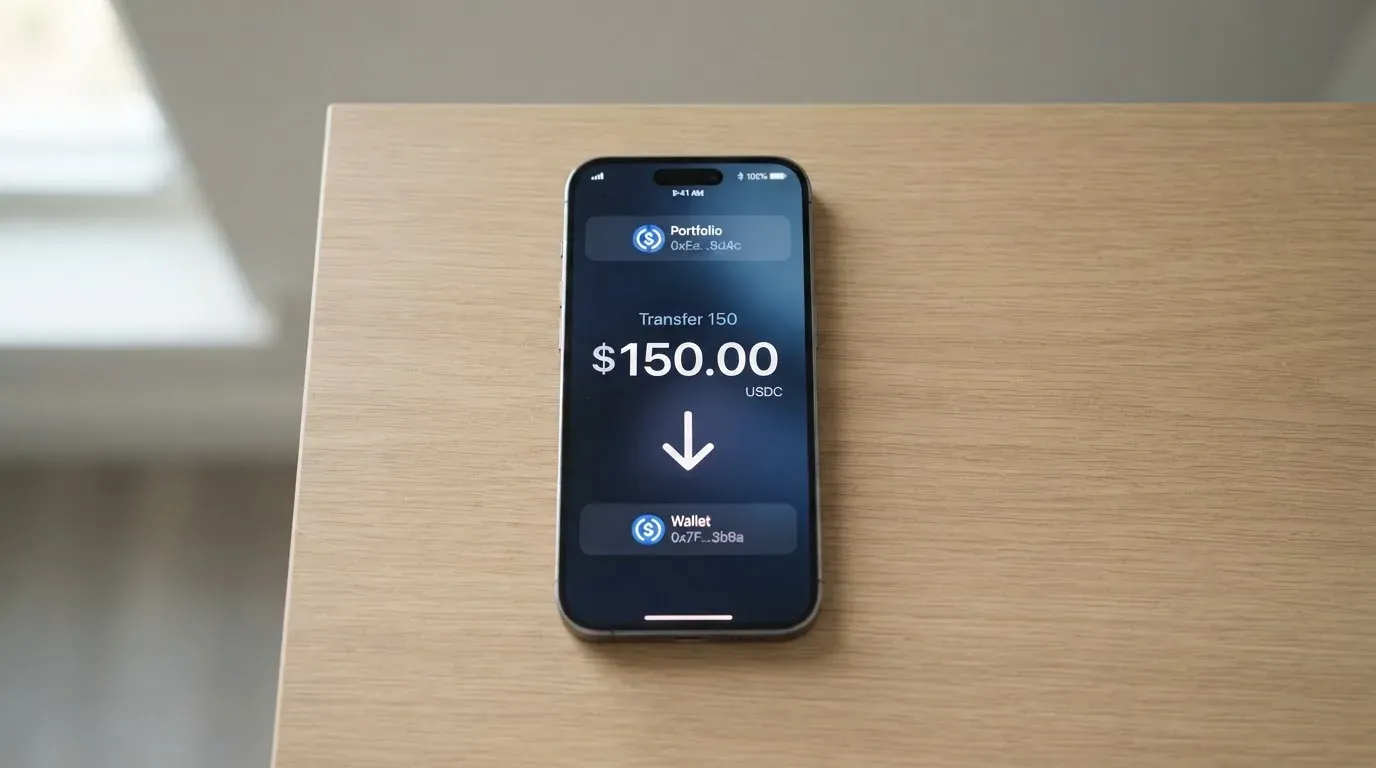
On-chain deposits become available for card spending “within minutes” of on-chain confirmation. Currency.com does not charge a deposit fee for USDC, but the underlying blockchain charges its own gas fee, and that cost is paid by the sender, not the card provider. The help pages do not list the networks Currency.com accepts for USDC deposits, which is a real gap if you keep USDC on a chain the platform does not watch. If you send on a network the platform does not support, or to an address that does not match, the transfer may be lost or stuck until support recovers it manually, with no guarantee.
The minimum top-up for the card is not stated in the help pages, and fiat top-up for the card is not stated either, beyond the fact that you can buy USDC on the platform with fiat. There is no published figure for the minimum USDC balance required to order the card in the first place. The withdrawal side of the account is described in terms of the tier limits already listed, and the fees and balance treatment on closure are not stated on the card pages.
For a reader who already holds USDC on a major network, the practical question is whether Currency.com’s deposit page matches the network their USDC lives on. The card is not designed for someone who wants to fund it from a bank transfer or from a non-USDC balance, because neither of those is a described path.
Paying with it every day
The card lives inside the Currency.com app and is intended to behave like a standard Visa online and in-store card, with mobile wallet support layered on top. The published everyday features are straightforward.
Apple Pay and Google Pay are supported once the virtual card has been issued; the help pages describe adding the card to a wallet in the standard way. Online payments are protected by 3-D Secure, which means the issuer may challenge the transaction with a one-time code or biometric prompt; the help pages do not say whether this is frictionless by default, only that it is on.
Spending is restricted at the card-network level for certain merchant categories; the help pages call out gambling and adult content as examples of categories that may be blocked. The block list varies by issuer, and Currency.com does not publish the full list. Cashback or other rewards on card spend are not stated, so this is a card you use because it spends your USDC, not because it pays you back to spend.
For disputes, the help pages describe a two-track process. For an unauthorised transaction, you freeze the card in the app and write to support; “standard Visa dispute and fraud protection processes apply” beyond that. For goods not received, the route is to contact the merchant first and then request a Visa dispute with the date, amount, merchant name and a short description. Pending authorisations normally settle in one to three business days; if a transaction is still unresolved after five business days, the help pages tell you to contact support. The deadline for filing a dispute is not stated on the help pages.
The mobile apps behind the card are the standard Currency.com apps: an iOS app in the App Store published by Currency Com Limited, and an Android app (com.currency.application.android) with 1K+ downloads and an update on 21 September 2026. The iOS app page had too few ratings to display an overview at the time of writing, and the Android star rating was not read. That is a small but real gap if the app is how you would freeze the card or raise a dispute.
What can go wrong
The card itself is simple; the risks are mostly the ones that come with a custodial crypto balance and a programme whose issuing bank is not named on the help pages.
Currency.com is described on its own pages as “a financial technology company, not a bank”. The corporate picture that comes through the help pages is two regulated entities. CURRENCY COM INTERNATIONAL INC. is registered in Ontario, Canada, with a FINTRAC Money Services Business registration (C10001741) and a Mississauga address. Currency Com Limited is registered in Gibraltar (company 117543) and is authorised by the Gibraltar Financial Services Commission as a DLT Provider under Licence No. 25032. The card’s issuing bank or e-money institution is not named on the help pages, which is the single biggest thing you cannot check from the public materials.
A third-party source, TradeInformer, reported on 12 March 2026 that the card is powered by Rain, a Visa Principal Member that settles in stablecoins; the same report was dated 17 March 2026 by IBS Intelligence. This is unofficial and is not confirmed on the help pages, but it is the kind of detail a careful reader will want to verify directly with Currency.com before they put a meaningful balance behind the card.
The balance itself is custodial. The help pages state plainly that “Currency.com is a custodial service … You do not manage private keys”, which means Currency.com holds the credentials to the funds behind the card, and you have to trust that they do. Card-level security is reasonable: instant freeze and unfreeze in the app, 3-D Secure on online payments, Visa fraud monitoring, and the card details are visible only inside the authenticated session. Two-factor authentication and the safeguarding of customer funds are not stated on the card pages.
User reports on Trustpilot describe the wider Currency.com platform, not the card specifically, but the themes are the ones that matter most for a cardholder. The Trustpilot score for Currency.com was 4.2 out of 5 from 2,006 reviews at the time of writing, with about 69% five-star and 10% one-star. The recurring complaints, all marked as user reports rather than confirmed incidents, are frozen accounts and slow compliance reviews (with one 2026 review describing business funds held for more than 15 days), accounts terminated without reasons (2023), unclear balances and dormant-account fees (2023), delisting and high-fee complaints (2024), and login confusion after a redirect to Dzengi.com (2023). The help pages do not publish an official incident notice.
Support is reachable by e-mail and through the “Contact us” link in the help centre; the physical address is not displayed on the public help page. The help centre is published in English; the languages and the operating hours are not stated. The card pages give you a way in, but not a published service-level commitment.
The narrowest risks, the ones that hit you without any platform drama, are the fee structure on small purchases and the loss of a USDC transfer to a wrong network. Three fees on a five-dollar coffee is a meaningful percentage. A USDC transfer sent on a chain the platform does not support is much harder to recover than a bank wire sent to the wrong account.
What to take instead
A different card makes sense if the USDC-only model, the 1%-plus-1%-plus-1% fee stack, or the unnamed issuer is the part that bothers you. The cards below are the ones that came up while researching this review; their numbers come from the same research pass and are stated as their public pages state them.
Young Card (scored 5.7 / 10) is a separate product for a different reader: cashback is paid in YNG tokens and the rate depends on a Club tier, with Essential at 0.1%, Gold at 1.8% and Platinum at 3.6%. Bronze and Silver rates are not stated. Country, card type, fees and top-up mechanics are not stated on the official pages that could be read for this comparison.
MSX (scored 6.4 / 10) is a card whose public pages did not give a country list, card type, fee schedule or top-up mechanics that could be quoted here, so the only thing the official record gives you today is the score.
Bybit Card (scored 6.0 / 10) is the most detailed alternative in the set, and the contrast with Currency.com is useful. It is available in named regions — Argentina, AIFC (Kazakhstan), Georgia, Kazakhstan, Australia, Mexico, Brazil, Peru and Asia Pacific — and is explicitly “not meant for European Economic Area customers”. It offers both virtual and physical cards (the physical card is not available in Peru and is being rolled out in phases), and it supports a wider funding model: a Funding Account and Flexible Easy Earn balance, with fiat spent first and crypto sold at the One-Click Sell rate plus a 0.9% conversion fee in most regions, 0.5% in Argentina and not supported in Peru. The fee structure is a different shape: a 2% FX fee on top of the network rate in most regions, 7% in Argentina, 1.5% in Brazil, 1% in Peru, and a 0%–5% FX padding that is refunded above the cap. Rewards are points-based, paid in USDT, with tiers from Base at 2% to Infinite at 10%, and a welcome offer of 10% cashback up to 110 USDT in the first 30 days for non-VIP cardholders. If the Currency.com card’s USDC-only model and unnamed issuer are the friction, the Bybit Card is a more transparent programme in those two areas at the cost of a more complex fee schedule.
The honest summary is that none of these alternatives is a like-for-like swap for “spend my existing Currency.com USDC balance”. The question is which trade-off you would rather live with: a wider funding model with a more complex fee schedule, a token-based rewards programme, or a card whose public details are still being filled in.
Who I would recommend it to
The Currency.com card is the right tool for a specific reader. If you already have a verified Currency.com account, you already hold USDC on the platform, and you want to spend that USDC without first selling it on the exchange and then loading a separate card, this is one of the simplest ways to do that. The issuance and the holding are free, the virtual card is in your app immediately, it works in Apple Pay and Google Pay, and the standard Visa dispute and fraud processes are described on the help pages.
The card is the wrong tool if you want a physical card, if you want to fund spending from anything other than USDC, if you take out small amounts of foreign currency from ATMs often, or if you want the issuing bank named on the help page before you put a real balance behind the card. In all four cases, the friction is in the design rather than in any bug.
If the card’s design fits your situation, treat the KYC step as the gate, the on-chain deposit step as the one that has to match a network Currency.com supports, and the dispute path as the standard Visa route with a five-business-day escalation through support. Everything else is the cost of the three percentage-point fees on every transaction, which is the price of spending USDC on a Visa without first selling it.
Frequently asked questions
What is the Currency.com card?
The Currency.com card is a virtual Visa Platinum that spends a USDC stablecoin balance held inside a Currency.com account. There is no physical version of the card, no credit line, and the only way to load it is to deposit or buy USDC on the platform.
How does the Currency.com card work?
When you pay, the card converts your USDC balance at the point of sale and routes the payment through Visa. The help pages describe the USDC balance as automatically collateralising each transaction, with a 1% processing fee, up to 1% FX on non-USD purchases, and up to 1% cross-border fee applying on top.
Is Currency.com a bank?
No. Currency.com describes itself as a financial technology company, not a bank. The two regulated entities on the public record are CURRENCY COM INTERNATIONAL INC. (FINTRAC-registered in Canada) and Currency Com Limited (Gibraltar Financial Services Commission DLT Provider, Licence 25032). The card’s issuing bank is not named on the help pages.
Who owns Currency.com?
The company operates through CURRENCY COM INTERNATIONAL INC. in Ontario, Canada (FINTRAC Money Services Business C10001741, Mississauga) and Currency Com Limited in Gibraltar (company 117543, GFSC DLT Provider Licence 25032). Beneficial ownership above those two entities is not described on the help pages.
Is the Currency.com card available in my country?
The card is marketed as globally available, with the country-by-country decision taken case by case at the residency stage. The card cannot be used in certain countries, including sanctioned territories, and the help pages do not publish a country list, so the only way to find out for your country is to start the application.
How do I get the Currency.com card?
You open and verify a Currency.com account (profile data, ID or passport, proof of address where required, liveness check, automated and averaging about five minutes), hold a minimum USDC balance, and order the virtual card from the Cards section of the app. The card is issued instantly and is then ready to add to Apple Pay or Google Pay.
How do I top up the Currency.com card?
You fund the card with USDC only. You can deposit USDC on-chain to the Currency.com wallet or buy USDC inside the platform. The deposit has no Currency.com fee, but the underlying blockchain gas fee applies; the help pages do not list the supported networks. Fiat top-up for the card is not described; USDC can be bought on the platform with fiat.
Is the Currency.com card free?
Issuance is free and there is no monthly, annual or maintenance fee. The card is not free to use, because a 1% processing fee, up to 1% FX fee, up to 1% cross-border fee and 2% ATM fee apply on transactions. The cumulative cost depends on what you buy and where.
How do I add the Currency.com card to Apple Wallet?
Once the virtual card has been issued in the app, the standard Apple Pay add-card flow applies. Open the Wallet app, tap to add a card, and follow the prompts; the card details are visible only inside the authenticated Currency.com session, so you authenticate there first.
Is the Currency.com card safe?
Card-level security is standard: instant freeze and unfreeze in the app, 3-D Secure on online payments, Visa fraud monitoring, and a Visa dispute process for unauthorised transactions. The balance itself is custodial, and Currency.com holds the private keys. The issuing bank is not named on the help pages, so a careful reader will want to confirm that detail with the company before committing funds.
Exchange card fees – cryptocardfacts
Content created by the «cryptocardfacts» team