
VaultLeap card review — the USDC-only Visa with no monthly fees, but limited reach
 Available in US
If you’re looking at a VaultLeap card because ordinary banking is hard to come by where you live, or because you hold USDC and want to spend it without touching a bank, this review walks through what the card actually does in practice. I read through VaultLeap’s own pages, the cardholder agreement, the help centre, and the public feedback I could find, and I’m going to tell you what I think, section by section, so you can decide whether it fits your situation.
The headline finding is straightforward: the card is unusually cheap to run and reasonably easy to get hold of, but the funding path is narrow (USDC only, manual top-ups), the country list is patchy in its public detail, and the user feedback I’ve read is mixed. Read on for the detail, and check the section that matters most to you first.
Conditions are current as of October 28, 2026.
Verdict
VaultLeap scores 6.0 out of 10 for me. The cost structure is the strongest part: no monthly fee, no annual fee, no per-purchase fee, and a stated 0% foreign transaction fee, with a small (~0.5%) pass-through on conversion. Against that, the card is virtual-only, ATM access is unavailable, funding is locked to USDC, and the public feedback is patchy. It’s a card that does a narrow job well, and the rest not at all.

Who it’s for: residents of the United States and the listed Latin American countries who hold USDC and want a low-friction way to spend it online and via mobile wallets, including people who struggle to get a traditional bank account. Who it’s not for: anyone who needs a physical card, ATM cash, a card in a non-USD currency, or a card that earns cashback or other rewards — VaultLeap doesn’t do any of those.
Score breakdown
| Criterion | Mark | Why it matters |
|---|---|---|
| Who can get it | 5 / 10 | Card advertises 27 countries but the full list is not on the public page; the cardholder agreement is issued under U.S. law and is “not directly marketed outside the U.S.” |
| Cost | 9 / 10 | $0 monthly, $0 annual, $0 per purchase, 0% international fee, no FX markup; about 0.5% in partner conversion pass-through; issuance fee not disclosed. |
| Top-up options | 5 / 10 | USDC only, moved manually from the VaultLeap balance; no other coins or networks disclosed; you pay the gas. |
| Reliability and complaints | 5 / 10 | Trustpilot 3.4 out of 34 reviews, with user reports of account blocks and uncredited funds in 2026, including a review from 12 October 2026 flagging card-issuance problems. |
| Everyday use | 5 / 10 | Virtual Visa issued in minutes, Apple Pay and Google Pay work; no plastic, no ATM. |
| Total | 6.0 / 10 |
Who VaultLeap will issue the card to
This is the section I spent the most time on, because the public story and the legal story don’t quite line up.
The marketing pages say the card is “available in 27 countries”, but the actual list isn’t on the page that I could find. The starting data I do have groups the coverage into three buckets:
- United States.
- Latin America: Argentina, Colombia, Mexico, Brazil, Peru, Bolivia, Guatemala, Dominican Republic, Ecuador, Costa Rica, El Salvador, Honduras, Panama, Paraguay, Uruguay.
- Africa: Ghana.
That’s fifteen named countries out of the claimed twenty-seven. The remaining twelve are not stated. If your country is in that unnamed remainder, I’d treat availability as not confirmed until you check with support directly.
The cardholder agreement tells a more cautious story. It says the card is “issued under U.S. law” and is “not directly marketed outside the U.S.” That’s a tension worth pausing on: the marketing reach is wide, the legal reach is narrow. In practice, what that often means is that VaultLeap may let you sign up in some of those 27 countries, but the contract you agree to, the regulator that oversees the product, and the law that applies if something goes wrong are all U.S.-based. That’s not necessarily a deal-breaker, but it’s a fact you should know before you sign up.
There’s an age requirement: 18 or older, the age of majority in your jurisdiction. Beyond that, the documents VaultLeap asks for during identity verification are not stated on the public pages. I’d expect a government-issued ID and possibly a proof of address, because the issuer is a U.S. bank and U.S. KYC rules require it, but the company doesn’t spell that out.
If you live in a country that isn’t on any of these lists, don’t assume you’ll be turned away silently. KYC and onboarding can change week to week, and the public list is incomplete. Just don’t rely on availability either.
How to get the card
The sign-up flow is built around the VaultLeap dashboard and the underlying account, not the card itself. You create and verify a VaultLeap account first; once the platform says you’re verified, the card becomes available to request from the dashboard.
The card itself is a virtual Visa debit — the legal text calls it a “Prepaid Debit Visa Card”. It issues in minutes, in USD. There is no physical card, so there’s no shipping step and no replacement logistics to think about. VaultLeap’s help centre says replacing a card is free (“There is no fee for replacing your Card”), which I read as covering reissuing the virtual card details if the old one is compromised.
KYC levels — for example, whether there’s a lighter “starter” tier and a fuller tier after you’ve uploaded more documents — are not stated on the public pages. What is stated is that identity verification is required before you can ask for a card.
A practical note from reading the help centre: keep your account verification clean and current. Some of the negative user feedback I cover in the risks section relates to accounts being suspended, and a common trigger in this industry is an outdated document or a mismatch between your account details and your ID. I can’t promise that, but I’d treat it as a “look after this carefully” item.
What the card really costs
This is where VaultLeap is at its strongest, and the cost table is genuinely short. The catch is that one key number is missing.
Costs at a glance
| Fee or limit | Amount |
|---|---|
| Card issuance | Not stated |
| Monthly fee | $0 |
| Annual fee | $0 |
| Per-purchase fee | $0 |
| Closure fee | Free |
| International transaction fee | 0% |
| FX markup | None stated |
| Conversion pass-through | ~0.5% partner fee |
| ATM withdrawal | Unavailable |
| ATM balance inquiry | Unavailable |
| Maximum per-transaction load | $2,000.00 |
| Other limits | Set by the bank, not specified |
Two things in that table deserve a second look. First, the issuance fee is not stated. The help centre lists replacement as free but doesn’t disclose a one-off fee for the first card. If that matters to you, ask support before you trigger the issue, because the absence of a price on a public page is not the same as “free”. Second, the “0.5% partner pass-through” is described as the cost of converting USDC to USD at the time of spend — that’s not a VaultLeap markup, but it does mean every purchase carries the 0.5% partner pass-through you didn’t see in the headline fees. On a $100 shop, that’s around 50 cents; on $1,000, around $5.
The 0% international transaction fee and the “no FX markup” line are the most distinctive parts. Most travel-style cards charge 1–3% for spending in a currency other than the card’s base. VaultLeap’s marketing is explicit that this is not the case here. The practical effect is that if you’re a U.S. resident paying in USD, you pay the pass-through and nothing else; if you’re in Argentina paying in pesos (where the merchant or acquirer converts to USD for Visa to settle), the headline fee still reads 0% on VaultLeap’s side. What the merchant’s own bank or the card network does at conversion is a separate matter, and that’s where the 0.5% lives.
The per-transaction load cap of $2,000 is a hard ceiling. If you regularly spend more than that on a single card swipe, you’ll need to top up mid-day or split purchases. The wider monthly or lifetime limits aren’t stated, and the bank can set additional limits at its discretion.
The account, not the card, has tiered plans — Standard, Pro ($14.99/month or $144/year), and a Zero tier for transfer fees. These are about the VaultLeap platform, not the card, so I won’t dwell on them here, but if you only need the card and not the rest of the platform, you can largely ignore them.
Three everyday spends, walked through
To make the fee picture concrete, here’s how three common purchases play out.
- A $50 online subscription in USD, paid with Apple Pay. You pre-loaded the card from your USDC balance earlier. The card pays $50; VaultLeap charges $0 in fees; the 0.5% conversion happened when you loaded the card, not at the moment of payment. Your effective cost: the price of the subscription plus the half-percent you paid on top-up.
- A grocery shop in Buenos Aires, paid in person with a tokenised card in Google Pay. The merchant’s acquirer converts pesos to USD at the network rate. VaultLeap charges 0% international and no FX markup. The ~0.5% pass-through is built into the conversion that already happened. The thing to watch is the merchant’s own card-acceptance margin, which is outside VaultLeap’s control.
- Trying to take out cash from an ATM. Not possible — ATM withdrawals and balance inquiries are both listed as “n/a” on the help pages. This is a deal-breaker for anyone who needs physical cash regularly, and a useful filter if you’re choosing between cards.
Top up and funding
The funding path is the narrowest part of VaultLeap, and it’s worth understanding it precisely.
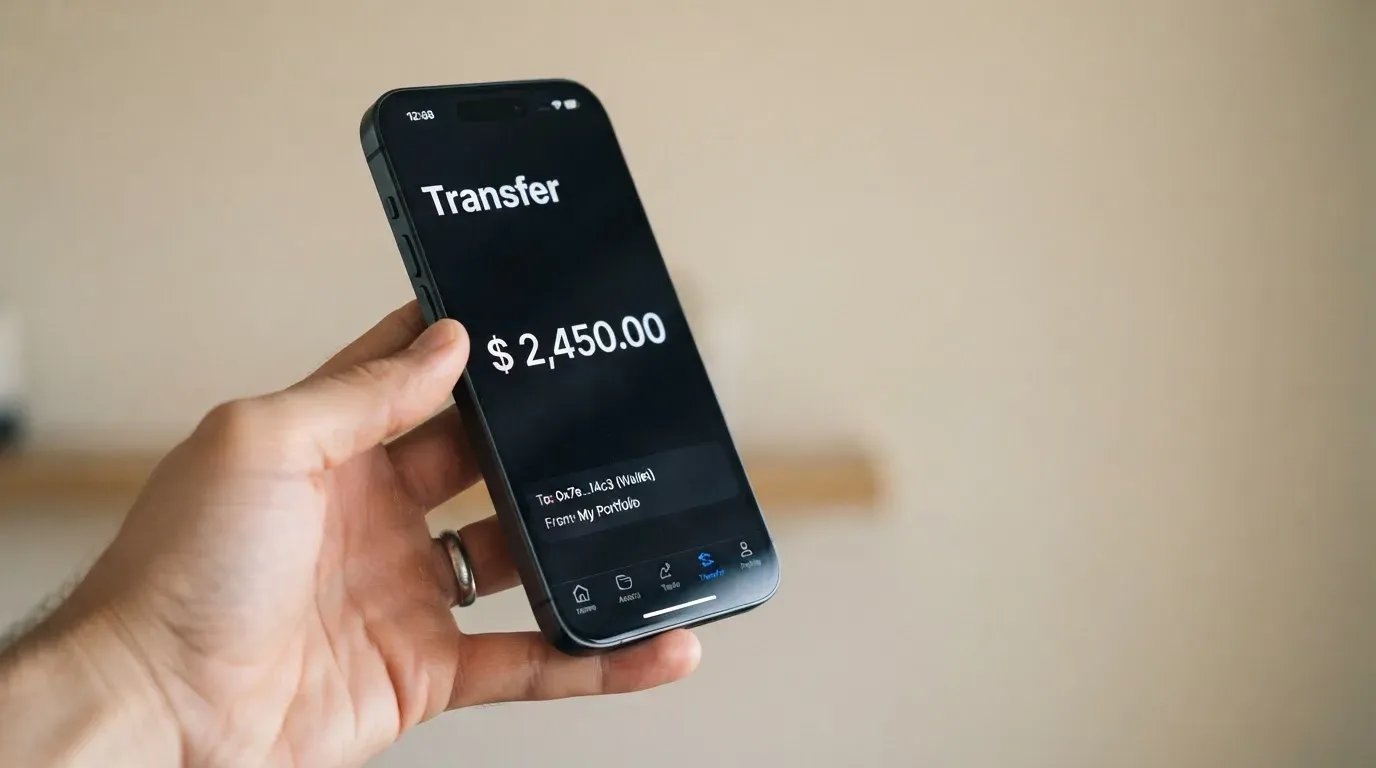
You can only top the card up with USDC. You do it manually from the VaultLeap dashboard, under the Card → Add Funds flow, which moves USDC from your VaultLeap platform balance into a card wallet run by Bridge (the card programme’s infrastructure partner). Other coins and other networks are not stated. If you only hold ETH, BTC, or USDT, you’d be converting to USDC inside the VaultLeap platform first, and any fees or spreads on that conversion are between you and the platform, not the card.
You pay the blockchain’s gas yourself; VaultLeap does not subsidise it. On Ethereum mainnet, that can be several dollars per transfer during busy periods. On a cheaper USDC network it can be a few cents. Circle lists USDC as natively supported on 38 networks, including Ethereum, Solana, Base, Polygon, Avalanche and others, but which of those the card wallet accepts is not stated on the public pages. Before you send, check the supported network on the Add Funds screen; sending on the wrong network is one of the few ways to lose money permanently in this product.
The deposit fee, if any, and the minimum top-up are not stated. The maximum per-transaction load is $2,000, as noted in the costs section.
When you close the card, the help centre says any remaining fiat balance is paid out to your platform wallet as stablecoins. The bank may refuse to do this if the balance is under $1.00. Account-level withdrawals to a supported USD or EUR bank account are also possible, but that path runs through the wider VaultLeap platform and its own limits.
A practical tip: because top-ups are manual and you pay gas each time, batching — loading a week or a month’s worth of spending in one go — is almost always the cheaper move. Frequent small top-ups will eat the 0.5% pass-through several times over in gas.
Paying with the card day to day
The card works in two ways: as a virtual Visa number you type into online checkouts, and as a tokenised card inside Apple Pay or Google Pay on a phone. Both are listed as supported. The card is USD-denominated, and the account behind it can hold USD, EUR or MXN balances, with foreign purchases settled at the Visa network rate.
There’s no physical card. That means no contactless chip-and-PIN in a shop if you don’t have your phone, no inserting the card at a payment terminal, and no printing the card details onto anything you can hand to someone else. If your spending pattern relies on any of those, this card won’t do it for you.
There’s no stated list of blocked merchant categories. Many crypto cards block gambling (the standard MCC 7995) and a handful of other categories by issuer policy, but VaultLeap’s help pages don’t enumerate this. If you want to know whether a specific merchant type is blocked, that’s a question for support before you rely on it.
There’s no cashback or other stated rewards. The help centre has a “Points & Rewards” category, but I didn’t read into it because it’s not part of the card terms. Treat any reward language you see elsewhere as unconfirmed unless the help centre spells it out for the card itself.
The mobile app is available on both iOS and Google Play. I didn’t pull app-store ratings, so I can’t tell you whether the app is well-reviewed or not.
If something goes wrong with a payment
The dispute path is through the dashboard: Support → File a Ticket → Dispute a Charge. The cardholder agreement sets out the timelines: report errors within 60 days, and the bank aims to decide within 10 business days, with a possible extension to 45 days (90 days for new cards, point-of-sale or foreign transactions). On unauthorised transactions, reporting within two business days caps your liability at $50; after that, the cap rises to $500. These are U.S. debit-card norms from Regulation E and the network rules, and they apply because the card is issued by Lead Bank under U.S. law.
The dispute system only works if the money is still in the card programme. Because the card is a prepaid product spending from a pre-loaded balance, the bank’s protection is generally narrower than what a credit card offers. That’s the standard trade-off for prepaid Visa debit products, and it’s worth keeping in mind before you load a large balance you can’t afford to lose.
What can go wrong
The card has no official incident I could find, and the issuer (Lead Bank) and programme manager (Bridge Ventures LLC) are real, regulated entities. But the user feedback I read tells a less comfortable story, and I’d be doing you a disservice to skip it.
Trustpilot: 3.4 out of 5, from 34 reviews. That’s a low score on a small sample, but the themes are consistent enough to take seriously:
- Accounts suspended or blocked without clear reason, in reports from January 2026 and from June through August 2026. The cardholder agreement gives the bank wide discretion to freeze or close accounts, and a freeze on a custodial platform is one of the few ways a self-styled “self-custody” product can still leave you unable to spend your money.
- Funds not credited or refunded, in reports from October 2025 and June 2026. These are particularly painful because crypto transfers are irreversible: if the platform doesn’t credit your USDC, you can’t reverse the on-chain transfer to get it back.
- Slow or unclear support, which makes the above worse when it happens.
- A Trustpilot review dated 12 October 2026 flags card-issuance problems — a recent data point that the rough edges haven’t been smoothed out in the months leading up to this review.
A few facts about the company behind the card, for context:
- Klydo Inc. operates VaultLeap. It’s a California S Corporation.
- Bridge Ventures LLC (Delaware) is the programme manager, a licensed money transmitter.
- Lead Bank, a Missouri state-chartered bank, is the issuer.
- The wallet is described as self-custodial in the Terms, with VaultLeap stating it “does not hold customer funds”. That sounds reassuring, but in practice the card programme sits inside Bridge and the bank, and those layers can still block your access. Self-custody on the wallet side does not mean self-custody on the card side.
- Funds are not FDIC-insured. The standard crypto-card caveat, but worth repeating.
- The card has a freeze toggle in the app (Dashboard → Card → Freeze), and 2FA and standard app-based security are described in the help pages. I treat these as table stakes rather than as differentiators.
- Support is offered in English and Spanish by email, via the in-app Support tab and tickets.
The honest summary: the card is cheap to run, the company structure is real and regulated at the right layers, but the user feedback is mixed and recent. Read it as a useful early signal, not as a verdict on the product as it stands today.
What to take instead
The honest answer is that there isn’t a single VaultLeap-killer. Each of the alternatives below has a different mix of cost, reach and features, and the right one depends on which of VaultLeap’s limits bothers you most. I picked three that are useful comparisons for different reasons.
International Visa Card — 6.7 / 10
This is the closest direct competitor in the “USDC-funded virtual Visa” niche.
- Country list is more transparent, but stricter. Not available to residents or legal registrants of Belarus, mainland China, North Korea, Cuba, India, Iraq, Iran, Israel, Myanmar, Nepal, Nicaragua, Russia, Syria, Turkey, Ukraine, Venezuela, Vietnam. Purchases are blocked in North Korea, Cuba, Iran, Russia, Syria, Ukraine and Venezuela. The rule is by residence or registration, not by citizenship.
- The card is U.S.-issued Platinum Visa, virtual only, paid in USD. A physical version is listed as “coming soon”.
- Cost is comparable, with a $5 issuance fee for the virtual card. No maintenance fee. Plans: Classic (free), Pro ($9.00/month), Max ($19.00/month).
- Foreign currency carries a 2% FX fee on top of the Visa exchange rate — that’s meaningfully higher than VaultLeap’s 0% international / no-FX-markup line, and it’s the main thing VaultLeap wins on if you spend in non-USD currencies.
- Deposits of any kind are free, including USDC and USDT into the USD account at 1:1. USD, EUR, SEPA, SWIFT and FedNow deposits are also supported.
If you want a slightly more mature product, a cleaner country list, and don’t mind a 2% FX fee, this is the safer-looking option. If you mainly want to minimise FX drag, VaultLeap is the cheaper pick.
UNi Card — 6.1 / 10
- Country availability is not stated, which I’d treat as a research item rather than a green light.
- Multicurrency Mastercard, spending from a UNi.Global account balance. Physical or virtual is not stated.
- No annual fee, no foreign transaction fee. Assets are converted at “live OTC rates” with “no hidden exchange fees”.
- Spend-to-Earn rewards up to 3% with the UNi Card.
UNi Card is the alternative to look at if VaultLeap’s lack of cashback bothers you, and if multicurrency support matters more than a fully disclosed country list. The missing country disclosure is the part I’d push hardest on before signing up.
Whop Cards — 5.2 / 10
- Wide U.S. coverage at the consumer level: 31 states. Businesses: 41 states. Unsupported countries include Belarus, mainland China, Cuba, Hong Kong, India, Iran, Iraq, Israel, Myanmar, Nepal, Nicaragua, North Korea, Russia, Syria, Turkey, Ukraine, Venezuela, Vietnam.
- Visa, accepted anywhere Visa is taken. Virtual/physical type and card currency are not stated; cards can also be issued to team members, which is unusual.
- “No extra fees” is the page’s line; no issuance or monthly amount is listed. No conversion or FX fee amounts are stated either.
- Spends from a Whop balance, with pending balance usable as soon as a payment arrives; standard withdrawals use settled funds. Backed by stablecoin collateral from a linked wallet; coins and networks not stated.
- 5% cashback at select merchants (currently Uber, more planned).
Whop Cards is the comparison if you live in a U.S. state and care more about merchant cashback than about minimising FX fees. The lack of disclosed fees in either direction makes the cost story hard to evaluate precisely, which is the main reason I score it lower.
Quick comparison
| Card | Score | Card type | Annual fee | FX | Rewards | Where it wins |
|---|---|---|---|---|---|---|
| VaultLeap | 6.0 | Virtual Visa, USD | $0 | 0% intl. | None stated | Lowest published FX drag; cheap to run |
| International Visa Card | 6.7 | Virtual Visa, USD | $0 (Classic) | 2% | None stated | Cleaner country list; deposits free |
| UNi Card | 6.1 | Multicurrency Mastercard | $0 | None stated | Up to 3% | Cashback; multicurrency |
| Whop Cards | 5.2 | Visa | Not stated | Not stated | 5% at select merchants | Merchant cashback in supported U.S. states |
Who I’d recommend this card to
Pulling the threads together, this is the card I’d point someone to if three things are true at once: they live in the United States or one of the publicly listed Latin American countries, they already hold or are happy to hold USDC, and they want a low-cost virtual card for online and mobile-wallet spending in USD. The combination of $0 monthly, $0 annual, $0 per purchase, 0% international and no FX markup is genuinely hard to beat at this price point, and the 0.5% conversion pass-through is small enough that it doesn’t change the picture for most spending.
I’d steer someone away from this card if they need any of: a physical card, ATM cash, a card denominated in a non-USD currency, cashback or other rewards, or a fully transparent country list with all twenty-seven countries named on the page. I’d also pause and read the recent Trustpilot feedback carefully before loading a large balance, given the user reports of account blocks and uncredited funds in 2026.
For people who fall between those two groups, the International Visa Card is the closest direct comparison and a slightly safer-feeling option if you can stomach the 2% FX fee. UNi Card is the comparison if you want cashback. Whop Cards is the comparison if you’re in a covered U.S. state and the 5% merchant cashback matters more to you than the rest.
My honest summary: VaultLeap is a small, well-priced tool that does one job well and a lot of jobs not at all. If that one job is yours, it works. If you need more than that, pay attention to the limits before you load any money.
Frequently asked questions
What is the VaultLeap card?
It’s a virtual Visa debit card you fund with USDC from a VaultLeap platform balance. It’s issued by Lead Bank, a U.S. state-chartered bank, with Bridge Ventures LLC as the programme manager. The card is USD-denominated and exists only in digital form — there’s no plastic.
How does the VaultLeap card work?
You hold USDC in your VaultLeap account, move it manually from the dashboard into the card wallet, and the card then spends that pre-loaded balance wherever Visa is accepted online or via Apple Pay or Google Pay. It’s a prepaid-style card: you can’t overdraw because there is no overdraft.
Is VaultLeap a bank?
No. VaultLeap is operated by Klydo Inc., a California S Corporation, and the card programme sits inside Bridge Ventures LLC (a licensed money transmitter) and Lead Bank (the issuer). The card is issued under U.S. law, and customer funds are not FDIC-insured.
Who owns VaultLeap?
The platform is operated by Klydo Inc. in California. The card programme is run by Bridge Ventures LLC, a Delaware-licensed money transmitter, and the card itself is issued by Lead Bank, a Missouri state-chartered bank. Public ownership of Klydo Inc. isn’t stated on the company’s pages.
Is the VaultLeap card available in my country?
The card advertises availability in 27 countries, but the full list is not on the public page; the named countries are the United States, the Latin American countries (Argentina, Colombia, Mexico, Brazil, Peru, Bolivia, Guatemala, Dominican Republic, Ecuador, Costa Rica, El Salvador, Honduras, Panama, Paraguay, Uruguay) and Ghana. The remaining aren’t listed, and the cardholder agreement says the card is “not directly marketed outside the U.S.” If your country isn’t in the named list, check with support before you sign up.
How do I get a VaultLeap card?
You create and verify a VaultLeap account, then request the card from the dashboard once the platform says you’re verified. The virtual card issues in minutes. There’s no physical card to ship.
Does the VaultLeap card require KYC?
Yes. Identity verification is required before you can request a card, and the cardholder agreement is issued under U.S. law. The specific documents VaultLeap asks for aren’t stated on the public pages; expect a government-issued ID and likely a proof of address.
How do I top up the VaultLeap card?
From the dashboard: Card → Add Funds. The card only accepts USDC, moved manually from your VaultLeap balance. You pay the blockchain’s gas yourself; the deposit fee, if any, and the minimum top-up aren’t disclosed on the public pages. The maximum per-transaction load is $2,000.
Is the VaultLeap card free?
The card has no monthly fee, no annual fee, no per-purchase fee, and no closure fee, and the help centre says replacement is free. The international transaction fee is 0% and there’s no stated FX markup. There’s a roughly 0.5% partner pass-through on USDC-to-USD conversion, you pay blockchain gas on top-ups, and the one-off issuance fee is not stated.
Is the VaultLeap card safe?
The card uses standard app-based security and has an in-app freeze toggle, and the wallet side is described as self-custodial. Funds are not FDIC-insured. The user feedback I read is mixed: Trustpilot scores 3.4 out of 34 reviews, with reports of account blocks and uncredited funds in 2026. Read that feedback carefully before you load a large balance, and only top up what you can afford to have temporarily inaccessible if something goes wrong.
App and neobank card fees – cryptocardfacts
Content created by the «cryptocardfacts» team