
A euro-only Visa for spending crypto, metals, or euros, with a narrow but tidy fee structure
 Available in US
The Bitpanda card is a physical Visa debit card tied to a Bitpanda account. You pick a “main” asset (a listed cryptocurrency, a precious metal, or euro) and the card converts that asset to euro at the moment of payment, so you can walk into a shop and pay from a BTC, gold, or EUR balance without first moving money anywhere. The product is built around one straightforward promise: zero issuance, zero monthly fee, zero euro-to-euro conversion fee, and a single per-payment crypto spread that Bitpanda does not publish. That promise is appealing, but it comes wrapped in some of the tightest eligibility rules of any crypto card on the market, and it carries one of the most opaque fee lines I have come across. This review walks through who actually qualifies, what the card costs to use day to day, where the numbers come from, and where they do not, so you can decide whether the card fits how you actually pay.
Conditions are current as of October 28, 2026.
Verdict
Bitpanda has put together a clean, low-fee card for the exact audience it was built for: euro-area residents who already hold crypto or metals on Bitpanda and want to spend those assets in shops without first cashing out. For that reader the card is hard to beat on price. For anyone else, the same card is largely a non-starter.
The headline score below sums up how the card lands across five criteria.
| Criterion | Mark | Reason |
|---|---|---|
| Who can get it | 4 / 10 | Verified Bitpanda account and euro-area residence required; users verified through Bankident cannot order |
| Cost | 7 / 10 | Opening, monthly fee and first delivery free; reissue EUR 5.90; FX EUR 0 but a Visa mark-up applies; ATM 2% or EUR 2 minimum; conversion spread not published |
| Top-up options | 6 / 10 | Choose from listed cryptocurrencies, precious metals, or EUR; assets convert to EUR at payment; Crypto Indices excluded |
| Reliability and complaints | 8 / 10 | Issued by Transact Payments Malta Limited under MFSA oversight (reg. C 91879); no card-specific complaints found; Bitpanda Trustpilot 4.1/5 from 15,896 reviews |
| Everyday use | 8 / 10 | Physical Visa; Apple Pay and Google Pay supported; ATM daily limit EUR 500 |
| Total | 6.5 / 10 |
The score does not change regardless of how attractive the product looks at a glance, because the eligibility barrier is the limiting factor. A card that costs nothing to run is of no use to someone who cannot get one, and “euro-area resident with a fully verified Bitpanda account who did not go through Bankident” is a narrow description. If you fit, the card is quietly one of the better deals around. If you do not, the score reflects the fact that the same product is not really competing for your business.
One piece of audience context to keep in mind while you read: the card is built for euro-area residents who hold crypto or metals on Bitpanda and want to spend those holdings in euro without an extra cash-out step. If that is not you, the alternatives at the end of this review cover more ground.
Who can get the Bitpanda card
The card is open only to people who already meet two conditions at the same time: a verified Bitpanda account and a residential address inside a euro-area country. The rule is stated by residence, not by citizenship, so the country where you live is what matters. If you have not finished identity verification on Bitpanda, the card button in the app simply does not appear.
A second, easy-to-miss rule disqualifies users who verified their Bitpanda account through the German “Bankident” process. Bankident is the fast German bank-based verification flow that lets many German residents skip uploading documents. If that is how you verified, you cannot order the card, even though every other part of the platform works as normal. The support documentation also explicitly excludes two euro-area countries: Cyprus and Liechtenstein. So the practical list is: any euro-area country, residence-based, except Cyprus and Liechtenstein, and only if you did not go through Bankident.
The card is euro-only. There is no US dollar balance, no pound balance, no multi-currency wallet behind it, and the page does not mention a virtual card at all, only a physical Visa. Because it is a debit product, you can hold only one active card at a time, which matters if you are weighing this against a setup that hands you a virtual and a physical card from the same account. The card is valid for five years from issue, and a replacement is sent automatically when it expires.
The single biggest practical takeaway: this card is, in effect, a German-speaking-euro-area product, with a few neighbours in. If you live in the United States, the United Kingdom, Switzerland, the Nordics outside the euro area, or anywhere else, the card is not offered to you, and “delivery countries beyond euro-area residence” is one of the things Bitpanda does not spell out. So you cannot plan around shipping to a non-listed address.
How to sign up
If you already meet the residency and verification conditions, the process is short. You open the Bitpanda app, go to the card section, and place the order there. The card is physical only, and it ships within three to seven working days depending on destination, with the first shipment free.
The verification depth is set by the Bitpanda account, not by the card itself. The card page does not list the documents it requires separately, and it does not state proof of address or proof of age on the card page either. What is stated is that a fully verified Bitpanda account is required. If your account is in a lower tier, the next step is to complete the platform-level verification. The card pages do not give processing times for the various KYC tiers, so the wait is whatever the platform itself quotes. Once the account is verified and you live in the right place, ordering the card in the app is a matter of minutes.
You also have to choose the asset the card will spend from. The card works as a “main asset” plus an optional “fallback” asset design, and the choices are listed cryptocurrencies, precious metals, or euro. Crypto Indices are explicitly excluded. You can change the main asset later, but the card will only spend from a defined list of assets that the platform publishes; the card page itself does not enumerate that list, and the minimum per payment is EUR 1.
Lost, damaged, or stolen cards can be replaced. The fee table on the card page lists reissue at EUR 5.90. A separate FAQ entry on the same set of pages lists EUR 9.90 for damage, loss, or theft. An additional physical card for another person on the same account costs EUR 10. These three numbers do not all line up perfectly, so it is worth confirming which one applies in the app before you trigger a replacement.
Bitpanda card fees
This is where the card looks strongest on paper and where the most important unknown sits. The card page is unusually clear about a number of fees, and unusually quiet about one. Here is what the published numbers actually say.

| Fee or limit | Amount |
|---|---|
| Account opening | Free |
| Monthly fee | Free |
| First shipment | Free |
| Card reissue (table) | EUR 5.90 |
| Card reissue — damage, loss, theft (FAQ) | EUR 9.90 |
| Additional physical card | EUR 10 |
| Crypto-to-EUR conversion spread | Not stated |
| EUR-to-EUR conversion fee | EUR 0 |
| Non-EUR FX fee | EUR 0 (but Visa mark-up fees apply) |
| ATM withdrawal fee | 2% or EUR 2 minimum, whichever is higher |
| Daily spend limit | EUR 10,000 |
| Weekly spend limit | EUR 70,000 |
| Monthly spend limit | EUR 280,000 |
| ATM daily limit | EUR 500 |
| Minimum payment | EUR 1 |
| Free ATM allowance | Not stated |
A few things stand out. First, the everyday running cost is zero. There is no monthly fee, no opening fee, and the first card arrives free. Second, the euro-to-euro conversion fee is zero, and the non-EUR FX fee is also listed at zero, with a footnote that “Visa mark-up fees apply.” That mark-up is a Visa-side cross-border surcharge set by the network and your issuer, not a Bitpanda line item, and it is part of why the “FX EUR 0” headline is a bit more guarded than it looks. Third, the ATM fee is 2% with a EUR 2 minimum, whichever is higher, on top of any local bank fee. Free ATM withdrawals are available, but only as a VIP-level perk; the card page itself does not publish the threshold or the number of free withdrawals, and the VIP scheme changed in July 2025, so the right place to check is the in-app VIP panel.
The big unknown is the crypto-to-EUR conversion spread. The card page does not publish it. What the Product Terms do say is that platform trading fees for selling the payment asset are debited from the account on each card payment, and that the rate itself is not stated on the card page. In other words, every time the card pays for something in euro from a crypto balance, the spread between Bitpanda’s quoted rate and the market mid is the most important cost on the card, and it is the one cost the public page does not quote. Two unofficial third-party summaries give figures that agree with the official Product Terms, but they should be treated as unofficial and not confirmed by the card itself.
Two more fee details are worth noting. The card is a single product with no tiers: there is no “Bitpanda Plus” or “Bitpanda Metal,” just one Visa debit. Cashback used to scale with the BEST VIP level; under the Product Terms version dated 1 April 2025, cashback is fixed at 1% of qualifying transactions, no longer scaled by VIP tier. Refunds, including chargebacks, are credited back to the EUR wallet minus fees, not to the original asset, which is the standard pattern for cards of this type.
To make this less abstract, here are three everyday payments and the fees that apply to each.
- A EUR 50 coffee paid from a EUR balance: no conversion, no FX, no ATM fee. The only line item is the EUR 1 minimum payment threshold, which is comfortably cleared.
- A EUR 50 lunch paid from a BTC balance while travelling in the United States: the BTC is sold to EUR at the platform rate (spread not published), then the EUR 50 is converted to USD at the Visa rate plus the Visa mark-up, on top of any spread Bitpanda charges on the BTC-to-EUR leg. There is no separate FX fee from Bitpanda, but the Visa mark-up can be 1% to 3% depending on the day, and the platform spread is the unknown.
- A EUR 100 ATM withdrawal in Prague: 2% or EUR 2 minimum, so EUR 2, plus any fee the local bank charges, and you are using up part of the EUR 500 daily ATM limit.
Top up: how funding actually works
The card does not have a separate “top-up” balance. It spends directly from your Bitpanda account, so the question “how do I top up the card” really means “how do I fund my Bitpanda account, and which asset does the card draw from.”
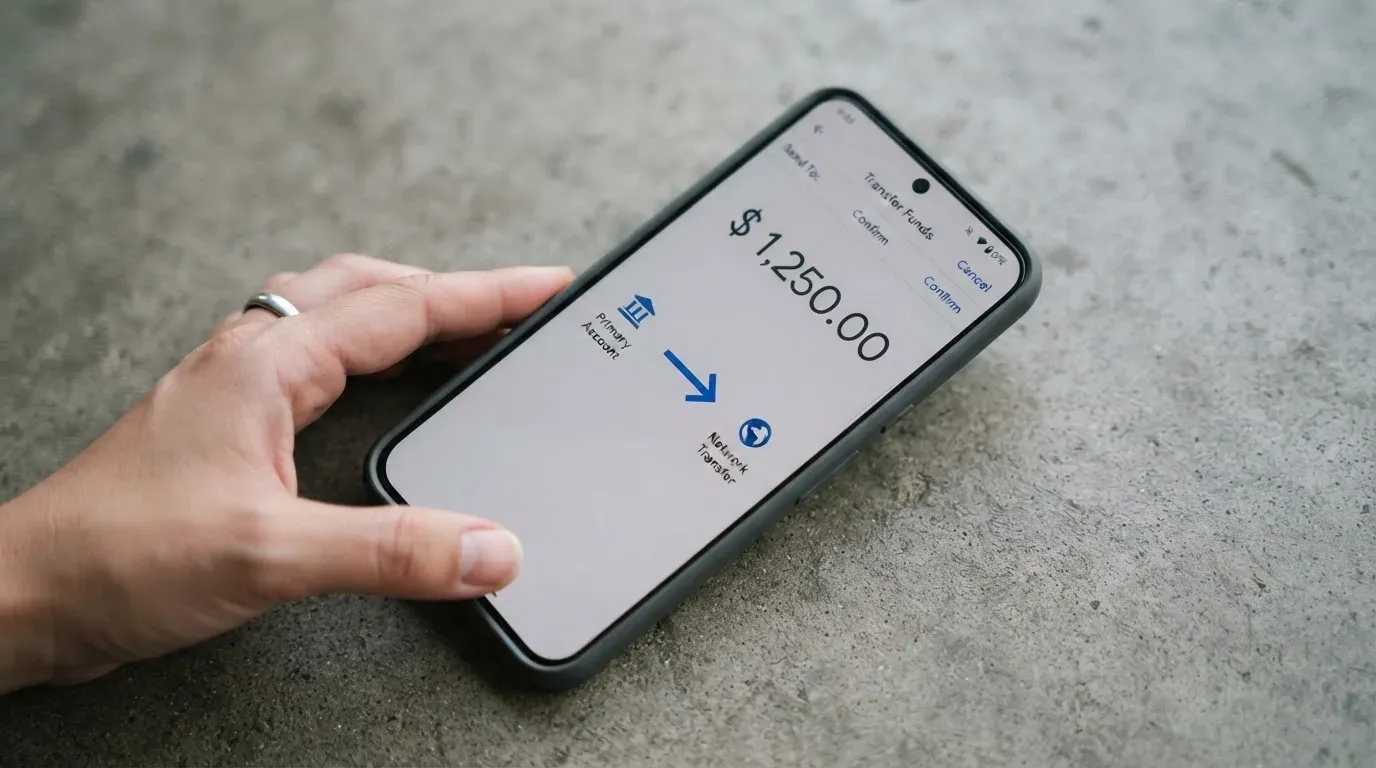
The funding flow is two-step. First, you fund the Bitpanda account through whatever deposit methods Bitpanda supports, which is the platform’s normal deposit set (SEPA bank transfer, card payment, and the rest of the platform’s rails, depending on country). Second, you tell the card which asset to spend from: a listed cryptocurrency, a precious metal, or euro. The card has a main asset and an optional fallback asset. If the main asset runs low or fails, the fallback can step in. You can change the main asset from the app at any time.
The eligible assets are listed on the card page, but the page itself does not list them one by one. Crypto Indices are explicitly excluded. The minimum per payment is EUR 1, and the funds are converted to euro at the moment of payment, then routed to the merchant in euro (or in the merchant’s currency through Visa’s FX path). This is one reason the “top up” wording can confuse new users: there is no fiat balance on the card itself, only an asset choice on the platform.
A practical point: the card has no separate top-up fee, and Bitpanda does not publish a card-specific top-up fee. What you do pay is the platform-level spread on the moment-of-payment conversion, which is the same unknown number discussed in the fees section. If you prefer to control when the conversion happens, the workflow is to convert to euro in the Bitpanda app yourself, then set the card’s main asset to EUR; that turns every card payment into a EUR-to-EUR transaction with no crypto spread at all, at the cost of crystallising the gain or loss on the asset at conversion time.
Withdrawal-style questions work the same way. “Withdrawing money from the card” is not a thing, because the funds are not on the card. The card is deactivated by contacting customer support, and the assets stay in your Bitpanda account, where you can sell them or withdraw them through the platform’s normal payout methods. One important caveat: while a “Proof of funds” request from Bitpanda is open, all payouts including card payments are disabled until the request is approved. That detail matters for anyone who might be asked to document the source of funds on the platform.
Paying with the card day to day
In a shop, the card behaves like any other Visa debit card. Tap, insert, swipe, or pay in a mobile wallet. Apple Pay is listed on the card page, and a Bitpanda support article explains how to add the card to Google Pay like any other Visa. Whether a particular merchant accepts the card depends on the merchant’s acquirer and the merchant’s policies, not on Bitpanda. The card page does not list blocked merchant categories, but the issuer’s cardholder agreement, which I have not read, does mention a section 5.12 with restricted transaction types, so gambling, adult content, and similar categories may be blocked at issuer level.
Cashback is fixed at 1% of qualifying transactions under the April 2025 Product Terms. The cashback is credited to the EToken wallet in the asset used for the payment, which means cashback arrives in the same crypto you spent, not in euro. Transactions paid in fiat, in stocks, in metals, or in stablecoins are excluded from cashback, and the card-page summary’s “up to 2%” wording is not supported by the Product Terms; the body text of 1% is the official figure. The cashback rate is no longer scaled by VIP level. The payout currency of the cashback is not stated separately, and “up to 2%” on the summary line is a meta tag that does not reconcile with the body of the same page.
The Bitpanda app is the control centre. You block and unblock the card from the app, you can see transactions, and you can set the main and fallback assets. Official app ratings are not on the card page. An unofficial third-party snapshot of the Google Play listing from late 2026 gives an average around 3.6 from roughly 55 thousand ratings, with the caveat that the page is undated and may be out of date; it is third-party data, not confirmed by Bitpanda.
Disputes follow the standard pattern. For a faulty or undelivered purchase, the first step is to contact the merchant directly. If that fails, the older card-account terms (which name a different issuer and predate the current product) suggest reporting unauthorised or incorrect payments within 13 months, with a decision on a refund within 10 business days, and a refund no later than the end of the next business day for unauthorised payments. The current cardholder agreement with Transact Payments Malta Limited was not read for this review, and that older wording is included for context, not as the binding agreement today.
ATM use is straightforward but capped. The fee is 2% or EUR 2 minimum, whichever is higher, and the daily ATM limit is EUR 500. Local banks can add their own fees on top. Free ATM withdrawals are a VIP perk; the threshold and the free withdrawal count are not on the card page, and the VIP scheme changed in July 2025.
What can go wrong
The single most consequential risk is the residency and verification rule. The card is unavailable to anyone who is not a euro-area resident, and is unavailable even to some euro-area residents who verified through Bankident or live in Cyprus or Liechtenstein. If you are a frequent traveller, a digital nomad, or someone whose residence is technically outside the euro area, the card is not a real option for you, no matter how much you like the rest of the product.
The second risk is the published-fee gap. The card is well-priced on most lines, and zero on euro-to-euro conversion, but the crypto spread is not published. Every crypto-funded payment contains an unknown cost, and the cost varies with the asset, the time of day, and Bitpanda’s own liquidity on that pair. If you plan to spend a meaningful share of crypto through this card, the spread is the number that decides whether the card is a good deal, and it is the one number the public page refuses to give you.
The third risk is the compliance review. If Bitpanda asks you for a “Proof of funds” review, all payouts including card payments are disabled until the review is approved. There is no published SLA for how long the review takes. On the broader platform, user reports describe frozen accounts, blocked withdrawals, slow support during compliance reviews, and German-language replies to English queries. None of these reports is card-specific, and the data set is user-generated, but it is the only signal you have on how compliance reviews play out in practice.
A fourth risk is the issuer and programme history. The current card is issued by Transact Payments Malta Limited under a Visa Europe licence, regulated by the MFSA under registration C 91879. The contract is with Bitpanda GmbH in Vienna, and Bitpanda Payments GmbH provides payment services. An older, archived version of the card terms names UAB Finansines paslaugos Contis, a Bank of Lithuania-licensed issuer, as the issuer. That is a real conflict, and the only way to read it is that the card programme has changed issuers at least once. When a card programme changes hands, the old programme is usually wound down and a new one stood up. That is normal, but it is also a reminder that the underlying card is an arrangement between Bitpanda and a regulated issuer, and either side can change the terms.
A fifth, smaller risk is mobile-wallet reach. Apple Pay and Google Pay both work in principle, but tokenised cards can be subject to issuer-side restrictions on contactless, online, or app use, and those restrictions are not listed on the card page. If a particular wallet or merchant does not accept the card, the issuer-side rule, not Bitpanda, is usually the reason.
Sixth, the cashback wording on the card page is not internally consistent. The body of the page says 1% on qualifying crypto transactions, the Product Terms confirm 1%, and the page summary line says “up to 2%.” If you decide on the card because of the 2% figure, the actual rate you receive is 1%, and transactions paid in fiat, metals, stocks, or stablecoins are excluded.
Finally, Bitpanda is a custodial platform. Funds are held by the platform, not by you, and the platform-level failure modes apply: the platform can be hacked, can become insolvent, or can have its card programme terminated by the network. The 2018 WaveCrest suspension and the November 2022 FTX card termination are the two well-known precedents. The current issuer is a regulated e-money institution, which adds protection in the form of segregated safeguarding, but segregated safeguarding is not the same as deposit insurance, and the older terms page is explicit that funds on the card account were not covered by the Lithuanian deposit insurance scheme and that liability was capped at EUR 50 in the absence of gross negligence.
Bitpanda card alternatives
If the Bitpanda card is unavailable to you, or you simply do not want the residency and verification friction, three other cards cover some of the same ground with different trade-offs.
International Visa Card is a US-issued Platinum Visa that pays in US dollars and is currently virtual only, with a physical card on the way. Account and card access is restricted to residents of a long list of countries, including most of the Americas, Western Europe, and parts of Asia-Pacific, with notable exclusions for residents or legal registrants of Belarus, mainland China, North Korea, Cuba, India, Iraq, Iran, Israel, Myanmar, Nepal, Nicaragua, Russia, Syria, Turkey, Ukraine, Venezuela, and Vietnam; FATF grey-list countries are reviewed case by case. Card use in USD is free on all plans, foreign-currency transactions take a 2% FX fee on top of the Visa exchange rate, and the virtual card costs a one-time $5, with no maintenance fee. Plans run from free to $19 per month for the top tier. The card spends from a USD account, which can be funded with USDC or USDT free at 1:1, as well as USD, EUR, SEPA, SWIFT, and FedNow deposits; networks for stablecoin deposits are not stated. There is no cashback. The total score for this alternative is 6.7 / 10, with the eligibility rules and the FX fee as the main trade-offs.
UNi Card is a multicurrency Mastercard that spends from a UNi.Global account balance. Physical and virtual availability are not stated, and the residency rules are not stated on the card page. The card has no annual fee and no foreign transaction fee, and assets are converted at “live OTC” rates with no hidden exchange fees. The headline reward is up to 3% in spend-to-earn, and the cashback structure is not detailed on the card page. The total score is 6.1 / 10.
Whop Cards is a Visa programme for consumers in 31 US states and businesses in 41 US states, with a long list of unsupported consumer countries including Belarus, mainland China, Cuba, Hong Kong, India, Iran, Iraq, Israel, Myanmar, Nepal, Nicaragua, North Korea, Russia, Syria, Turkey, Ukraine, Venezuela, and Vietnam. The card is Visa, accepted anywhere Visa is taken online and in stores, and the page does not state virtual or physical availability or the card currency. The page also says “no extra fees” but does not list amounts. Funding comes from a Whop balance backed by stablecoin collateral from a linked wallet, with no further detail on coins or networks. Cashback is 5% at selected merchants, currently including Uber, with more planned. The total score is 5.2 / 10.
In short, the Bitpanda card is the strongest of the four if you can get it, but it is also the narrowest in who can get it. The International Visa Card is the most permissive for US residents and a long list of other countries, but the 2% FX fee and the dollar-only setup make it expensive outside the US. UNi Card is the cleanest on fees, with the least information. Whop Cards is the most geographically limited and the least fee-transparent.
Who I would recommend the Bitpanda card to
I would recommend this card to a specific kind of reader, and I would steer a different kind of reader away from it.
If you are a euro-area resident (outside Cyprus and Liechtenstein), your Bitpanda account is verified through a flow other than Bankident, and you hold crypto or precious metals on Bitpanda and want to spend them in shops without an extra cash-out step, the card is a strong default. The monthly fee is zero, the first card is free, the euro-to-euro conversion is zero, and the daily and monthly limits are generous. The trade-off is the unpublished crypto spread, and the right way to deal with that is to set the main asset to EUR for everyday spending and convert only when you choose to.
If you are outside the euro area, if you verified through Bankident, if you want a multi-currency card, if you want a virtual card, or if the published spread on a crypto-funded card matters to you, the card is not the right fit. The eligibility rule alone rules out most of the world, and the spread question rules out anyone who wants to budget precisely.
A practical note on getting the most out of the card. The card rewards spending from crypto, not spending from euro, but the cashback is fixed at 1% in the same asset you spent. The 1% does not offset a 2% spread, so a card payment funded from crypto is a real trade between the cashback, the spread, and the convenience of spending the asset in the first place. If you want predictable per-payment costs, fund the card from EUR. If you want to spend a specific crypto, the right question is what Bitpanda’s actual spread on that pair is, and the only honest answer is to test a small payment first.
One more thing worth keeping in mind: the card is tied to a custodial platform. The card is a thin layer over the Bitpanda account, and the platform-level risks (hack, insolvency, compliance freeze, programme termination) are the bigger risks. The card programme has changed issuers at least once, and the April 2025 Product Terms show a programme that has been meaningfully revised in the last 18 months. The current issuer is regulated, and the platform is a long-established European name, but neither of those facts eliminates the platform-level risks, and they should be on the page when you decide.
Frequently asked questions
What is the Bitpanda card?
The Bitpanda card is a physical Visa debit card issued under Bitpanda, tied to a Bitpanda account, that pays in euro. You pick a “main” asset (a listed cryptocurrency, a precious metal, or euro) and the card converts that asset to euro at the moment of payment, so the card can be used in any shop that takes Visa. There is no separate top-up balance, and no virtual card is mentioned on the card page.
How does the Bitpanda card work?
When you pay, the card sells the chosen asset for euro at the platform rate and routes the euro through Visa. If the merchant is outside the euro area, Visa’s own FX path applies, and Bitpanda’s FX fee is zero but the Visa mark-up still applies. Refunds go back to the EUR wallet, not the original asset, and any cashback is paid in the asset used for the payment.
Is Bitpanda a bank?
No. Bitpanda is a custodial crypto platform, and the card is issued by Transact Payments Malta Limited, an e-money institution regulated by the MFSA under registration C 91879. The card is a payment product of an e-money institution, not a bank deposit, and funds on the card account are not covered by deposit insurance in the way a normal bank account is.
Who owns Bitpanda?
Bitpanda GmbH is the Vienna-based company that runs the platform, and Bitpanda Payments GmbH provides payment services under the current card programme. The card itself is issued by Transact Payments Malta Limited, a separate regulated entity, under a Visa Europe licence.
Is the Bitpanda card available in my country?
The card is available to euro-area residents only, with Cyprus and Liechtenstein excluded as residence countries. The rule is by residence, not by citizenship, and “delivery countries beyond euro-area residence” is not stated by the card page. If your country is not in the euro area, the card is not available to you as a resident.
How do I get the Bitpanda card?
You complete identity verification on Bitpanda (not through Bankident), live in an eligible euro-area country, open the Bitpanda app, and order the card from the card section. The card ships within three to seven working days, with the first shipment free.
How do I top up the Bitpanda card?
You do not top up the card directly. The card spends from a chosen main asset on your Bitpanda account, and the account is funded through Bitpanda’s normal deposit methods. You can change the main asset in the app at any time, and you can also set a fallback asset.
Is the Bitpanda card free?
There is no monthly fee, no opening fee, and the first card ships free. The ATM fee is 2% with a EUR 2 minimum, and free ATM withdrawals are a VIP perk whose threshold is not published on the card page. The biggest cost that is not published is the crypto-to-EUR conversion spread, which is the platform’s standard trading spread on the asset pair.
How do I add the Bitpanda card to Apple Wallet or Google Pay?
Apple Pay is listed as supported on the card page. Google Pay is not listed on the card page, but a Bitpanda support article explains how to add the card to Google Pay like any other Visa. The two wallets differ on tokenisation, restrictions, and merchant acceptance, so the right way to confirm is to test a small payment in each.
Is the Bitpanda card safe?
The card is issued by a regulated e-money institution under MFSA oversight, and the platform offers standard safeguards (app-based blocking, 3-D Secure, Visa anti-fraud monitoring). The funds are held by Bitpanda, not by you, so the platform-level risks (hack, insolvency, compliance freeze, programme termination) apply. Older terms for the card account stated that funds were not covered by Lithuanian deposit insurance and that liability was capped at EUR 50 without gross negligence, and the current TPML agreement was not read for this review.
App and neobank card fees – cryptocardfacts
Content created by the «cryptocardfacts» team