
What I found going through the public information on SpotPay Calypso, and who I think it suits
 Available in US
I went through everything SpotPay publishes about its Calypso card, checked the App Store listing, looked for independent reports and complaints, and read the card’s terms and product pages on the date of this review. I have not used the card myself, and the company did not provide any information. This is what I found, what I could not find, and how I weigh it.
The conditions described here are current as of October 28, 2026.
Verdict
My overall score is 6.5 out of 10. The card does a few things unusually well for the type of person it seems aimed at: a virtual and a physical Visa, both share one PIN, you can add them to Apple Pay and Google Wallet, and the company running it is a registered US Money Services Business rather than an unknown entity. I scored it down on cost, because the public pages do not state an issuance fee, monthly fee, conversion fee, FX fee or ATM fee, and on top-up, because the specific coins and networks are not named on the pages I read.

I think the card suits app-first users who want a Visa they can spin up quickly, who are comfortable with crypto balance mechanics, and who do not need a detailed fee schedule before they start. It suits people who are not in the US less well, because SpotPay is a US-registered MSB and the card’s issuer is not named on the public pages, and the supported countries are not listed. The starting data I saw earlier said 40+ countries, with separate US and international programmes and sanctioned countries excluded, but I did not see a current public country list on the pages I read, so I would not rely on that earlier note without confirming directly with the issuer. If you want a fee schedule you can read before signing up, or you are in a country where card issuance from an unnamed US-based programme manager is uncomfortable, this is not the card for you.
| Criterion | Mark | Why I scored it this way |
|---|---|---|
| Who can get it | 7 / 10 | Site says spend “worldwide” with no published exclusions, but the issuer and supported countries are not named. |
| Cost | 5 / 10 | Issuance, monthly, conversion, FX and ATM fees are not stated; only transfers are described as having “clear fees”. |
| Top-up options | 5 / 10 | Card spends from the SpotPay wallet balance, but the coins and networks are not named on the pages I read. |
| Reliability and complaints | 7 / 10 | SpotPay, Inc. is a FinCEN-registered MSB and is “not a bank”; no public complaints; App Store rating 4.2 over 41 reviews. |
| Everyday use | 9 / 10 | Virtual and physical Visa, shared ATM PIN, Apple Pay and Google Wallet, with no stated blocked categories. |
| Total | 6.5 / 10 | A workable Visa for app-first users, with the usual unknowns of a small, lightly publicised programme. |
Who they will give the card to
SpotPay says the card can be spent “worldwide” and I did not see a published country list or a list of excluded countries on the pages I read. The starting data I saw earlier in my research said 40+ countries with separate US and international programmes and sanctioned countries excluded, but I want to be careful with that note because I could not verify it on the current site. Treat it as unofficial, not confirmed by the card.
There is no stated age minimum on the pages I read, no statement about which documents you will be asked for, and no description of the proof of address the company accepts. “Guided setup” is described as taking minutes, which suggests the verification is meant to be light, but the exact level of KYC is not stated publicly. If you are in a country that other programmes treat carefully, such as a FATF grey-list jurisdiction, you should expect questions rather than a fast yes, and you should not assume that the fact that the site says “worldwide” means your country is on the issuer’s list.
The corporate side is more transparent than the card side. SpotPay, Inc. is registered as a Money Services Business with FinCEN in the US, and the company describes itself as “a financial services platform, not a bank”. I did not see the name of the card’s issuing bank or e-money institution, which is unusual: most card programmes put the issuer on the back of the card and on the legal page. The card being on the Visa network is stated, and “anywhere Visa is accepted” is the published acceptance claim, so the network is not the unknown; the issuer is.
In practical terms, if you are an adult outside the usual sanctions jurisdictions, you are likely to be eligible to apply, and the answer to whether you can be issued the card will be settled by the issuer’s compliance step at signup rather than by anything the public page tells you up front.
How to get it
The flow is described as a “guided setup” in the app, with a virtual card and a physical card available. The App Store description for “SpotPay: Global Wallet” says both card types share one ATM PIN, that the cards can be personalised with a name, and that the cards are Visa-branded.
Beyond that, the public material is thin. Delivery time for the physical card is not stated. Whether the physical card is shipped internationally, which countries it ships to, and what you do if it does not arrive, are not addressed on the pages I read. Verification tiers — the distinction between an unverified account and a fully verified one, and the limits attached to each — are not stated. If you are someone who likes to see a clear path on a product page before installing an app, the lack of detail here is going to feel like a gap.
What I would actually do, if I were applying, is install the app, complete the guided setup, and then check the in-app cardholder agreement and the in-app fees screen before funding the wallet. The product page cannot substitute for those, and you should not move money into the wallet until you have seen the live fee schedule the company shows you once you are inside.
What the card really costs
The honest answer is that the public pages do not tell you. Issuance, monthly maintenance, conversion, foreign-exchange, ATM and any inactivity fees are all not stated on the pages I read. The site does say transfers have “clear fees”, but a card and a wallet transfer are two different things, and a cardholder is more likely to care about the card’s fees than the wallet’s transfer fee.
This is the costs table as far as the public information goes:
| Fee or limit | What the card says |
|---|---|
| Issuance fee (virtual) | not stated |
| Issuance fee (physical) | not stated |
| Monthly / annual maintenance | not stated |
| Crypto-to-fiat conversion | not stated |
| Foreign-exchange (FX) fee | not stated |
| ATM withdrawal fee | not stated |
| ATM withdrawal allowance | not stated |
| Daily spend limit | not stated |
| Monthly spend limit | not stated |
| Inactivity / dormancy fee | not stated |
| Transfers (wallet, not card) | “clear fees” (per the site) |
What that means in everyday life depends on how the card actually behaves at the till. A few worked examples, to set expectations:
- Paying for a coffee with the card in the same currency the wallet is funded in. The fee you would care about is the conversion fee, and because the coins and the card’s base currency are not stated, I cannot estimate it. If the wallet is funded in a stablecoin and the card settles in a fiat currency, there is a conversion step in there, and its cost is the number that matters to you, and it is not published.
- Paying for the same coffee in a different currency. You add a Visa foreign-exchange margin on top of any conversion fee, and the FX margin for this programme is not published. Most Visa programmes add a margin over the network rate; this card’s rate is unknown.
- Taking cash out at an ATM. The site implies ATM use is possible because the cards share an ATM PIN, but the per-transaction fee and any monthly allowance are not stated. Visa’s ATM networks usually charge their own acquirer fee, and a card programme may or may not pass that through.
If fee transparency is the first thing you read on a card’s product page, this card will not pass that test on the information I have. The right move is to find the in-app fee schedule before topping up, and to start with a small test amount.
How to top up the card
The card spends from the balance in your SpotPay wallet. You add funds to the wallet first, and the card draws on that balance at the point of sale. The wallet is described in the app profile as supporting local and international transfers and multi-currency use.
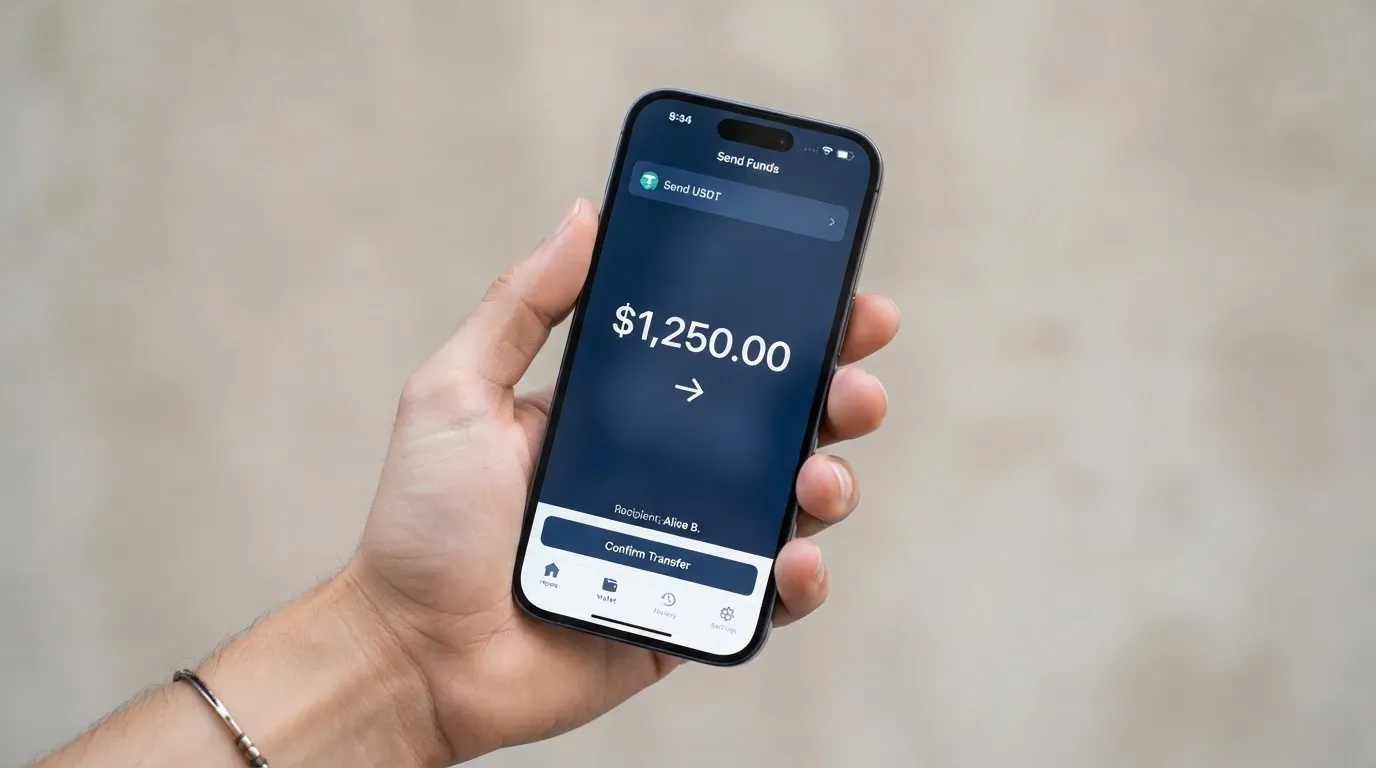
The big unknowns are the coins and the networks. The public pages I read do not name the cryptocurrencies accepted into the wallet, and they do not name the networks on which they are accepted. Earlier starting data I had suggested that the wallet can be funded from a self-custodied wallet, with collateral moving across, but I could not confirm that on the current pages, so I would not rely on it. Treat that as unofficial and unverified.
What this means for you, in order of risk:
- Sending the right coin on the wrong network is the most common way users lose money on cards like this. If the wallet expects USDT on one chain and you send USDT on another, the funds can be lost or stuck, and blockchain transfers are not reversible.
- Sending a coin the wallet does not support at all will, at best, sit in a deposit address nobody is watching and, at worst, be unrecoverable.
- Network fees for the deposit come out of your sending wallet, not out of the card, and they are paid in the native asset of the chain (for example ETH on Ethereum, TRX on Tron). If you only hold a stablecoin and no native asset, you cannot move the funds.
The right approach is to wait for the wallet to show you a deposit address and a network, copy both exactly, send a test amount first, and only then send the rest. If the app does not show you a clear deposit network, that itself is the answer: do not send money until it does.
Withdrawal, in the sense of moving fiat out of the wallet to a bank account, is not described in detail on the pages I read. I would assume it exists, because the wallet supports “local and international transfers” in its profile, but the specific rails, the supported countries, the fees and the settlement time are not stated.
Paying with the card every day
The card is a Visa, virtual and physical, with the two sharing a single ATM PIN and a name you can put on the card. The card is added to Apple Pay and Google Wallet, and the published promise is that it works “anywhere Visa is accepted” once it is in a wallet. The App Store listing for SpotPay: Global Wallet gives the app 4.2 out of 5 from 41 ratings, age rating 4+, and version 1.4.12; I read the App Store listing on 21 October 2026.
For someone who is used to a standard bank card, the key things to know are:
- The card is a Visa, so it will work in the Visa network globally. The decline reasons you are most likely to hit are not card-network but card-programme specific: the BIN country, the prepaid-versus-debit flag, and AVS (Address Verification Service) for online US merchants. A card whose issuer is not named on the public page is more likely to be looked at askance by an AVS-checking US merchant.
- 3-D Secure is the standard for online card payments, and the brand is Visa Secure. You should expect a one-time code or biometric prompt on the first online payment from a new device.
- The card supports mobile wallets. Apple Pay replaces the card number with a Device Account Number stored in the Secure Element, and each payment uses a one-time dynamic security code. That is the standard for any tokenised Visa.
- Blocked merchant categories are not stated. I would expect a standard set (gambling, adult content, certain financial services), but I cannot tell you the exact list from the public pages.
- Rewards, cashback or any spend-to-earn feature are not stated.
If you have ever had a card decline abroad, the most common reason after running out of balance is that the merchant’s fraud system does not recognise the issuing country, or the address verification step fails because the card is “foreign-issued”. Without an issuer name, I would expect the same friction here, especially on first use at an unfamiliar merchant.
What can go wrong
The clearest risk on a card like this is not the card itself but the wallet underneath it, and SpotPay’s own framing is the right one to keep in mind: the company describes itself as “a financial services platform, not a bank”. Funds in the wallet are not bank deposits and are not guaranteed by a deposit guarantee scheme.
I looked for independent complaints and news. Two searches on 21 October 2026 turned up no user reports or news incidents, and the few App Store reviews I could see were positive. There is no Trustpilot page and no Reddit thread that I found. The absence of complaints is a positive signal, but it is also a small sample, and a brand-new programme has fewer users, so the signal is weaker than it would be for an established card.
Security on the card side is described in general terms: industry-standard fund protection, secure authentication that locks the account to the owner, and real-time monitoring for unauthorised activity. Whether the wallet is custodial (the company holds the credentials) or self-custodial (you hold the seed phrase) is not stated, which is a meaningful gap. A custodial wallet means you trust the company to keep the funds safe; a self-custody-linked card means you keep the keys, and you bear the loss if your seed phrase is exposed or your address is swapped by clipboard malware.
Programme risk is real for any card brand that runs through an issuer rather than being the issuer. Visa can, and has, ended programmes. The most public recent example is FTX, where Visa said on 13 November 2022 that it had “terminated our global agreements with FTX”, with the FTX US debit card programme being wound down by its issuer. The 2018 closure of WaveCrest, which supplied a number of crypto card brands in Europe, showed that a single issuer-level decision can end access to many cards at once. If SpotPay’s issuer changes, or the programme is suspended, the public process is usually: a notice period, then loading stops, then spending stops, then you are asked to withdraw whatever is left on the card.
A more ordinary set of risks to plan for:
- A failed or reversed deposit can leave a hold on the wallet balance for several days. Prepaid-style balances sometimes do not show the hold separately from the spent amount, which leads to “where did my money go” moments.
- 3-D Secure challenges are the issuer’s decision, and an unnamed issuer means an unknown challenge policy. You should expect more prompts, not fewer, until the system gets to know your device.
- A card that is foreign-issued from the merchant’s point of view can be declined by AVS, especially by US merchants. The mitigation is to use the virtual card in the mobile wallet, where the Device Account Number is local to the device, and to keep a small backup card from a different programme.
Finally, sanctions and country rules are not described in the public material I read. If you live in a sanctioned country, or your citizenship falls under a country’s sanctions list, no card programme can override that, and an application will be refused or an account closed. The compliance step at signup is where this is decided, not in the marketing copy.
What to take instead
I picked three cards that overlap with the SpotPay Calypso on at least one axis — Visa acceptance, multi-currency, app-driven — so that the comparison is on a comparable surface. Each is a different design, and the differences are more useful than the similarities.
International Visa Card (6.7 / 10) is the most direct comparison point. It is a US-issued Platinum Visa, virtual for now with a physical card marked “Coming soon”, and it pays in US dollars. The fee schedule is the opposite of SpotPay’s: virtual card issuance is $5 once, no maintenance on the free plan, card use in USD is free, and foreign currency is “Visa exchange rate + 2% FX fee”. There is a Pro plan at $9.00/month and a Max plan at $19.00/month. Funding is by USDC or USDT into the USD account, free at 1:1 on the earlier reading of the page, and also USD, EUR, SEPA, SWIFT and FedNow. Where SpotPay is opaque on cost, International Visa Card is explicit; where SpotPay says “worldwide”, International Visa Card publishes a list of 17 unsupported countries (Belarus, mainland China, North Korea, Cuba, India, Iraq, Iran, Israel, Myanmar, Nepal, Nicaragua, Russia, Syria, Turkey, Ukraine, Venezuela) and a separate list of countries where purchases are blocked. That kind of clarity is itself worth something.
UNi Card (6.1 / 10) is a multicurrency card on Mastercard that spends from a UNi.Global account balance. It is the only Mastercard of the four, so it picks up a different set of merchants and a different fraud system. The published cost line is “no annual fee, no foreign transaction fee”, with assets converted at “live OTC (Over-the-Counter) rates” and “no hidden exchange fees”. Rewards are spend-to-earn, up to 3% with the UNi Card. The published answer on cost is short, but the fact that it is published at all is the difference. The country list and the funding details are not stated on the pages I read.
Whop Cards (5.2 / 10) is a Visa for both consumers and businesses, with consumer availability across 31 US states and business availability across 41. The consumer country block list has 18 entries, including the usual sanctioned jurisdictions plus a few extras (Hong Kong and Israel are blocked, for example). The card can be issued to team members, which is a feature rather than a bug if you are a creator with payouts to handle. The published cost line is “no extra fees”, and rewards are 5% cashback at select merchants, currently Uber, with more planned. The published cost line is so short that it does not really tell you what the FX or conversion rate is; you are taking the issuer on trust, which is closer to where SpotPay sits.
If I had to pick one of the four for a specific reader, I would put it like this:
- For fee clarity and a published list of supported countries, International Visa Card is the most legible, and the USDC/USDT funding is the cleanest if you already hold those.
- For Mastercard acceptance and a spend-to-earn structure, UNi Card is the alternative, and the published “no annual, no FX fee” line is the shortest honest cost statement in the set.
- For US-based creators and small teams who want cards for multiple people, Whop Cards is the most direct match for the use case, at the cost of US-centrism and a thin published fee schedule.
- For someone who wants a Visa that is not tied to a US issuer’s compliance list and is comfortable with the lack of a published fee schedule, SpotPay Calypso is the option in the group that fits, with the caveat that the lack of a published fee schedule and a named issuer is the price of admission.
Who I would recommend this card to
I would recommend the SpotPay Calypso to a reader who already lives inside the SpotPay app, who has tested the wallet with a small amount, and who wants a Visa that can be added to a mobile wallet for everyday contactless and online use. The combination of a virtual and a physical Visa on one PIN, the support for Apple Pay and Google Wallet, and the FinCEN-registered status of the parent company are the genuine strengths. The weaknesses are the things that are not stated: the card’s issuer, the fees, the supported countries, the accepted coins and networks, the blocked merchant categories, the rewards programme (or its absence), and the dispute process.
I would not recommend it to a reader who needs a fee schedule before funding, who lives in a country whose treatment by a US-based programme is unclear, or who plans to put a meaningful balance on the card and leave it there for months. The programme is too new and the public information is too thin to take that kind of exposure on trust.
If you are going to use it, use it the way you would use a prepaid travel card: top up what you intend to spend in the next few weeks, keep the balance modest, and treat the in-app fee schedule as the source of truth. That is not a criticism of this card in particular; it is the right way to use any card whose fee schedule you cannot read on the marketing page.
Frequently asked questions
What is the SpotPay Calypso card?
It is a Visa payment card issued in virtual and physical form, run by SpotPay, Inc. The card spends from the balance in the SpotPay wallet, and the wallet is described as supporting local and international transfers and multi-currency use. The card is added to Apple Pay and Google Wallet, and the two cards share a single ATM PIN.
How does the SpotPay Calypso card work?
You add funds to the SpotPay wallet, and the card draws on that balance at the point of sale. The wallet acts like a prepaid balance: the card cannot overdraw, because there is no overdraft facility, and what is on the wallet is what can be spent.
Is SpotPay Calypso a bank?
No. SpotPay describes itself as “a financial services platform, not a bank”. The company, SpotPay, Inc., is registered as a Money Services Business with FinCEN in the US. The name of the card’s issuing bank or e-money institution is not stated on the public pages I read.
Who owns SpotPay Calypso?
The card is run by SpotPay, Inc., a US-registered company. Unofficial third-party profile data describes the company as San Francisco-based, founded in 2025, a Y Combinator W26 company, with Zsika Phillip-Baptiste listed as founder and CEO. I have not confirmed those details against the company’s own filings, and they should be treated as unofficial.
Is the SpotPay Calypso card available in my country?
The site says the card can be spent “worldwide”, and earlier starting data I saw said 40+ countries with separate US and international programmes and sanctioned countries excluded. I could not find a current public country list, so I would not assume availability in any specific country without checking directly with the issuer at signup.
How do I get the SpotPay Calypso card?
The published flow is a “guided setup” in the app, taking minutes. The app is on iPhone (App Store) and Android (Google Play). The specific documents required, the verification levels, and the delivery time for the physical card are not stated on the public pages I read.
Does the SpotPay Calypso card require KYC?
The product page says “guided setup” taking minutes, but the level of KYC, the documents required and the proof-of-address standard are not stated. I would expect standard identity verification at signup, with a sanctions screen behind it, but the exact step is not described on the marketing page.
How do I top up the SpotPay Calypso card?
You add funds to the SpotPay wallet, and the card spends from that balance. The public pages do not name the cryptocurrencies accepted into the wallet or the networks on which they are accepted, and I would not send funds until the in-app deposit screen shows a clear coin and network.
Is the SpotPay Calypso card free?
The public pages do not state an issuance fee, a monthly fee, a conversion fee, an FX fee or an ATM fee, and the only published statement is that wallet transfers have “clear fees”. The actual cost of using the card is set out in the in-app fee schedule, which is the right place to look before funding the wallet.
Is the SpotPay Calypso card safe?
The company describes industry-standard fund protection, secure authentication that locks the account to the owner, and real-time monitoring for unauthorised activity. The wallet is described as custodial in tone, but the public pages do not state whether the wallet is custodial or self-custody-linked. The right way to use any card of this kind is to keep the balance modest and treat the company as a custodian whose failure you would not want to ride out.
App and neobank card fees – cryptocardfacts
Content created by the «cryptocardfacts» team