
Pintopay card review — what $35 and a Telegram bot actually buy you
 Available in US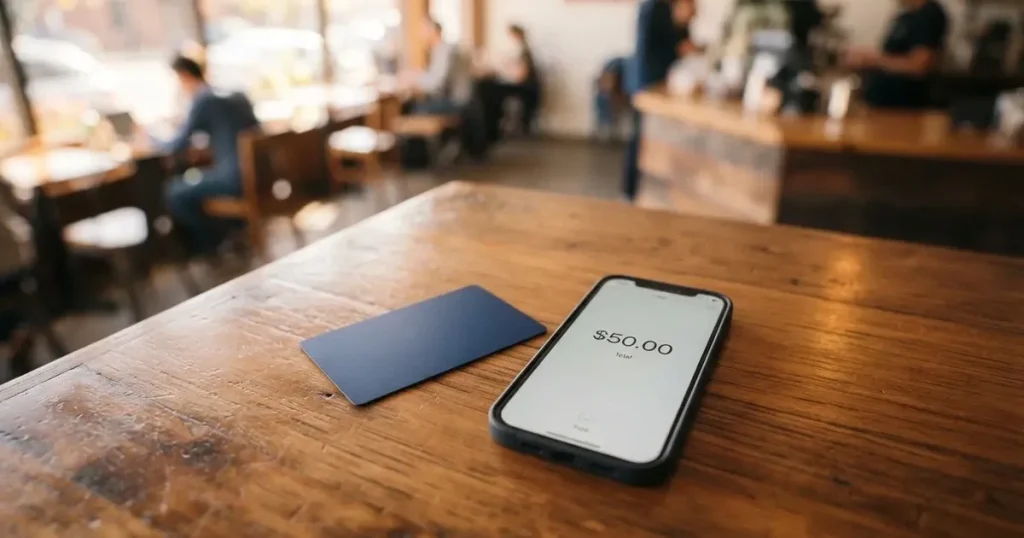
Pintopay is a payment card you fund from cryptocurrency and spend wherever Visa is accepted, and it is set up almost entirely through a Telegram bot. That single design choice explains both its appeal and its limits. If you already live inside Telegram, already hold USDT, and just want a virtual or physical Visa without the usual bank friction, Pintopay is one of the smoother ways to get there. If you want a clearly regulated card from a named issuer, with transparent FX rates, a published fee schedule and a real app in the App Store, you will walk away unsatisfied.
I went through Pintopay’s public pages, terms and the third-party review record and scored the card at 6.1 out of 10. The score table below breaks that down by criterion. The short version: reach is good, costs are not great, the underlying company is unusually hard to pin down, and the everyday experience is fine as long as nothing goes wrong.
The conditions described here are current as of October 28, 2026.
Verdict: 6.1 out of 10 — best for Telegram users who want a quick USDT card
| Criterion | Mark | Why it lands there |
|---|---|---|
| Who can get it | 9 / 10 | 180+ countries, no public exclusion list beyond Hong Kong |
| Cost | 4 / 10 | $35 card, 2.5% top-up fee, FX rate only described as “competitive” |
| Top-up options | 7 / 10 | USDT and other crypto, with unofficial support for BTC, ETH, BNB, TRX |
| Reliability and complaints | 3 / 10 | Issuer not named, operator in Hong Kong, Trustpilot 2.0 from 42 reviews |
| Everyday use | 8 / 10 | Virtual and physical Visa, Apple Pay, ATM, online and offline |
| Total | 6.1 / 10 |
Pintopay suits you if you are a Telegram-native user, you mostly hold USDT, you want both a virtual and a physical Visa, and you don’t mind a card whose issuer, licence and FX margin are not clearly disclosed. It does not suit you if you want a card from a named European EMI, a CASP-registered brand or a US bank, with full MiCA-style transparency, a published fee schedule and a real mobile app rating.
Will they give you the card
Pintopay says it offers “Global Payments in 180+ Countries” and does not publish an exclusion list, which on paper is broader than most crypto cards. The single stated carve-out is Hong Kong: the terms specify that services are not available to persons located in, resident in or citizens of Hong Kong, even though the operating company is registered there.
Beyond that one line, the public pages do not state the usual eligibility details. They do not say whether you need to be a citizen of one of the 180+ countries or just a resident; they do not list minimum or maximum age; they do not say which documents they will ask for at sign-up beyond a general reference to “KYC” and “ISO AML/KYC”. For context, an EMI-regulated crypto card in the EU is normally required to verify your name, date of birth, nationality, address and identity document, and to screen you against sanctions and PEP lists. Pintopay acknowledges those obligations exist in its terms but does not document how it fulfils them on the product page.
One unofficial third-party listing, cryptocards.so (2026), describes the sign-up as “No KYC” with email, phone, ID, address and selfie all marked “not required”, but that contradicts both the official KYC credential listed on the site and the terms, which allow ongoing requests for documents and suspension if KYC/AML fails. Treat that listing as unconfirmed.
The likely practical effect is that Pintopay will accept you from a long list of countries but reserve the right to ask for more documents later, including after a payment, a top-up or a withdrawal request. If your country is not on the long tail of jurisdictions many crypto card programmes quietly decline (Iran, North Korea, Syria and similar sanctioned territories), and you are not in Hong Kong, you will probably pass the first gate. What happens after that is the part Pintopay does not document.
How to get it
Pintopay’s main entry point is Telegram. The marketing line on the site is “Get Card with Telegram”, and the support flow runs through a Telegram bot as well. There is also a mobile application, but I did not find an App Store or Google Play link or rating on the official pages, which is itself a small warning sign for a card that wants you to fund it from your own crypto.
The card itself comes in two forms: a virtual card and a physical card, both described as “Visa-powered debit cards”. The site does not state the card’s base currency, which is unusual — most crypto cards at least name USD or EUR so you can think about FX. Unofficial third-party listings disagree about the network too: cryptocards.so (2026) says the PintoPay Card runs on Visa and the Virtual Card runs on Mastercard, which contradicts the official “Visa-powered” line. Treat the unofficial network split as unconfirmed.
The site also says you “receive your card in just 2 minutes”. That timing is plausible for a virtual card — a card number can be generated essentially instantly — but it is less plausible for a physical card shipped to your address. Delivery countries, time, cost and replacement policy are not stated. If a physical card matters to you, plan to ask support before paying the $35.
A “Premium card” with VIP access is mentioned once on the site, with no tier structure, no price difference, and no description of what the VIP access actually is. Treat the premium tier as marketing until the company publishes the details.
What it really costs
The headline costs are the issuance fee and the top-up fee. Everything else is either vague, unofficial, or simply not stated.
| Fee or limit | Amount | Source |
|---|---|---|
| Card cost | $35 | Official |
| Monthly fee | Not stated | Official |
| Top-up fee | 2.5% | Official |
| FX / conversion | “Competitive rates” — no figure given | Official |
| ATM fee | Not stated | Official |
| ATM withdrawal limit | Not stated | Official |
| Daily spend limit | Not stated | Official |
| Monthly spend limit | Not stated | Official |
Unofficial third-party numbers, which I am giving as unofficial and not confirmed by the card itself, look like this. Cryptocards.so (2026) lists issuance at $10 for the PintoPay Card and $35 for the Virtual Card (the inverse of what the official site implies), no monthly fee, free ATM withdrawals, and a free first card with a $0.25 per-transaction fee. The same source says FX is free on the PintoPay Card and 1% on the Virtual Card. CryptoCardHub (updated February 2026) lists up to $300,000 per month in spend and says withdrawal fees kick in after the first $1,000 per month. None of these figures are confirmed by Pintopay.
Because the official surface area is so thin, the practical way to read the costs is to assume the worst plausible number and then ask support to confirm. Treat the $35 as the floor for getting a card, the 2.5% as the floor for every top-up, and the FX margin as whatever the network and the conversion partner decide on the day.
Three everyday payments and which fees apply
- A $50 coffee in your local currency, paid by tapping the physical card. The coffee is paid from a pre-funded Visa balance, so the network fee is whatever Visa charges for the merchant’s country, the FX margin is whatever Pintopay adds on top, and there is no top-up fee because the top-up already happened earlier. The unknown here is the FX margin, and the official pages give you no number to plan around.
- A $20 online subscription, paid with the virtual card. Same model: pre-funded balance, network fee, FX margin if the merchant is in a different currency, and no top-up fee at the moment of payment. If the merchant uses 3-D Secure you will see a one-time confirmation step. The decline fee, per the unofficial listing, is free, but again that is not confirmed.
- A $100 ATM withdrawal. The site confirms ATM use but does not state an ATM fee or allowance. The unofficial listing says ATM withdrawals are free with no limit, which is generous and unusual; the official silence is more typical of a card that has yet to publish a fee schedule.
Until Pintopay publishes a fee schedule, the only safe way to budget is to assume the top-up fee is the visible cost and everything else is a moving target.

How to top up Pintopay up
Top-up is the part of the product that is described most concretely. The site says “Spend USDT and other crypto”, and the listed top-up fee is 2.5%. One customer testimonial on the site mentions topping up with USDT on the TRC-20 network, which is the cheap, fast Tron network that most USDT users default to.
What the site does not publish is the full list of supported coins and networks, the minimum top-up, or whether fiat top-up is possible at all. Unofficial coverage (cryptocards.so, 2026) lists BTC, ETH, USDT, BNB and TRX across networks, and says top-ups can take up to 12 hours, but I would not plan around that timing without confirming it through support.
A few practical points worth thinking through before your first top-up. Crypto transfers are irreversible, so sending USDT to a Pintopay deposit address on the wrong network — for example ERC-20 USDT to a TRC-20 address — can mean the funds are either lost outright or stuck in manual recovery with no guarantee of return. The on-chain network fee you pay for the transfer itself is set by the blockchain, not by Pintopay, so TRC-20 USDT is usually the cheapest way in and ERC-20 USDT or ETH is the most expensive. Circle’s USDC is no longer supported on Tron, so if you see “USDC over TRC-20” advertised anywhere for this card, that is not a native option. And because stablecoins are not actually risk-free — Tether says it disables tokens in sanctioned wallets, and USDC briefly lost its peg during the March 2023 US banking crisis — even the “stable” funding path carries platform and issuer risk on top of network risk.
If you want a clean first experience, send a small test amount on a network the support team confirms, wait for the balance to land, then scale up.
Paying with it every day
Once the card is funded, the everyday surface area is solid for a small crypto card. The site confirms you can pay with a virtual card, a physical card, Apple Pay, ATMs, online and offline. The mobile-wallet support is one of the card’s real strengths: tokenising a Visa into Apple Pay means the merchant never sees your real card number, each payment uses a one-time dynamic code, and you can lock or remove the card from the device if your phone is lost. Unofficial coverage says Google Pay is supported too; the official site does not mention it.
There is a small welcome incentive. The site advertises “$10 cashback instantly on your first purchase” and a referral cashback that pays on card activations and top-ups for the lifetime of the account. There is no published regular cashback rate. The unofficial listing says the $10 welcome bonus is on the Virtual Card only, and lists referral bonuses of $10 and $10.50, but those numbers are not confirmed.
On the dispute side, the terms describe a standard card-scheme process: you raise a dispute through the interface or support, the case follows the payment-system or issuer’s deadlines, the review period can run up to 90 calendar days, and the outcome is decided by the issuer or card scheme, with no refund guaranteed. That is normal language for a card programme, but it matters here because the issuer is not named anywhere on the public site, which makes a chargeback harder to push than with a card from a bank you can identify and contact directly.
Three things the site does not state that you might expect to see. There is no published list of blocked merchant categories, so you do not know in advance whether gambling, crypto purchases, dating or adult merchants will decline. There is no clear freeze or lock control described in the public material. And there is no transparent decline reason path — if a payment fails, the site does not document whether you will see a code, a message or just a silent reject, which is the kind of thing that makes a $25,000 daily limit (the unofficial daily spend figure from cryptocards.so, 2026) feel less reassuring.
What can go wrong
The reliability and complaints criterion is the one that pulls the score down most. The operator is identified in the terms as part of the PTP group including UANT Limited, a Hong Kong company with company number 77341227, but the card issuer is not named. “Bank-grade security” and “ISO AML/KYC” are listed as credentials, but the licence, the issuing bank and the regulatory home are not. For a card that wants you to fund it from your own crypto, that is a meaningful gap.
The third-party review record is not reassuring. Pintopay’s Trustpilot page (pintopay.me, read 2026-10-20) sits at 2.0 out of 5 from 42 reviews, with 26 in the last 12 months. The recurring complaint pattern is frozen or blocked balances — examples in the public reviews include sums from $388 up to $1,100, across dates from August 2025 and again through January, February, March, April, June and July 2026. One user reports a refund of $1,100 still pending through July and August 2026. Support replies are described as generic, and unexplained fees appear in several reviews. The company’s own replies on Trustpilot tend to blame migrations and partners, which is the kind of explanation that gets repeated often in this corner of the market.
A few specific terms in the user agreement are worth knowing about before you put more than a small amount on the card. The card can be blocked after 45 days without a successful payment. A deposit of $2,000 or more followed by quick disposal of funds within 48 hours triggers an additional review that can delay or suspend withdrawals. And the termination clause says you are entitled to the return of your remaining Wallet Balance, the release of your Vault Balance, and the withdrawal of your Virtual Account balance, but Pintopay can delay, refuse or reduce the return to cover amounts owed, and fees are non-refundable. None of that is abusive by industry standards, but it is the kind of language that matters precisely when a customer is trying to get their money out.
There is also the broader category risk that any crypto card carries. Card programmes can be wound down — the FTX US debit card was wound down by its issuer after Visa terminated its global agreements on 13 November 2022, and WaveCrest, a Visa issuer that supplied several crypto card brands, was suspended by Visa in Europe in 2018. When a programme closes, new loads usually end first, spending stops on a fixed date, and users are asked to withdraw remaining balances within a window. The card also has no deposit guarantee: the funds on a card issued by an EMI are safeguarded, not insured like a bank deposit.
Finally, the smaller operational points. The support flow is via a Telegram bot, a contact form that takes Telegram or X handles, and the email [email protected]. The preferred channel is the in-service support system. Hours are not stated. There is no public mention of an in-app freeze or lock control, and there is no named issuer to escalate to if the support bot stops responding.
What to take instead
If the gaps above matter to you, here are three alternatives from the same general corner of the market, with their own trade-offs.
Cardex — 5.6 / 10. A “one crypto card, 200+ countries” product, with debit cards on VERVE, Visa, Mastercard and UnionPay, both virtual and physical. The marketing line is an “AI-Powered Conversion Rate” that scans exchanges at the moment of payment, but the site does not publish a fee percentage, so the cost of using the card is not transparent. Funding is through USDT, USDC and BTC wallets. The App Store listing is Naira-focused, which suggests a stronger fit for Nigerian users than for a global audience. Choose Cardex if you want a multi-network card and you are comfortable with conversion rates you cannot see in advance.
CardFlow — 4.9 / 10. A Nigeria-focused product (“Nigeria’s smartest fintech card platform”) that also accepts “global users”, offering a free virtual USD Mastercard created in 3 minutes. Funding is from Bitcoin, USDT, ETH or Naira bank transfer. The site does not publish a fee schedule, no regular rewards are listed, and the country coverage outside Nigeria is not stated. Choose CardFlow if you specifically want a free Naira-funded virtual card and you do not need a published fee structure.
HyperCard — 4.7 / 10. A prepaid card with USD or EUR balances, deposit USDT, BTC or ETH in the app, and conversion happens on the way in. The official pages do not publish a country eligibility list, no fees are listed, and the App Store description says the card works in “more than 176 countries” — which is an acceptance statement, not an eligibility statement, and the two are not the same thing. Choose HyperCard if you mainly want a simple USD or EUR prepaid balance funded from crypto, and you do not need much documentation.
A quick side-by-side. Cardex has the widest network coverage (200+ countries) and the most card networks, but the conversion cost is opaque. CardFlow is the only one of the three with a free virtual card, but the documentation is thin. HyperCard is the simplest product to understand, with a clear USD/EUR balance, but also the thinnest public information on fees and eligibility. None of the three is a clean substitute for a regulated EMI-issued card with a published fee schedule, and Pintopay itself is not in that category either.
Who I would recommend it to
I would recommend Pintopay to a fairly narrow reader. If you are already a heavy Telegram user, you hold USDT (or are happy to acquire some), you mostly spend in currencies the card can fund, and you want both a virtual and a physical Visa without filling in a long bank-style application, the card does what it says on the tin. The $10 first-purchase cashback and the lifetime referral cashback are real if small, the 180+ country reach is real, and the Apple Pay tokenisation is a sensible default.
I would not recommend Pintopay to a reader who wants a clearly named issuer, a published fee schedule, a transparent FX margin, an in-app freeze control, and a public App Store or Google Play listing with a real rating. The Trustpilot record on frozen balances, the undisclosed issuer, the “competitive rates” framing of FX, and the unusually thin product documentation are not small things when you are parking your own crypto on a prepaid balance. If any of those matter to you, the safer move is a card from a named European EMI with a MiCA-registered crypto partner, even if it means a longer sign-up.
The single most important thing to check before you put real money on the card is whether support will, in writing, confirm the top-up networks, the FX margin, the ATM fee, the daily and monthly limits and the issuer. If they will not, treat the balance you load as money you can afford to wait weeks to get back, because that is what some Trustpilot reviewers say they are doing.
Frequently asked questions
What is the Pintopay card?
Pintopay is a Visa-powered debit card you fund from cryptocurrency and spend like an ordinary card. It comes as a virtual card or a physical card, supports Apple Pay, and is operated through a Telegram bot. The marketing line is “Global Payments in 180+ Countries”, and the listed top-up fee is 2.5%.
How does the Pintopay card work?
You fund the card from crypto — officially USDT and “other crypto”, unofficially BTC, ETH, USDT, BNB and TRX across networks. The crypto is converted to a fiat balance, and the card spends that pre-loaded balance at merchants and ATMs. Because it is a prepaid model, the card cannot overdraw, and tokenisation through Apple Pay keeps the real card number off the merchant’s systems.
Is Pintopay a bank?
No. The footer identifies the brand as Pintopay Inc., and the terms name the PTP group including UANT Limited, a Hong Kong company (no. 77341227), as the operator. The card issuer is not named on the public pages, and no banking or e-money licence is identified, so the card is not a bank product in the regulated sense.
Who owns Pintopay?
Pintopay is operated by the PTP group, which includes UANT Limited in Hong Kong (company no. 77341227). The footer reads “© 2026 Pintopay Inc.” Beyond that, the public pages do not identify beneficial ownership, the card issuer, or any regulatory licences.
Is the Pintopay card available in my country?
The site says yes in 180+ countries, without publishing a list. The single named exclusion is Hong Kong — services are not available to persons located in, resident in, or citizens of Hong Kong. For any other country, the safest move is to ask support before paying the $35 card fee, because the public pages do not document a per-country eligibility list.
Does the Pintopay card require KYC?
The site lists “KYC” and “ISO AML/KYC” as security credentials, and the terms allow ongoing requests for documents and suspension if verification fails. An unofficial third-party listing describes sign-up as “No KYC” with no ID, address or selfie, but that contradicts the official material, so it should not be relied on. Plan to provide documents if asked, especially after a top-up or withdrawal.
How do I top up the Pintopay card?
The official line is “Spend USDT and other crypto” with a 2.5% top-up fee. A customer testimonial mentions USDT on the TRC-20 network, which is the cheap Tron network most USDT users default to. Unofficial coverage lists BTC, ETH, USDT, BNB and TRX across networks, with top-ups taking up to 12 hours. The minimum top-up, the supported networks and the timing are not officially published, so confirm with support before a large transfer.
Is the Pintopay card free?
No. The card itself costs $35 according to the official pages, and every top-up costs 2.5%. Monthly fees, FX margins, ATM fees, decline fees and limits are not officially published. Unofficial listings give different numbers, including a free first card and free ATM withdrawals, but those are not confirmed by Pintopay itself.
How do I add the Pintopay card to Apple Wallet?
The site confirms Apple Pay support. The standard flow is to open the card detail in the Pintopay app or Telegram bot, choose “Add to Apple Wallet”, and follow the on-screen tokenisation steps. Each tokenised payment uses a one-time dynamic code, and you can remove the card from the device if the phone is lost. Google Pay is mentioned in unofficial listings but not in the official material.
Is the Pintopay card safe?
The site advertises “bank-grade security”, 3-D Secure, and ISO AML/KYC. The terms also reserve the right to block the card after 45 days without a successful payment, and to delay or suspend withdrawals if a $2,000+ deposit is followed by quick disposal of funds within 48 hours. The Trustpilot score for pintopay.me is 2.0 from 42 reviews, with recurring complaints about frozen balances and pending refunds, so the practical safety record is mixed and depends on how you use the card.
Virtual card fees – cryptocardfacts
Content created by the «cryptocardfacts» team