
Tangem Pay in practice: what a self-custody Visa actually costs and who it suits
 Available in US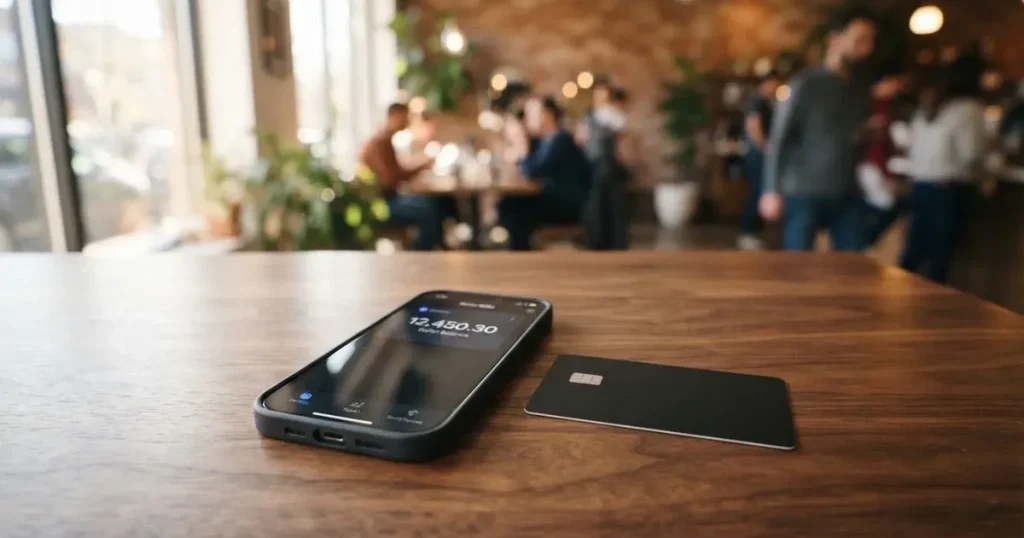
Tangem is best known for its hardware wallets, the small credit-card-shaped devices that store your private keys. Tangem Pay is a different product: a Visa payment card that draws on a crypto balance you control. The idea is appealing if you already hold crypto in self-custody and want a card that does not ask you to deposit funds with a centralised exchange first. Whether the execution matches the promise is what this review sets out to examine, from who actually gets approved, through what it really costs, to the daily experience of paying with it.
The information below is current as of October 28, 2026.
Verdict
Tangem Pay scores 7.5 out of 10. The strength is the top-up story: USDC and USDT on Polygon, Base, Arbitrum and BNB Smart Chain, plus a bank-transfer option, gives the card one of the more flexible funding setups among self-custody-linked Visas. The free Basic tier is genuinely free for a first virtual card, the transaction fee is zero, and the issuer is Rain, a Visa Principal Member, which is a meaningful structural detail.
The weaknesses sit around the edges. Country coverage is limited and the exact list is not published; you only find out at KYC. The FX markup is Visa’s exchange rate plus 1.5%, which is not the lowest in the category. ATM withdrawals are partly launched but a help-centre page still says cash withdrawals are not yet available, so the feature is in flux. Cashback caps at $100 a month on Basic, and the dispute fee is $30. The company line “Tangem is not regulated as a financial services provider” sits in the footer of the card pages, which is a reminder that the regulated entities are Paera LLC (programme operator) and Rain (issuer), not Tangem itself.
This card suits hardware-wallet owners who want a free virtual Visa they can fund from their own stablecoin balance. It suits people in supported countries who do not want to lock funds with a centralised exchange. It suits users who are comfortable with a 1.5% FX margin and who will not rely heavily on ATM withdrawals.
It is less suitable for people who travel widely and need a card that works in many countries, since the residency list is not transparent. It is less suitable for heavy ATM users, given the 4% fee on Basic and the unclear availability. It is also less suitable for anyone who needs a published, regulated brand standing behind the card, because Tangem is the front end; the regulated parties are Paera and Rain.
Score table
| Criterion | Mark | Reason |
|---|---|---|
| Who can get it | 7 / 10 | Tangem Pay is available in the US and selected countries across LATAM, APAC, MEA and Africa, but not all countries or US states |
| Cost | 7 / 10 | Basic is $0, the first virtual is $0, transactions are $0, but FX is Visa rate + 1.5% and Plus is $29.99 a month |
| Top-up options | 9 / 10 | USDC and USDT on Polygon, Base, Arbitrum and BNB Smart Chain, plus ACH or Fedwire in supported regions |
| Reliability and complaints | 7 / 10 | Issued by Rain (Visa Principal Member), programme run by Paera LLC, Tangem itself is not a regulated financial provider; some network and support complaints reported |
| Everyday use | 8 / 10 | Basic is virtual, Plus ships plastic, Apple Pay and Google Pay are supported, ATM fee 4% on Basic and 2% on Plus, though withdrawals are still listed as not yet available on one help page |
Who will they give you the card
Tangem Pay is open in the US and in a selection of countries across Latin America, Asia-Pacific, the Middle East and Africa. This is an unofficial summary; the Tangem Pay page and the tariff PDF do not publish a full country list, and the PDF simply says that eligibility for some features is determined by your country and region of residence, with the supported options shown in the app during onboarding. In practice, that means you only know whether you qualify by starting the application and entering your residence country.
You must be at least 18 and your residence address has to be in a supported country. The card programme is operated by Paera LLC, which handles onboarding, including KYC and AML checks. Tangem itself is not regulated as a financial services provider, and the page makes that point in the footer: the regulated pieces are Paera, on the operational side, and Rain, which is a Visa Principal Member and the card issuer.
Application is rejected during KYC if your region is unsupported. The exact reason for a rejection is not visible to Tangem, only to the team running the checks, so if you are turned down you will not get a detailed explanation. Country list not stated on the Tangem Pay page or the tariff PDF, and the list is described as residence-based, so citizenship alone does not qualify you; the address you can prove is what matters.
US residents should expect to provide an SSN. For everyone else, the public pages do not list the exact document set, and the level of proof required is described only in general terms as government ID, verified phone and email, and a residence address.
The first impression is that Tangem Pay is built for a fairly specific person: someone in a supported country who already holds crypto, wants a Visa linked to that crypto rather than to a bank account, and is willing to find out eligibility by trying rather than by reading a published list. If you are outside that lane, the rest of the review is still worth reading, but the basic answer to “can I get this card” is: try the app and see.
How to get it
Signing up runs inside the Tangem app, on iOS or Android, and starts with the same flow any crypto card uses: download, create or sign in to a Tangem account, enter your country of residence, and let the app tell you whether Tangem Pay is available to you. If it is, you move to identity verification.
Verification is handled by Sumsub on Paera’s behalf. You confirm your phone number and email by code, then upload a government-issued ID, and the system collects a residence address. US residents also provide a Social Security Number. Biometric data is collected as part of the Sumsub flow, which is normal for this kind of onboarding, but worth knowing before you start. Separate proof of address is not stated as a requirement on the public pages.
Limits on the card depend on your verification level, so the more thoroughly you verify, the higher the daily and annual ceilings you unlock. The card is usually issued within five minutes of finishing KYC, and in the worst case within 48 hours. If nothing arrives after 48 hours, the support address is [email protected]. A repeat application with the same identity is automatically rejected, so if your first attempt fails you do not get a second chance under the same name.
There are three card tiers. Basic gives you a Visa Platinum virtual card. Plus gives you a Visa Signature in plastic. Prestige, marked as coming soon, will offer a Visa Infinite in virtual, plastic or metal form. Basic lets you hold up to three cards per account, Plus up to five, and Prestige up to ten, so if you need several cards for different budgets or different people in the same household, the higher tiers are the only way to get there.
Plastic cards are shipped only inside the country you verified at KYC. The supported country list and an estimated delivery time are shown in the app when you order. The shipping address is restricted to Latin letters, the order cannot be cancelled once placed, and the delivery fee is deducted from your Tangem Pay balance rather than added at checkout: $15.63 to $63.45 according to the product page, or $14.53 to $82.10 according to the tariff PDF dated 25 August 2026. The two official figures disagree by a small amount, which is the kind of detail you only notice by reading both. On Plus, the first plastic card is free, then the same delivery fee applies. Reissue is $5 on the product page but $1 replacement on the tariff PDF; another mismatch. Additional virtual cards cost $5 and are issued in about a minute, rarely up to 48 hours. The card arrives inactive, so you have to switch it on in the app before first use.
One practical point worth flagging: documents, proof of address and minimum age are not stated in detail on the public pages. The general description is “government ID, phone number and email verified by codes, residence address”. If you need to know in advance whether a particular document will be accepted, the only reliable answer is to start the flow and see what Sumsub asks for.
Fees: what it really costs
The headline is friendly. Basic has no monthly fee, the first virtual card is free, and the transaction fee is $0. The less friendly parts live in the details, especially the 1.5% FX markup and the ATM fees, and the Plus tier at $29.99 a month changes the picture quickly if you upgrade.

The card’s balance is in USD, and USDC and USDT are combined into one balance that spends the highest balance first. If you buy something in another currency, the conversion is done by Visa at its exchange rate plus a 1.5% cross-border fee, which is the figure the tariff PDF states. The help centre’s practical advice is to choose the local currency at the terminal when you are abroad, which is the same advice that applies to most travel cards, and which is worth following because dynamic currency conversion at the terminal is usually more expensive than letting Visa do the conversion.
Costs table
| Fee or limit | Basic | Plus | Prestige (coming soon) |
|---|---|---|---|
| Plan fee | $0 / month | $29.99 / month | $999 / year |
| First virtual card | $0 | $0 | $0 |
| Additional virtual card | $5 | $5 | not stated |
| Plastic card delivery | $15.63–$63.45 (product page) or $14.53–$82.10 (tariff PDF) | First card $0, then same range | not stated |
| Transaction fee | $0 | $0 | $0 |
| FX fee (non-USD) | Visa rate + 1.5% | Visa rate + 1.5% | Visa rate + 1.5% |
| On-chain withdrawal | $0 | $0 | $0 |
| Dispute fee | $30 | $30 | $30 |
| ACH bank top-up | $1 | $0 | not stated |
| Fedwire bank top-up | $11 | $0 | not stated |
| ATM fee | 4% | 2% | 1% |
| Max ATM withdrawal | $250 per transaction, 3 per 24h | $250 per transaction, 3 per 24h | $250 per transaction, 3 per 24h |
| Daily spend per card | $10,000 | $50,000 | $100,000 |
| Annual spend per card | $10,000,000 | $10,000,000 | $10,000,000 |
| POS transactions | 100 / day, 1,000 / month | 100 / day, 1,000 / month | 100 / day, 1,000 / month |
| Max card balance | $10,000 | $50,000 | not stated |
| Cashback | 1% (cap $100/month) | 2% (cap $300/month) | 4% (cap $1,000/month) |
The plan fee is charged every 30 days. If your balance cannot cover it, you have 30 days to top up before Signature cards are closed and the plan drops back to Basic. That is a fairly gentle downgrade path, but it does mean a Plus subscriber who forgets to fund the card will quietly end up on Basic.
Everyday payments and which fees apply
- A $50 coffee in London paid with a Basic card funded by USDC on Polygon. The payment is in GBP, so Visa converts at its rate and Tangem adds 1.5%. On $50 that is roughly $0.75. The transaction fee is $0, the on-chain conversion happened when you loaded the card. Cashback 1% on the dollar equivalent (about 50 cents) reduces the net cost to roughly $0.25.
- A $1,000 monthly rent paid in the US with a Plus card. No FX conversion, no transaction fee. Cashback 2% returns $20. The plan fee is $29.99, so the net cost of the month is $9.99 if rent is your only spend, or close to zero if you also spend on travel and groceries where cashback offsets more.
- A $200 ATM withdrawal in Mexico on a Basic card. ATM fee 4% is $8. The cap is three withdrawals per 24 hours and $250 per time, so you can take out up to $750 in a day, at a cost of $30 in fees. This is the place where the card looks least attractive compared to a local debit card; if ATM access matters, the Plus tier at 2% is a meaningful improvement, and even there a regular travel card is usually cheaper.
Crypto conversion fees and spreads are not stated on the public pages, and the swap provider is what charges you, not Tangem. If you top up with USDC and spend in USD, there is no conversion inside the card. If you top up with a different token, the conversion happens in Tangem Wallet before the funds reach Tangem Pay, and the cost depends on the swap provider at the time.
The on-ramp via bank details is the only fee that is a little different from what you might expect: send $1,001 by ACH to receive $1,000 in your card balance, and send $1,011 by Fedwire to receive $1,000. On Plus, both are free. The $1 and $11 are deducted from the amount received, which is a small but real detail if you are used to seeing fees added on top.
Top up: how to fund the card
The card accepts stablecoins or fiat from a bank account. The public pages do not enumerate the exact coins and networks in the marketing copy, but the help-centre material and unofficial sources confirm that the supported stablecoins are USDC and USDT, and the supported networks are Polygon, Base, Arbitrum and BNB Smart Chain. Bank transfer via ACH or Fedwire is available in regions where it is supported, and is converted to USDC on the way in.
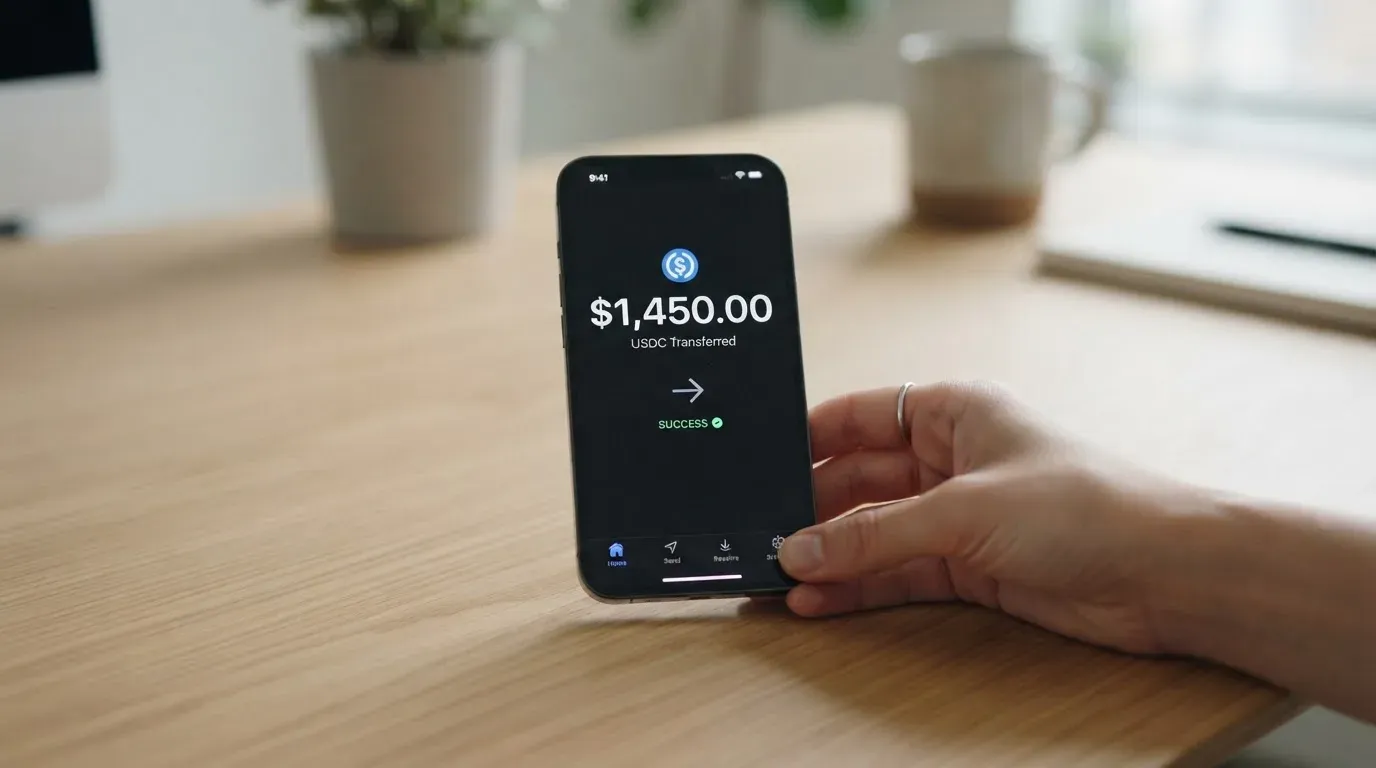
There are three ways to fund the card in practice.
The first is from your Tangem Wallet. You open the Tangem app, swap into USDC or USDT if you are holding another token, and send to the card. Network gas is paid by the sender, so you need a little of the native token of whatever network you are using, which is one of the small but real frictions of self-custody funding. If you are holding ETH on Ethereum mainnet and want to send USDC on Polygon, you need a small amount of MATIC for gas; if you are sending on BNB Smart Chain, you need a little BNB. That sounds obvious, but it is the kind of thing that catches first-time users out when a transfer fails because the gas token is missing.
The second is from another wallet or exchange. Each supported network has a deposit address, and you send USDC or USDT to that address. This is the route most people use, and it is also the route where mistakes are most expensive: send the wrong token, or the right token on the wrong network, and the funds are permanently lost. The Tangem page is unusually direct about this. Stablecoin transfers are irreversible on-chain, and a deposit sent on an unsupported network, or to the address of another network, cannot be recovered automatically.
The third is a bank transfer. Where ACH or Fedwire is supported, you wire money in and it is converted to USDC and credited to your card balance. The fee is deducted from the amount received, so on Basic you lose $1 per ACH and $11 per Fedwire; on Plus both are free. Bank transfers are US-only, and the bank-deposit fee is in addition to anything your own bank charges for sending the transfer.
Funding limits are a daily load of $100,000, with 24 loads per day and 150 per month. A minimum top-up is not stated. The card balance itself caps at $10,000 on Basic and $50,000 on Plus, so you cannot simply keep loading more; once the balance is full, additional top-ups would be rejected or queued depending on how the app handles it.
On-chain balance updates within two business days after a purchase, which is the time the card takes to settle the spend against the crypto balance behind it. For everyday use this is invisible: you tap to pay, the merchant gets paid, the balance reconciles later. The two-day window matters if you are about to spend close to the cap of your balance and want to know exactly how much is left.
Withdrawing is the other side of the same coin. You can pull USDC or USDT out to Tangem Wallet at any time, and the on-chain withdrawal fee is $0, though swap-provider fees apply if you are converting to a different token. Withdrawing to a US bank is $1 by ACH or $11 by Fedwire (free on Plus), with a $10,000 per-transaction cap and no stated daily or monthly limit. Merchant refunds stay in the card balance and cannot be withdrawn. To close the account you email [email protected] after withdrawing the balance. A factory reset of the hardware wallet, or deleting the Tangem account, loses access to Tangem Pay and the funds on it, and there is no relink yet, so the “I can recover from my seed phrase” instinct does not apply once the card is gone.
Paying with it every day
The daily experience of Tangem Pay depends on which tier you are on. Basic gives you a virtual card, which works online, in Apple Pay and Google Pay where the country supports it, and anywhere a virtual card number is accepted. Plus gives you a plastic Visa Signature, which works at the physical point of sale and adds the usual Signature benefits: extended warranty, price protection, purchase protection, auto rental insurance and Airport Companion lounge access. Prestige is marked as coming soon, and will offer virtual, plastic and metal Visa Infinite cards.
Apple Pay and Google Pay are supported; the page notes that Apple Pay depends on the country. This is the kind of detail that matters more than it sounds, because a card that does not tokenise into a phone wallet is a card you have to carry physically, which is a step backwards for anyone used to paying with a watch or a phone. The on-page rule is that only cards issued after 10 March 2026 and showing Platinum or Signature in Apple/Google Pay are eligible for ATM withdrawals, which suggests the older batch of cards has been quietly phased out for cash access.
Cashback is straightforward on paper: 1% on Basic up to $100 a month, 2% on Plus up to $300, 4% on Prestige up to $1,000. An extra 5%, 10% or 15% on the first $500 of spending, plus a welcome bonus of up to $75, is listed as “coming soon”. The payout currency is not stated. In practice, the cashback is paid in something, but the public pages do not say whether it lands as USDC in the card balance, as a USD credit, or as a points balance redeemable later. For a card that runs on stablecoins, you would expect USDC, but you would also expect that to be stated.
Blocked merchant categories are not stated on the official Tangem page. Unofficial sources, citing the issuer Rain, list gambling and online casinos, liquor stores, and certain subscription services. The honest summary is that the blocked list is set by Rain, and you find out what is on it by trying. For a card whose whole pitch is “spend your crypto anywhere”, the lack of a published merchant block list is a small but real gap.
Disputes are handled through [email protected], under the standard Visa chargeback procedure, and you have 60 days from the date the transaction appears on your statement to raise one. A $30 fee is charged when a formal dispute opens, and the support team can ask for extra documents. The good part is that the dispute framework is the standard Visa one, so a chargeback right that exists for any other Visa exists here too. The bad part is the $30 fee, which is non-trivial relative to a $30 disputed coffee, and means the dispute mechanism is only worth using for amounts above a few hundred dollars.
The app itself is the Tangem app, on iOS and Android, and Tangem Pay is a section inside it. Publicly available ratings for the Tangem app are not prominent, unlike most comparable products. The “Get Help” button inside the app routes you to support, and the help centre has articles on the most common questions, but the depth of the help centre is uneven: some pages are detailed, others are stubs.
What can go wrong
The first thing to internalise is that Tangem is not the regulated party here. The footer on the card pages says so plainly: Tangem is not regulated as a financial services provider. The programme is operated by Paera LLC, and the card is issued by Rain, a Visa Principal Member. Tangem is the front end and the brand; the regulated entities are Paera and Rain. That distinction is important if you ever need to file a complaint, because the address you contact depends on what the issue is: [email protected] for card setup and features, and [email protected] for account, KYC, disputes, declined payments, refunds and personal data. Tangem Support cannot see your KYC status.
The second is that your crypto is not sitting in the card balance the way a bank balance sits in a bank account. The card funds live in separate Tangem Pay smart-contract accounts, and the main assets stay in your non-custodial Tangem Wallet. The card balance is a converted USD figure that spends from those smart-contract accounts at the moment of payment, and the on-chain reconciliation happens within two business days. If you reset the hardware wallet or delete the Tangem account, access to Tangem Pay and the funds on it is gone, and there is no relink yet. This is a stiffer failure mode than a custodial card, where deleting an app does not usually lose your money, and it is worth weighing against the self-custody upside.
A third class of risk is the stablecoins themselves. USDC and USDT are designed to hold a 1:1 peg to the US dollar, and “designed” is doing some work there: stablecoins are not necessarily stable. USDC briefly lost its peg in March 2023 during the US banking crisis, and Tether’s USDT has had its own depeg episodes. If you keep most of your card balance in a stablecoin that depegs while the balance is large, the dollar value of what you can spend drops before the card can rebalance. The bigger structural point is that Tether has frozen funds tied to illicit activity, which means stablecoins are not censorship-proof, and Circle stopped supporting USDC on Tron in February 2024, so “USDC on TRC20” is not an option here.
A fourth is sanctions and shipping. When Tangem launched physical cards, the company said shipping is restricted in about 20 countries including China, Russia, North Korea and Palestine, citing KYC, sanctions and banking rules. The card programme itself operates under those rules, so the same restrictions effectively apply to funding and spending, not just to where a plastic card can be delivered. The card checks your residence at KYC, but country-list-based restrictions are layered on top of that.
A fifth is support. The split between [email protected] and [email protected] is logical but means you have to know which side of the operation owns your problem. KYC rejections, for example, are visible only to Paera, and Tangem cannot see the reason, so a confused user with a rejection email often ends up going in circles. User reports from secondary sources describe orders shipped from Hong Kong with poor follow-up, and a critique of the self-custody claim because USDC withdrawal passes through a swap with fees; the trustpilot rating for the Tangem brand as a whole is around 4.1 out of 5 across about 876 reviews, but that figure covers the hardware wallet more than the card.
The sixth is the everyday payment edge cases. A foreign BIN can look “foreign” to a merchant, and some merchants decline prepaid or foreign-issued cards outright. Address Verification Service is mostly US/Canada/UK, and a foreign-issued card can fail AVS on an unfamiliar billing address. A declined authorisation can leave a hold on funds for up to several days, typically up to seven. None of these are unique to Tangem Pay, but they are the kind of friction that the help-centre advice about choosing local currency at the terminal is trying to head off.
The seventh is ATM availability. The product page says ATMs work, with a 4% fee on Basic and 2% on Plus, but another help-centre article says ATM cash withdrawals are not yet available. The two pages have not been reconciled publicly, and the conservative reading is that ATM is a partial launch that may or may not be live for you. If ATM access is a deal-breaker, this is the place to test in the app before committing.
What to take instead
Tangem Pay is not the only self-custody-linked card. The honest comparison is against three of the closest competitors on the facts available, each with a different angle.
TokenPocket (TP Card)
TokenPocket’s card is a Visa or Mastercard debit card that runs on Arbitrum, with balances in EUR24 and USD24. It is a virtual card, with no physical option mentioned, which is the most important difference from Tangem Pay. Country coverage is more specific: a Visa debit is available in a list of European countries including Germany, France, Spain and Switzerland, and a Mastercard debit in Australia, Canada, Hong Kong, Japan, Taiwan, New Zealand, Singapore, South Korea and the UK, with the Americas listed as planned for Q2 2025. The cost structure is light: apart from a partly-covered NFT creation fee, TP Card does not charge additional fees, and a 1% fee is charged on crypto deposits, which is later refunded via rewards or reduced transaction fees. The FX fee is not stated, and extra fees can come from inter-institution settlement. There is no cashback on the public material. The overall score is 5.8 out of 10, and the case for TokenPocket is virtual-only simplicity and a specific list of supported countries; the case against is the 1% deposit fee, the lack of a published FX figure, and the absence of a physical card.
MetaMask Card
The MetaMask Card is a Mastercard from issuer Monovate and card provider Crypto Life, with a virtual card issued first and instant, and a Metal card that can be pre-ordered after Virtual approval. Sign-up is open in 45 listed countries including Andorra, Argentina, Brazil, Canada, Mexico, Germany, France, Spain and Uruguay; other regions can join a waitlist. Ineligible regions limit sign-ups, not spending, and US/UK sign-ups are temporarily closed per the FAQ. Proof of residency is required. The Virtual tier is free, with no annual or maintenance fee, and Metal is $199 a year. Transaction fees are described as minimal, with a linked fee table; there is no MetaMask fee on top, and no foreign transaction fee, with the Mastercard rate used. Funding is direct from the connected wallet, on Linea, Base, Monad and Solana, with nine named tokens including mUSD, wETH, EURe, GBPe, USDC and USDT. Cashback is paid in mUSD into the Money Account, with Virtual at 1% and Metal headline at 3% (footnote: 3% capped at the first $10,000, then 1%), plus a $FLY bonus of 5x (Virtual) and 7x (Metal) via the Blackbird dining app. The overall score is 7.1 out of 10. The case for MetaMask Card is multi-network support, a clear cashback structure, and a strong brand; the case against is the closed US/UK sign-up windows and the Metal tier’s $199 price.
KAST
KAST offers a Visa Platinum (Standard), a Visa Infinite metal (Premium) and a Visa Infinite gold-plated (Private), with up to 10 cards per user and a range of designs including Pengu, Solana and Bitcoin. The account balance is in USD, with stablecoin deposits converted 1:1 and 0% spread. Country coverage is residence-based and shown at KYC, with no published country list; the rules around citizenship and ID are more layered than most, including the rule that dual citizens with an ID from a supported country may pass KYC, and that VPN does not bypass the check. Costs are steeper: Standard is $0, Premium is $1,000 a year and Private is $10,000 a year, billed annually upfront with no monthly option. There is a $1/month inactivity fee after 12 months, and Standard physical cards cost $0 plus $40 delivery. Stablecoin top-up is 0%, card spend in USD is 0%, transaction fee is 0%, and Apple/Google Pay is 0%. Non-USD FX is 0.5% to 1.75% depending on residence country, transaction country and card programme. Cashback is paid in USD, with Standard at 1.5% on the first $2,000 a month, Premium at 2% on the first $10,000 and Private at 3% on the first $40,000. The overall score is 6.1 out of 10. The case for KAST is the strongest cashback at the high tiers and the broadest card-design options; the case against is the steep annual fees and the residence-based country check that is not transparent in advance.
| Card | Score | Issuer | Card form | Country approach | FX fee | Cashback | Notable |
|---|---|---|---|---|---|---|---|
| Tangem Pay | 7.5 | Rain (Visa) | Basic virtual, Plus plastic, Prestige virtual/plastic/metal (soon) | US + selected countries, residence-based, list not published | Visa rate + 1.5% | 1% / 2% / 4% (cap $100/$300/$1,000 monthly) | $0 Basic, $29.99/month Plus, USDC/USDT on Polygon, Base, Arbitrum, BNB Smart Chain |
| TokenPocket (TP Card) | 5.8 | Not stated | Virtual only | Published list by region (EU for Visa, APAC for Mastercard) | Not stated | None stated | 1% deposit fee later refunded; runs on Arbitrum |
| MetaMask Card | 7.1 | Monovate (Mastercard) | Virtual then Metal | 45 countries published, US/UK temporarily closed | Mastercard rate, no foreign tx fee | Virtual 1%, Metal 3% (then 1% after $10k) | Linea, Base, Monad, Solana; mUSD cashback |
| KAST | 6.1 | Not stated | Virtual and physical, multiple designs | Residence-based, not published, layered citizenship rules | 0.5%–1.75% | 1.5% / 2% / 3% by tier, paid in USD | Annual fees $0 / $1,000 / $10,000 |
If the priority is a free virtual Visa that funds from your own wallet and a published network list, MetaMask Card is the closest substitute, with the caveat that the US and UK are currently closed for new sign-ups. If the priority is a free tier with lower FX fees and broader published country coverage, TokenPocket is a smaller and more limited option. If the priority is a premium metal card and higher cashback at the cost of annual fees, KAST is the high-end alternative. Tangem Pay sits in the middle of the group: a self-custody-friendly free tier, four stablecoin networks, but a 1.5% FX margin and an opaque country list.
Who I would recommend it to
If you already own a Tangem hardware wallet, hold USDC or USDT, and live in a supported country, Tangem Pay is a natural extension. You get a free virtual Visa, four stablecoin networks to top up from, Apple Pay and Google Pay support, and the option to upgrade to a plastic Visa Signature with a 2% cashback for $29.99 a month. The structural details are clean: Visa Principal Member issuer, separate regulated entities, your crypto in smart-contract accounts that you can withdraw at any time. The friction is the 1.5% FX margin and the fact that you do not know whether you qualify until you try.
If you are choosing a card primarily for travel, the calculus is tighter. The 1.5% FX margin is in line with mainstream travel cards, but the lack of a published country list and the partial launch of ATM withdrawals make it harder to plan around. A card whose country coverage you can see in advance is easier to commit to.
If you are a heavy ATM user, the 4% fee on Basic and 2% on Plus puts Tangem Pay behind most local-debit options. If you spend most of your money in USD inside the US, the FX fee does not bite, and the cashback covers a meaningful slice of the Plus subscription.
If you are outside the supported countries, there is no workaround. KYC checks the residence, and a repeat application with the same identity is auto-rejected, so the path is to wait for expansion rather than to retry.
The honest summary: Tangem Pay is a good fit for a self-custody user who wants a free virtual Visa and is happy with a 1.5% FX margin, a partly-launched ATM feature, and a country list they will only see in the app. It is a weaker fit for a frequent traveller, a heavy ATM user, or anyone who needs a published, regulated brand standing behind the card.
Frequently asked questions
What is Tangem card?
Tangem Pay is a Visa payment card that draws on a crypto balance you control. The card is issued by Rain, a Visa Principal Member, and the programme is operated by Paera LLC, while Tangem is the brand and front end. It comes in three tiers: Basic (free, virtual Visa Platinum), Plus ($29.99 a month, Visa Signature plastic) and Prestige (coming soon, $999 a year, Visa Infinite).
How does Tangem card work?
You fund the card with USDC or USDT on Polygon, Base, Arbitrum or BNB Smart Chain, or with a US bank transfer via ACH or Fedwire. The card balance is in USD, USDC and USDT are combined into one balance, and non-USD purchases are converted at the Visa rate plus 1.5%. At the till, you tap or insert the card, or use Apple Pay or Google Pay where supported, and the balance is debited.
Is Tangem a bank?
No. The card pages state explicitly that Tangem is not regulated as a financial services provider. The regulated parties are Paera LLC, which runs onboarding, KYC and AML, and Rain, which is a Visa Principal Member and the card issuer. Tangem is the front end and the brand.
Who owns Tangem?
Tangem AG is the company behind the hardware-wallet brand, but ownership and the registration countries of the programme operator Paera LLC and the issuer Rain are not publicly stated. The card programme is run by Paera, and licences are not explicitly detailed on the public pages.
Is Tangem card available in my country?
Tangem Pay is available in the US and in selected countries across Latin America, Asia-Pacific, the Middle East and Africa. The exact list is not published; you only find out by entering your residence country during onboarding. Application is rejected during KYC if the region is unsupported, and the reason for rejection is visible only to the team running the checks.
How do I apply for a Tangem card?
Download the Tangem app on iOS or Android, create or sign in to a Tangem account, enter your country of residence, and complete identity verification through Sumsub. You will need a government-issued ID, a phone number and email verified by code, a residence address, and an SSN if you are a US resident. The card is usually issued within five minutes, and in the worst case within 48 hours.
Does Tangem card require KYC?
Yes. KYC is handled by Sumsub on Paera’s behalf and includes a phone and email code, a government ID, a residence address, biometric data, and an SSN for US residents. Limits on the card depend on the verification level, and a repeat application with the same identity is automatically rejected if the first attempt fails.
How do I top up Tangem card?
You can top up from your Tangem Wallet by swapping into USDC or USDT, from another wallet or exchange to a deposit address on Polygon, Base, Arbitrum or BNB Smart Chain, or by US bank transfer via ACH or Fedwire in supported regions. Network gas is paid by the sender, and sending the wrong token or the right token on the wrong network permanently loses the funds.
How do I add Tangem card to Apple Wallet or Google Pay?
Open the Tangem app, find the card under Tangem Pay, and follow the prompt to add it to Apple Wallet or Google Pay. The card must be issued after 10 March 2026 and show Platinum or Signature in the wallet for ATM access. Apple Pay availability depends on the country.
Is Tangem card safe?
The card funds sit in separate Tangem Pay smart-contract accounts, the main assets stay in your non-custodial Tangem Wallet, and the card can be frozen or unfrozen instantly in the app, with a 4-digit PIN and a custom spending limit. The regulated parties are Paera and Rain, and Tangem is not a regulated financial provider. There is no stated insurance or deposit protection, so the safety case rests on the self-custody model and the regulated issuer underneath.
Wallet card fees and costs – cryptocardfacts
Content created by the «cryptocardfacts» team