
A virtual USD card for West Africans that keeps its fee card hidden
 Available in US
If you have trouble getting an ordinary bank card — and you live in Nigeria or elsewhere in West Africa — the Vban card may look like a practical solution. It is a virtual dollar-denominated card you create in an app after verifying a Nigerian Bank Verification Number, and you spend from a crypto balance converted into dollars. The idea is simple and, for its intended audience, genuinely useful.
But the same review that makes the card interesting also raises a long list of questions the card’s own public pages do not answer. What does the monthly fee cost? Is there a monthly fee at all? What are the conversion and foreign-exchange fees? Is there an ATM? How much can I spend per day? Who is actually issuing the card, and under what licence? For a card where you are asked to trust someone with your money, those are not minor gaps.
I went through the card’s terms, help pages and public reports to work out what is known, what is claimed, and what is simply not stated. Here is what I found.
The conditions described below are current as of October 28, 2026.
Verdict: A Narrow, Incomplete Card for a Specific Audience
Vban scores 4.0 out of 10. That is not a dismissal — it is a card with one clear strength (low cost to open and load) wrapped in a great deal of uncertainty (undisclosed fees, undisclosed limits, no physical card, no wallet support).
| Criterion | Score | Why |
|---|---|---|
| Who can get it | 2 / 10 | No country list published; starting data points to Nigeria, Ghana and West/Central Africa; needs a Nigerian BVN |
| Cost | 7 / 10 | $2 to create plus $5 to fund the card — $7 total; monthly and per-transaction fees not disclosed |
| Top-up options | 4 / 10 | Card loads from a USD account; wallet needs at least $7; USDT and USDC named in starting data, networks not disclosed |
| Reliability and complaints | 4 / 10 | Operated by TM Payments Limited, “not a bank”, Canada-based, powered by Maplerad; Trustpilot 3.2 from 13 reviews; refund refusals and missing incoming transfers reported in 2025–2026 |
| Everyday use | 2 / 10 | Virtual USD card only; no Apple Pay or Google Pay offered; ATM situation not disclosed |
The card suits Nigerian and West African users who already hold a BVN and want a dollar card that spends from crypto, primarily for online subscriptions and cross-border digital purchases. It does not suit people who need a physical card, Apple Pay, cash withdrawals, or a transparent picture of what each transaction costs.
Will They Give You the Card?
The short answer is: probably only if you are in Nigeria, and only if you have a BVN.
The card’s public pages do not list any supported countries. Starting data points to Nigeria, Ghana, Ivory Coast, Senegal, Cameroon, Togo, Benin, Burkina Faso, Mali, Niger, Guinea-Bissau, Equatorial Guinea, Republic of the Congo, Gabon, Central African Republic and Chad. If you live outside that group, there is no published rule telling you whether you qualify.
The hard requirement is a BVN — a Nigerian Bank Verification Number. You cannot create the card without one, even if you hold a valid government ID. That is the single most important thing to check before you start: do you have a BVN, and does it still resolve correctly at your bank?
Beyond the BVN, the card’s blog mentions one valid government ID. Proof of address and age requirements are not stated. There is no published tier structure — the card operates on a single tier, and KYC statuses include pending and rejected (including for a name mismatch).
How to Get It
The process is straightforward once you have a BVN:
- Verify your BVN. The card states that BVN verification is required before card creation and is completed “within minutes”. If it does not resolve, you are stuck — there is no stated workaround.
- Hold at least $7 in your USD wallet. You need this before the card can be created, because the creation cost is taken from it.
- Create the card in the app. The card is virtual only — there is no physical option, and the app is available on the App Store and Google Play.
That is the whole signup. There is no branch visit, no courier, no plastic card in the post.
One thing to be clear about: the card is described in its own site FAQ as “issued by Lead Bank” under a Visa licence, but the article itself does not name the network. Either way, you are getting a virtual card number, not a piece of plastic.
What It Really Costs: Fees and Limits
Here is the honest picture. Vban is transparent about what it charges to open the card. It is not transparent about anything after that.

| Fee or limit | Value |
|---|---|
| Issuance (one-time) | $2 |
| Card funding charge | $5 |
| Total to create a funded card | $7 |
| Monthly fee | Not stated |
| Per-transaction fees | Not stated |
| Conversion fees | Not stated |
| Foreign exchange fees | Not stated |
| ATM fees / ATM access | Not stated |
| Card spending limits | Not stated |
| Wallet limits — NGN withdrawal | 20,000,000 daily / 200,000,000 monthly / 10,000,000 per transaction |
| Wallet limits — GHS withdrawal | 100,000 daily / 1,000,000 monthly / 10,000 per transaction |
| Accounts | USD, GBP, EUR |
| Card currency | USD |
| Tiers | Single |
The two numbers you *do* get are the $2 creation fee and the $5 funding charge. Those are one-time. After that, the card’s public pages do not tell you what a conversion costs, what a foreign-currency purchase costs, or whether there is a monthly fee at all.
That matters because Vban behaves like a prepaid card: you load a balance and spend only that balance, so every purchase potentially involves converting crypto or fiat into dollars first. If the conversion fee is not published, you cannot know what a $50 subscription will actually cost you.
The $5 funding charge is also described as “the minimum card withdrawal amount” — the same number appears in two different contexts, which is itself worth noting.
Three everyday payments
Consider three ordinary situations and what you actually know about each:
- A $10 online subscription in USD. You know you loaded the card from a USD balance, so if the balance was already in dollars there may be no conversion at all. You do not know whether there is a per-transaction fee on top.
- A €15 purchase from a euro-denominated merchant. The card is USD-only. A conversion will occur, and the rate and fee are not published. This is the case where you are most likely to pay more than the sticker price, and the case where the missing information hurts most.
- Withdrawing cash in local currency. ATM access is not disclosed. The wallet-level withdrawal limits (20,000,000 NGN daily, 100,000 GHS daily) are stated, but they are wallet limits, not card limits, and card limits are not stated at all.
The pattern is clear: the card tells you what it costs to open, and goes quiet on what it costs to use.
How to Top Up
Topping up is the part of the card that is most clearly defined — and also where the biggest hidden risk sits.
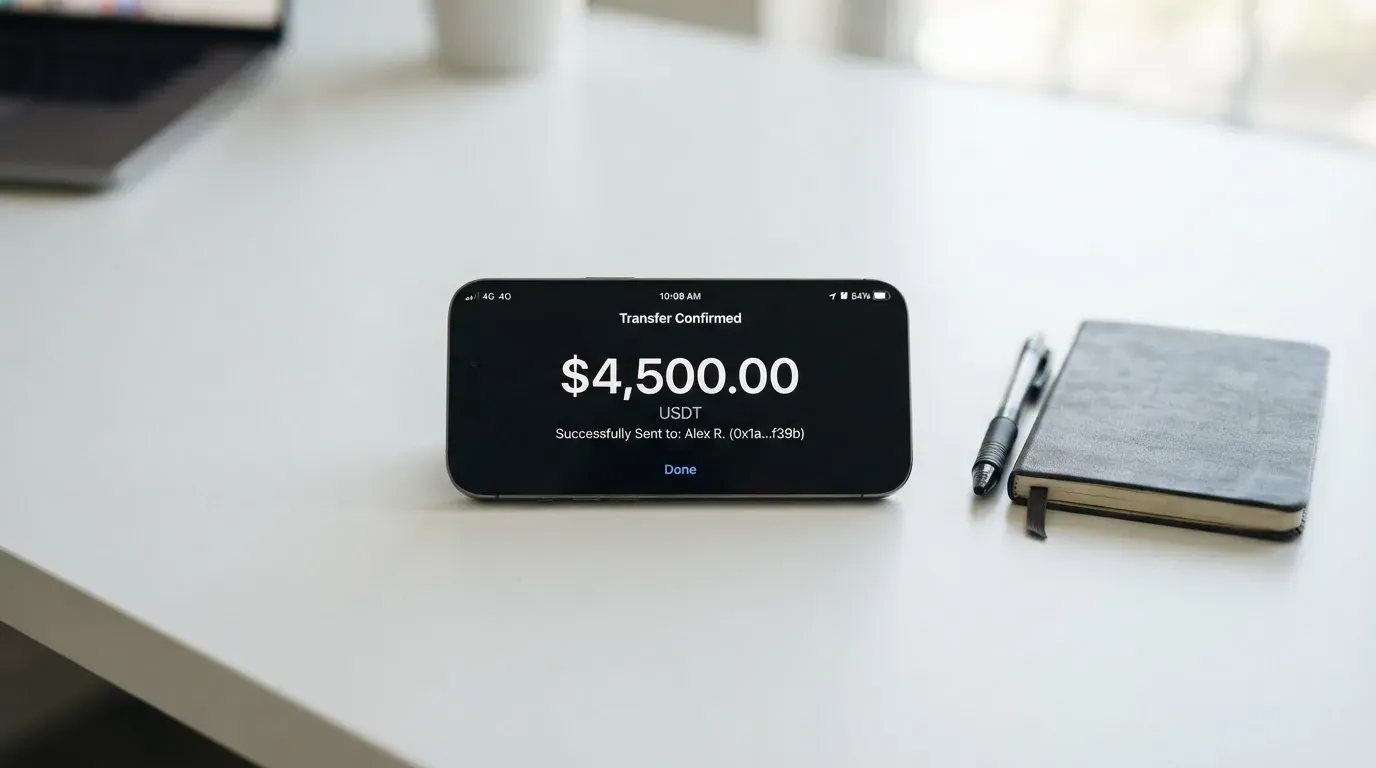
The card is funded from your USD account, and your wallet must hold at least $7 for the card to work. Coins named in starting data are USDT and USDC. The networks those coins travel on are not disclosed, and this is not a small detail. Blockchain transfers are irreversible: if you send on a network the provider does not support, or to an address belonging to a different network, the funds can be lost or require manual support recovery with no guarantee.
Before you deposit anything, you need to find out — from support, not from the marketing pages — which networks are supported for USDT and USDC, and get that answer in writing.
There are also account-level deposit rules:
- USD deposits to the account for individuals: maximum $3,999 per deposit. Anything above that is refunded.
- Businesses: no fixed limit stated.
- Anything above $9,999: additional documents required.
Withdrawals go cross-currency to your local bank, subject to the NGN and GHS limits listed above. The card also lists a “withdraw to bank” flow, and the $5 funding charge doubles as the stated minimum card withdrawal amount — a detail that suggests the mechanics of moving money out are not as separate as you might expect.
Paying With It Every Day
This is where the card is thinnest.
There is no physical card. It is virtual only, so it works for online and in-app payments but gives you nothing to hand over at a shop.
Apple Pay and Google Pay are not offered as wallet features. The card’s own guidance on Google Pay is telling: it “may not work consistently due to region mismatch”. That is not a small annoyance — it means the most common way people pay with a virtual card on a phone may simply not be reliable here.
There is no stated ATM story, no stated rewards programme, and no stated dispute process. The app is on the App Store and Google Play, though I did not read the store ratings.
So the realistic picture is: a virtual card number you paste into websites and apps, spending a dollar balance you loaded from crypto, with no tap-to-pay, no cash access, and no published rewards.
What Can Go Wrong
Let me separate what the card states from what users report, because the distinction matters.
What the card itself says: it is “operated by TM Payments Limited. It is not a bank”. The office is in Richmond Hill, Ontario, Canada. The platform is “powered by Maplerad”. The site FAQ names Lead Bank and Bridge Ventures LLC as the Programme Manager. Specific licences are not named.
“It is not a bank” is not a throwaway line. It means your balance is not a bank deposit, and deposit-guarantee thinking does not apply. The card’s pages also do not state what security measures are in place or what the support hours are — there is a Help Centre at support.vban.com, the interface is in English, but hours are not stated.
What users report (unofficial, not confirmed by the card): Trustpilot shows a score of 3.2 from 13 reviews. Recurring themes include refunds refused with repeated document requests (reported November 2025 and June 2026), and incoming funds not showing (reported November 2025 and May 2026).
I found no official incident. But those two complaint types are precisely the ones that hurt most in a prepaid-card setup: a refund you cannot get, and money you sent that does not arrive. With only 13 reviews the sample is small, but the pattern is consistent and recent.
There is a broader structural risk worth naming. Card programmes close. Visa terminated its global agreements with FTX in November 2022 and the FTX US debit card was wound down. WaveCrest, a card issuer that supplied crypto brands, was suspended by Visa in Europe in 2018. A closure typically means a notice period, then spending and loading stop, then you are asked to withdraw your remaining balance. If you hold money on a card like this, that is the tail risk you are accepting.
What to Take Instead
If Vban does not fit, here are three alternatives I looked at, and how they compare.
International Visa Card (score 6.7 / 10)
This one is more transparent about its rules and about who it refuses. Accounts and cards are not available to residents or legal registrants of: Belarus, mainland China, North Korea, Cuba, India, Iraq, Iran, Israel, Myanmar, Nepal, Nicaragua, Russia, Syria, Turkey, Ukraine, Venezuela, Vietnam. FATF grey-list countries are reviewed case by case with compliance approval. Purchases are blocked in North Korea, Cuba, Iran, Russia, Syria, Ukraine and Venezuela. The rule is by residence or registration, not citizenship.
It is a U.S.-issued Platinum Visa card, virtual, paying in USD. The physical card is “coming soon”. Costs: $5 one-time issuance, no maintenance fee; plans are Classic free, Pro $9.00/month, Max $19.00/month. Card use in USD is free on all plans; foreign currency costs “Visa exchange rate + 2% FX fee”. Deposits of any kind are free. You can fund with USDC or USDT at 1:1, plus USD, EUR, SEPA, SWIFT and FedNow. No cashback stated.
Compared to Vban: far more transparent, and it tells you exactly what it will not serve. But it excludes a long list of countries, and if you are not in a supported jurisdiction it is no more use than Vban.
UNi Card (score 6.1 / 10)
A multicurrency card on the Mastercard network, spending from the UNi.Global account balance. Physical or virtual is not stated. There is “no annual fee” and “no foreign transaction fee”, and assets convert at “live OTC rates” with “no hidden exchange fees”. Issuance fee is not stated; who can get it is not stated. Funding details are not stated. Rewards are “Spend-to-Earn” up to 3%.
Compared to Vban: the fee story is clearer — an explicit “no annual fee, no FX fee, live rates” is more than Vban publishes. But too much is simply not stated, including eligibility and how you load it, so you cannot fully evaluate it either.
Whop Cards (score 5.2 / 10)
A Visa card that works anywhere Visa is accepted, online and in stores. It spends from a Whop balance (pending balance usable as soon as a payment arrives; standard withdrawals use settled funds); starting data indicates it is backed by stablecoin collateral from a linked wallet. Rewards are 5% cashback at select merchants, currently Uber. Costs: the page says “No extra fees” with no amounts listed.
Coverage is state-based in the US: 31 states for consumers, 41 for businesses. A long list of countries is unsupported for consumers, including Belarus, China (Mainland), Cuba, Hong Kong, India, Iran, Iraq, Israel, Myanmar, Nepal, Nicaragua, North Korea, Russia, Syria, Turkey, Ukraine, Venezuela and Vietnam; unsupported corporate countries include Russia and Belarus. The basis — citizenship or residence — is not stated.
Compared to Vban: Vban’s audience (West Africa) is largely outside Whop’s stated US-state model anyway, so these are not really competing for the same reader. Whop’s rewards and fee clarity are better; its geographic fit for this audience is worse.
| Vban | International Visa | UNi | Whop | |
|---|---|---|---|---|
| Score | 4.0 | 6.7 | 6.1 | 5.2 |
| Network | Not named (Visa per FAQ) | Visa | Mastercard | Visa |
| Physical card | No | “Coming soon” | Not stated | Not stated |
| Fees disclosed | Creation and funding only | 2% FX, monthly plans | No FX fee, live rates | “No extra fees” |
| Eligibility | Nigeria / W. Africa, BVN | Long exclusion list | Not stated | US states |
The pattern across all three alternatives is the same: Vban’s real weakness is not that it is expensive — it is that it will not tell you what it costs to use it.
Who I Would Recommend It To
I would recommend Vban to a specific person: someone in Nigeria who already has a working BVN, who wants to pay for online services in dollars, who is comfortable holding money on a prepaid-style card run by a company that says it is not a bank, and who has a backup plan if the card or its networks change. If that is you, the $7 to open and fund it is genuinely low and the BVN process is quick.
I would not recommend it to someone who needs a physical card, who relies on Apple Pay, who withdraws cash regularly, or who needs to know the exact cost of a transaction before they make it. If any of those describe you, the missing-fee problem is not a small inconvenience — it is the reason to look elsewhere.
And for everyone else: before you deposit a single dollar, ask support which networks are supported for USDT and USDC, and get it in writing. That one answer prevents the most common irreversible mistake this card’s design invites.
Frequently asked questions
What is the Vban card?
The Vban card is a virtual, USD-denominated payment card you create inside an app. It draws on a dollar balance you load from crypto or from USD deposits, so it behaves like a prepaid card rather than a normal bank debit card. It is virtual only — there is no physical version — and it is run by a Canadian company that states it is not a bank.
How do I get a Vban card?
You need a Nigerian Bank Verification Number (BVN) first; verification is required before card creation and is said to complete within minutes. You then hold at least $7 in your USD wallet and create the card in the app. A valid government ID is also mentioned. The card’s pages do not publish a full list of eligible countries beyond starting data pointing to Nigeria and West Africa.
Does the Vban card require KYC?
Yes. The card explicitly requires BVN verification before creation, and one valid government ID is referenced in its blog. Proof of address and age requirements are not stated. KYC statuses include pending and rejected, including for a name mismatch, so make sure your name matches your documents exactly before you start.
What does the Vban card cost?
The disclosed costs are $2 one-time to create the card plus a $5 card funding charge — $7 in total to open a funded card. The card’s public pages do not state a monthly fee, per-transaction fees, conversion fees, or foreign-exchange fees. That gap is the single biggest thing to ask about before you rely on the card daily.
How do I top up the Vban card?
The card is funded from your USD account, and your wallet must hold at least $7. Coins named in starting data are USDT and USDC. Individual USD deposits are capped at $3,999 per deposit, with anything above that refunded; deposits above $9,999 trigger extra document checks. Critically, the supported networks are not disclosed — confirm them with support before sending.
Is the Vban card free?
Not entirely. There is a $2 creation fee and a $5 funding charge, so the card is not free to open and fund. Whether it costs anything to hold or use is not stated, and “is Vban card free” is exactly the right question to put to their support, because the honest answer requires the fee schedule they do not publish.
Can I add the Vban card to Apple Wallet or Google Pay?
Not officially. Apple Pay and Google Pay are not offered as wallet features. The card’s own guidance says Google Pay “may not work consistently due to region mismatch”, so even if you could add it, reliability is not guaranteed. If tap-to-pay on your phone is important to you, this card does not serve that need.
Where can I use the Vban card?
Anywhere a Visa card is accepted online and in-app, since it is virtual — but with real caveats. Some merchants decline prepaid or foreign-issued cards because the issuer country shows up in the card’s identification number. Address verification is generally unavailable for foreign-issued cards, which can cause declines. Cash withdrawals are uncertain because ATM support is not stated.
Is Vban safe and is it a bank?
It is not a bank — the operator states this directly. It is run by TM Payments Limited in Canada, powered by Maplerad, with Lead Bank and Bridge Ventures LLC named in the site FAQ. Unofficially, Trustpilot shows 3.2 from 13 reviews, with reports of refused refunds and missing incoming transfers in 2025–2026. Your balance is not a bank deposit, so treat it accordingly.
Can I withdraw money from Vban?
Withdrawals go cross-currency to your local bank. Wallet-level limits are stated: 20,000,000 NGN daily, 200,000,000 monthly, 10,000,000 per transaction; and 100,000 GHS daily, 1,000,000 monthly, 10,000 per transaction. Card-level limits and ATM access are not stated, and the $5 funding charge is also described as the minimum card withdrawal amount — so check the current terms before assuming your cash-out path is open.
App and neobank card fees – cryptocardfacts
Content created by the «cryptocardfacts» team