
A virtual crypto card with a passport-only check and no named issuer
 Available in US
If you are looking at ExCards, you are probably not shopping for the cheapest way to spend dollars. You are probably looking for a card that will let you pay for something online from a crypto balance, in a country where an ordinary bank card has become awkward to open or to keep. That is a real need, and ExCards answers it directly: a passport photo is the whole of the identity check, the balance sits in USDT, and you can be paying within ten minutes. It also answers it thinly. No legal entity is published, no issuer is named, no licences are named, no independent reviews exist, and the Terms of Service page describes itself as a placeholder. I scored it 5.9 out of 10, and the shape of that number matters as much as the number itself: excellent on who can get it and how you fund it, poor on everything to do with who stands behind it.
The conditions described here are current as of October 28, 2026.
Verdict
ExCards is a virtual, prepaid-style card that turns a USDT balance into ordinary card payments, aimed squarely at people paying subscriptions, software, hosting and advertising bills from crypto. That is not marketing gloss — it is exactly what the product shape fits. Three virtual card products, Apple Pay and Google Pay on all of them, no monthly fee, and a first top-up as low as 10 USDT are the right parts for someone who has a crypto balance and a list of recurring online bills. Where it stops fitting is anyone whose money depends on the company surviving: the published pages give you no entity, no country of registration, no issuer, no licences, and no way to see who is behind the balance you are trusting.
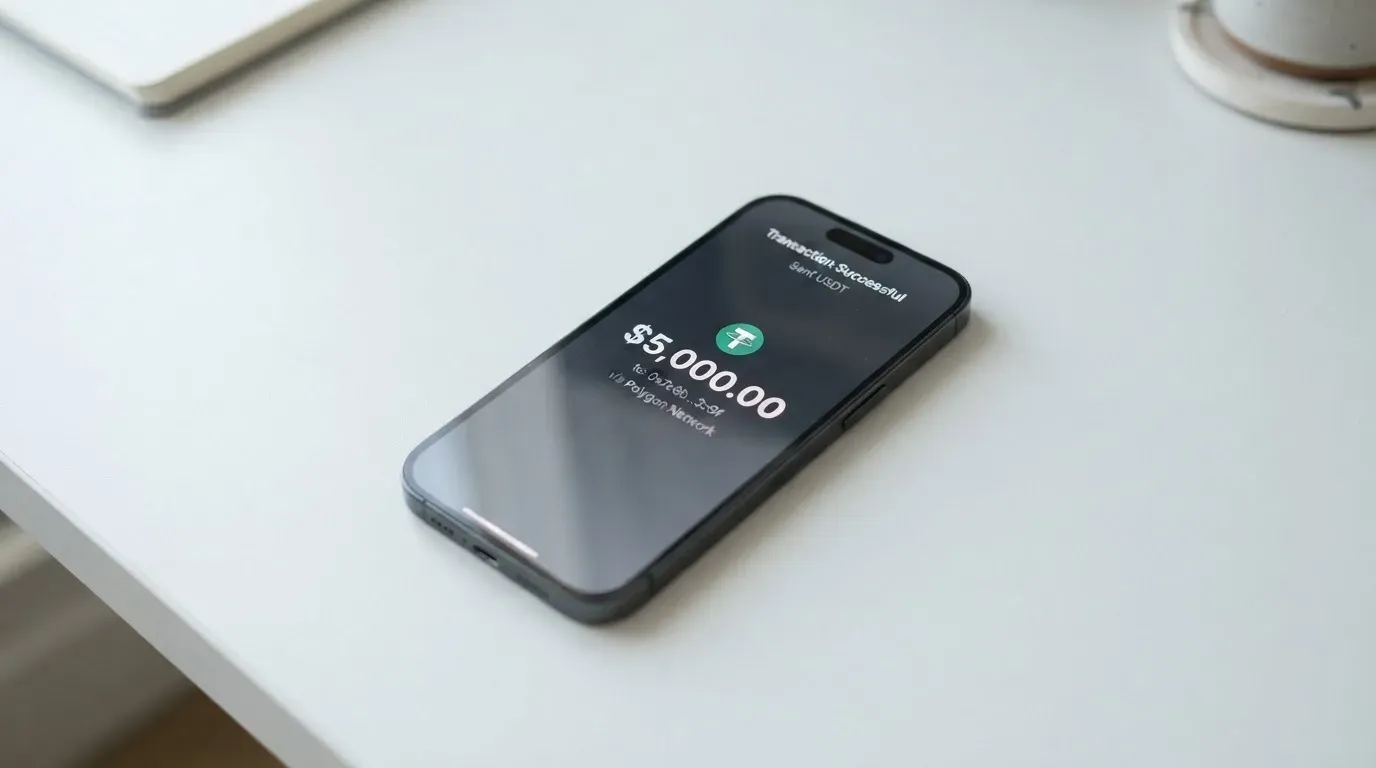
So, plainly: for small, replaceable, online spending, this is a workable tool with real advantages over a bank card you cannot get. For anything larger, and for money you cannot afford to lose, the missing paper trail is not a detail I can wave through.
| Criterion | Mark | Why |
|---|---|---|
| Who can get it | 9 / 10 | Only excluded places are listed; the rule is by residence, not citizenship |
| Cost | 3 / 10 | $29–$50 upfront, 2%–3.5% per top-up, $0.50 authorisations, up to 2% FX markup |
| Top-up options | 9 / 10 | USDT across ERC-20, TRC-20, BEP-20, Bitcoin, Polygon, Arbitrum, Optimism, Avalanche; BTC, ETH, SOL convert to USDT |
| Reliability and complaints | 4 / 10 | No legal entity, no named issuer, no licences, custodial balance, placeholder Terms, no reviews found |
| Everyday use | 5 / 10 | Three virtual cards in about 10 minutes, Apple Pay and Google Pay everywhere, no ATM, plastic only by pre-order |
| Total | 5.9 / 10 | Strong on access and funding, weak on cost and on who is behind it |
The cost mark is the one people are most surprised by, because the absence of a monthly fee reads as “cheap”. It is not. You pay to enter, you pay to load, you pay per authorisation, and you pay again on currency conversion. Those stack.
Will they give you the card
Yes — to almost anyone, and that is the card’s strongest feature. The exclusions page lists only the places that will not be served: North Korea, Iran, Syria, Cuba; Crimea, Donetsk, Luhansk, Zaporizhzhia and Kherson “where applicable”; “Russia (depending on transaction context and issuer policy)”; “Belarus (for sanctioned persons)”; Myanmar and Sudan. There is no list of supported countries, and none is needed — the card’s own framing is that the rule runs from where you live.
Two things follow, and the second one catches people out.
First, it is residence, not citizenship, that decides. You must accurately disclose your country of residence at issuance. If you move, you have 30 days to report it. Disclosing falsely can lead to the card being closed retroactively — that is the card’s own language, and “retroactively” is the word worth sitting with: it suggests the balance and the card can be unwound after the fact.
Second, if you are a citizen of a country with sanctions or restrictions, the “Russia (depending on transaction context and issuer policy)” line is the one to read twice. It is conditional, and the conditions are the issuer’s, not yours.
For someone in the awkward middle — a sanctioned nationality, an occupied region, a residence the issuer may treat as high-risk — this is where the card could still say no, and the card does not publish the criteria it would use.
How to get it
The check is light KYC, and light is the correct word. You need a clear scan of the photo page of a government-issued passport. There is no selfie, no video, no liveness check, and no proof of address mentioned. Age is “18+ in most countries” — check the legal age where you are, not where the card operates.
The flow:
- Sign up at app.excards.io or through the @ex_cards_bot Telegram mini-app.
- Upload the passport photo page.
- An issuer partner checks that the document is authentic and screens it against sanctions and PEP lists.
- The card is issued “within 10 minutes after a successful check”.
There is one KYC level, not a tiered ladder. Your data is refreshed at card expiry, on a change of residence, on suspicious activity, or by default every 24 months. Stated reasons for rejection: false or altered documents (a permanent block), a sanctions or PEP hit, a failed check, or issuance that would breach law or the issuer’s policy. The card also reserves the right to refuse without giving a reason — which is standard, but it means a refusal can be unappealable in practice.
Three products come out of this: Visa Universe, Visa E-commerce and Mastercard Business. All are virtual. The balance is denominated in USDT/USD. A physical Visa E-commerce card can be pre-ordered, but shipping time and shipping cost are not stated anywhere, and a mandatory first top-up of 10 USDT applies. Replacing a lost, leaked or expired virtual card costs the card price again — 29, 35 or 50 USDT depending on which one you had.
Ten minutes from passport photo to paying is genuinely fast. Almost nothing else in this category matches it.
Fees: what it really costs
Here is the whole price list, and then we will run three ordinary payments through it.

| Fee or limit | Visa Universe | Visa E-commerce | Mastercard Business |
|---|---|---|---|
| One-time card price (USDT, non-refundable) | $29 | $35 | $50 |
| Mandatory first top-up | 10 USDT, credited to balance | 10 USDT, credited to balance | 10 USDT, credited to balance |
| Monthly fee | None | None | None |
| Top-up fee | 2% | 3.5% | 3.5% |
| Authorisation fee | $0.50 flat | $0.10 under $1.00, free at $1.00 and above, plus $0.03 per 3-D Secure authentication, plus $0.80 if the decline rate exceeds 10% in a rolling window | $0.50 flat |
| FX on non-USD merchants | Issuer reference rate plus a markup of up to 2% over the interbank rate | Same | Same |
| ATM withdrawal | Not available — all cards are virtual | Not available | Not available |
| Per transaction | $1,000,000 | $20,000 | $250,000 |
| Per day | $3,000,000 | No daily limit stated | $500,000 |
| Per month | $3,000,000 | No monthly limit stated | $1,000,000 |
Two structural notes. There are no account tiers — the three products differ only by price, top-up fee and limits, and the limits are the same for all users, with no split by KYC level. And all three cards share one wallet, so “which card” is a question about fees and ceilings, not about separate money.
Payment one: a $12 monthly subscription in USD, Visa Universe, already loaded. You pay $12. The authorisation fee is $0.50. No FX, because the merchant is in dollars. Total cost of the payment: $12.50. Small and predictable.
Payment two: a $30 subscription from a euro-denominated merchant, Visa E-commerce. The merchant sees dollars, so there is no FX on your side, and the E-commerce card charges no authorisation fee at $1.00 and above — just $0.03 per 3-D Secure authentication, which most online checkouts trigger. Against $30 that is negligible. Against a $0.60 monthly tool it is not.
Payment three: a €40 invoice paid from a USDT balance, Visa Universe. The $40 is converted from dollars at the issuer’s reference rate plus a markup of up to 2% over the interbank rate — so up to about $0.80 on $40. Add the $0.50 authorisation. Then ask where the dollars came from: if you loaded them from BTC, ETH or SOL, the coin was converted to USDT “at network rate” with no fee stated, so that conversion is invisible in this table but not absent. The full stack on that one invoice is $40 plus up to roughly $0.80 plus $0.50, plus whatever the network charged to move the original crypto in.
The general lesson: the top-up fee is the number that decides whether this card is cheap for you, and it depends on how often you load. Loading once a month at 3.5% costs you 3.5% of everything you spend that month. Loading once and spending down costs 2% or 3.5% once. Frequent top-ups are where this card quietly becomes expensive.
How to top it up
The balance is in USDT, and the network list is long: ERC-20, TRC-20, BEP-20, Bitcoin, Polygon, Arbitrum, Optimism, Avalanche — with the card’s own caveat that “these networks are just examples, we accept others too”. Coins other than USDT (BTC, ETH, SOL and others) are converted to USDT first, at network rate.
What that means in practice:
- Top-up fee: 2% on Universe, 3.5% on E-commerce and Business. The card’s own example: 100 USDT at 3.5% credits 96.50 USDT.
- Minimum first top-up: 10 USDT, which lands on your balance and stays spendable.
- The blockchain network fee is paid to the network, not to ExCards.
- Transfers between your own cards: 0%.
- Fiat top-up is not mentioned. There is no stated route to add dollars from a bank account.
Two practical warnings before your first transfer. Blockchain transfers are irreversible, so a deposit sent on a network the provider does not actually support, or to an address belonging to a different network, can be lost or need manual support recovery with no guarantee of outcome. And on Ethereum specifically, sending ERC-20 USDT requires ETH for gas — a wallet holding USDT and nothing else cannot send. If you are new to this, that is the most common way people lose a small amount on a first deposit.
No way to withdraw the balance is described. The card’s own pages do not say how you get money off it, beyond the note that the mandatory 10 USDT remains spendable and that prohibited use leads to “card closure without refund”.
Paying with it every day
The daily mechanics are simple and good. Apple Pay and Google Pay are supported on all three cards. Declined transactions return the funds to your card balance automatically. Three virtual cards can be created within 10 minutes. That combination — fast issuance, mobile wallets everywhere, automatic return of declines — is a solid foundation for paying subscriptions and ad platforms.
Then the friction starts:
- No ATM. “All cards are virtual, and ATM cash withdrawal is not available.” No cash, ever.
- No plastic unless you pre-order it, and even then no shipping date or cost is published.
- No published merchant-category list. The card states that terms bar use for illegal goods or services, terrorism financing, money laundering, and sanctioned-country transactions. What that means in practice is that a specific merchant category could be declined and you would not know in advance.
- No cashback mentioned. The only reward described is a referral programme: 20% per card issued plus 0.05% of top-ups at the Bronze level, rising to 40% plus 0.20% at Platinum, and 10% off a first card with a code.
- No dispute or chargeback process is published. This is the sharpest everyday problem. There is no described route to challenge a merchant. The card states it is “not liable for declined transactions, FX losses, network downtime, or merchant rejections”. If a merchant takes your money and delivers nothing, the remedy you can find in the published pages is: none.
- No app in the App Store or Google Play is stated. The service is the web dashboard at app.excards.io and a Telegram mini-app.
Those points about merchant acceptance and declines are not only ExCards’ problem. Merchants can look up the issuer identification number at the start of a card number and see which institution and country issued it; where that country differs from the billing address, extra scrutiny is common. Some shops decline prepaid or foreign-issued cards for exactly that reason. Address verification, which compares the numeric parts of a billing address against issuer records, is mainly available in the US, Canada and the UK and is generally unavailable for foreign-issued cards — a routine cause of a decline at checkout. And a declined authorisation can leave a hold on your funds for several days, typically up to seven. If a payment of yours fails, you may be out of the money temporarily and out of the amount permanently.
Support is 24/7 through in-app chat on app.excards.io, with answers promised “within minutes”, and through the Telegram bot t.me/excards_bot. Interface languages are English, Russian, Spanish and Ukrainian.
What can go wrong
I want to be blunt about this section, because it is where the 5.9 comes from.
Nobody is named. No legal entity and no registration country are published. The cards are described as “issued by a third-party card issuer partner” using “licensed BIN sponsors”, but the issuer is not named and no licences are named. When you ask whether ExCards is a bank or who owns it, the published answer is that the brand is “ExCards” (© 2026) and the issuing institution is a partner it does not identify. That is not a technicality. It means you have no named institution to complain to, no named institution whose rules you can read, and no licence number to check against a regulator’s register.
Your balance is custodial. It is “held with our card issuer partner”. That is the normal model for this category, and it comes with a specific, well-documented set of risks. Crypto transfers are irreversible and a stolen key has no built-in recovery — the network cannot freeze or return funds. Custodial platforms have a real record of failure: Mt. Gox (about US$350 million reported stolen, 2011-2014), Coincheck (about US$400 million, 2018) and the Ronin Network (US$625 million, 2022). No safeguarding statement is published, and no freeze feature is described.
There is no independent track record. I found no reviews of ExCards at all — no Trustpilot page, no review-site entries, nothing on the forums I searched — and no official incident reported either. Complete silence cuts both ways. It means nobody has documented a disaster, and it also means you have no evidence of anyone else’s smooth experience over time.
The Terms of Service are unfinished. Last updated 17 May 2026, self-described as a placeholder, with the final version due May-June 2026. The card does commit to announcing fee changes in-app at least 30 days ahead, which is worth something. But the document that would tell you who you have contracted with, and what happens to your balance in a dispute, is not yet in force.
On the security side, what is published is reasonable: TLS 1.3, 3-D Secure 2.0 on all authorisations, and automatic declines on suspicious activity. What is not published is any freeze control, any safeguarding statement, and any incident history.
The category itself has form for this. Visa terminated its global agreements with FTX on 13 November 2022 and the FTX US debit card was wound down by its issuer. WaveCrest, a Visa issuer that supplied several crypto card brands, was suspended by Visa in Europe in 2018, closing all WaveCrest-issued Visa programmes. Programme closures tend to follow a pattern: a notice period, then spending and loading stop, then users are asked to withdraw remaining balances. If you hold a balance on a card whose issuer you cannot name, that sequence is the risk you are actually taking.
One last thing that is not the card’s fault but will still cost you money: in the US the IRS treats digital assets as property, so spending crypto generally produces a taxable gain or loss, measured in local currency at the value on the date of each transaction. Every card payment funded from crypto may be a separate disposal. I am not giving you tax advice — I am telling you that this is the question to put to a professional in your own jurisdiction before you run meaningful volume through the card.
What to take instead
Three alternatives came up in the same review pass. I will not pretend they are clearly better; each one is also missing pieces, and I will list those too.
| Alternative | Score | Card | Cost stated | Fees stated | Funding |
|---|---|---|---|---|---|
| ExCards | 5.9 / 10 | Visa Universe, Visa E-commerce, Mastercard Business — virtual, plus a pre-order plastic | $29 / $35 / $50 one-time; no monthly fee | 2%–3.5% top-up, $0.50 or $0.10 authorisation, up to 2% FX markup | USDT across seven named networks; BTC, ETH, SOL converted |
| Cardex | 5.6 / 10 | Debit crypto card on VERVE, VISA, Mastercard and UnionPay; virtual and physical | Not stated | Real-time conversion at payment time, “AI-Powered Conversion Rate” scanning global exchange rates; no percentage published | USDT, USDC and BTC wallets; networks not stated |
| CardFlow | 4.9 / 10 | Virtual USD Mastercard, created in about 3 minutes | “Creating a virtual card is completely free”; monthly fee not stated | Not stated | Bitcoin, USDT, ETH or Naira bank transfer; networks not stated |
| HyperCard | 4.7 / 10 | Prepaid card; network not stated; balance in USD or EUR | Not stated | Not stated | Crypto such as USDT, BTC, ETH deposited in the app, converted to USD or EUR; networks not stated |
What the comparison tells you:
- Cardex markets “one crypto card, 200+ countries” with no exclusions published, and is the only alternative here with a stated multi-network card offering. But its App Store listing is Naira-focused, its fee percentage is not published, and the “AI-Powered Conversion Rate” claim is a marketing phrase rather than a number you can check.
- CardFlow is aimed at Nigeria and “Nigerians and global users”, and a free virtual Mastercard in three minutes is a genuinely low barrier. Nothing about fees, monthly cost or networks is stated on the pages I could read.
- HyperCard says its card works in “more than 176 countries”, but that describes acceptance, not eligibility — a distinction worth holding onto when reading any crypto card. Its App Store page lists no fees and does not name the network.
None of these publishers disclose a legal entity. The honest conclusion is that ExCards is not an outlier in this category for thin disclosure — it is competitive within it on cost clarity (it is the only one of the four that actually publishes its fee schedule) and on speed of issuance.
Who I would recommend it to
I would recommend ExCards to someone who has a USDT balance they already hold, a list of recurring online bills, and no usable ordinary bank card. If that is you, the passport-only check, the ten-minute issuance, the mobile wallets on every product and the published fee schedule make this an easy, low-friction tool — and the absence of a monthly fee means leaving costs you nothing.
I would not recommend it, as a first crypto card, to someone who has never held USDT. There is no fiat on-ramp, the balance is custodial, and the first thing you would be doing is sending irreversible blockchain transfers to a provider that does not name its issuer.
I would not use it for savings, for a large balance, or for anything where a six-month programme closure would hurt. If the balance matters more than the convenience, hold the crypto in your own wallet and keep the card for small, replaceable spending — that is the shape of use this card genuinely fits.
And I would check one thing yourself before you send anything: whether the issuer partner and its licence appear on the relevant regulator’s public register. In the EU, ESMA maintains an interim register of authorised crypto-asset service providers, white papers and non-compliant entities, and it is worth knowing that a card is regulated as a payment service separately from the crypto side — a crypto card often depends on two licences, not one. Whatever you decide, decide with the disclosure you actually have: light on identity, light on company.
Frequently asked questions
What is ExCards?
ExCards is a virtual prepaid-style payment card that spends a USDT balance. You pass a passport check, receive one of three virtual cards — Visa Universe, Visa E-commerce or Mastercard Business — and pay online with it, including through Apple Pay and Google Pay. The balance is custodial, held with an unnamed card issuer partner, and there is no way to withdraw it described on the public pages.
Is ExCards a bank?
No — and it never claims to be. The cards are described as issued by a third-party card issuer partner using licensed BIN sponsors, but no legal entity, registration country, issuer name or licence is published. The brand is “ExCards” (© 2026). So the honest answer is that ExCards is a programme front-end, not a bank you can hold an account relationship with.
Who owns ExCards?
Ownership is not stated anywhere on the published pages. You get the brand name and copyright year, and nothing about who stands behind it or in which country it is registered. This is the single biggest gap I found, and it is why the reliability mark is 4 out of 10 rather than higher.
Do I need KYC to get an ExCards card?
Yes, but it is light KYC. You need a clear scan of the photo page of a government-issued passport — no selfie, no video, no liveness check, and no proof of address mentioned. Age is 18+ in most countries. Data is refreshed at expiry, on a change of residence, on suspicious activity, or every 24 months by default.
How fast do I get the card?
The card states issuance happens “within 10 minutes after a successful check”, and three virtual cards can be created within 10 minutes. A physical Visa E-commerce card is pre-order only, with no shipping date or cost published, and a mandatory first top-up of 10 USDT applies. ATM withdrawals are not available at all, since every card is virtual.
What does it cost to top up and pay?
Top-up is 2% on Visa Universe and 3.5% on Visa E-commerce and Mastercard Business; 100 USDT at 3.5% credits 96.50 USDT. The card price is $29, $35 or $50, non-refundable, and there is no monthly fee. Authorisations cost $0.50 flat, or on E-commerce $0.10 below $1.00 and free at $1.00 and above plus $0.03 per 3-D Secure check. Non-USD merchants add up to a 2% FX markup.
Can I use ExCards with Apple Pay and Google Pay?
Yes — both wallets are supported on all three cards, which is the most practical part of the offer given there is no ATM and no guaranteed plastic. The tokenised number sits in the device’s Secure Element rather than on Apple’s servers, and each payment uses a one-time dynamic code. That does not protect you from a declined payment or an unauthorised merchant.
Is ExCards safe to use?
Security measures published are TLS 1.3, 3-D Secure 2.0 on all authorisations, and automatic declines on suspicious activity. But the balance is custodial with an unnamed partner, there is no safeguarding statement and no freeze feature, and the Terms of Service are self-described as a placeholder. I found no independent reviews at all, so there is no third-party track record either way.
What are the limits and can I get cash out?
Limits are generous and identical for all users: Visa Universe $1,000,000 per transaction, $3,000,000 per day and per month; Visa E-commerce $20,000 per transaction with no daily or monthly limit stated; Mastercard Business $250,000 per transaction, $500,000 per day, $1,000,000 per month. You cannot get cash out — all cards are virtual and ATM withdrawal is not available.
Is there a fee for declined payments or disputes?
Declines return funds to your balance automatically, but the card states it is not liable for declined transactions, FX losses, network downtime or merchant rejections. No dispute or chargeback process is published, and on E-commerce a decline rate above 10% in a rolling window adds $0.80. A hold from a declined authorisation can also sit on your funds for several days, typically up to seven.
Virtual card fees – cryptocardfacts
Content created by the «cryptocardfacts» team