
Jupiter Global card review: a Visa on a Solana balance
 Available in US
The Jupiter Global card turns a balance of USDC or USDT into an ordinary Visa card number you can use in shops, at terminals and online. You load it from a crypto wallet, it draws down only what you have put in, and there is no credit line and no annual fee. The virtual card arrives as soon as your identity check clears; the plastic one is still being rolled out in stages, with full availability planned by the end of 2026. The conditions described here are current as of October 28, 2026.
I score it 7.3 out of 10. That is a good card for a specific person — someone already holding USDC on Solana who wants a spendable Visa balance and cares more about a flat 2% cashback than about getting hold of physical plastic this month. It is a poor fit if you need a bank account, if you live somewhere the country list does not reach, or if you want to avoid handing over identity documents altogether.
Verdict: 7.3 out of 10, built for Solana holders who want a spending balance
The single most useful thing about this card is that it is honest about what it is: a prepaid Visa balance, funded from crypto you already hold, with fees that are published rather than buried. There is no annual fee, the dollar-to-dollar payment costs nothing, and the cashback is a flat 2% on qualifying purchases up to $100 a month. The catch is narrow and predictable: spend in another currency and you pay 1% or 1.8% depending on which issuer holds your card, and the physical card is not yet universal.
Where it falls short is equally concrete. Eligibility runs by country of residence across roughly 52 countries plus 30 US states, with Bangladesh and Nigeria paused — and unlisted countries are “reviewed case by case during KYC”, which is not the same as a yes. The two issuers are not equal: DCS cards have daily and annual limits of $50,000 and $990,000 and no ATM withdrawals “for now”, while Rain cards list no limit and do allow withdrawals at $1 plus 0.65%. You do not choose your issuer; you are assigned one based on your country.
| Criterion | Mark | Why |
|---|---|---|
| Who can get it | 7 / 10 | About 52 countries plus 30 US states listed, Bangladesh and Nigeria paused, unlisted countries reviewed case by case during KYC |
| Cost | 7 / 10 | No annual fee; physical card $13.13 plus delivery, virtual replacement free; FX 1% (Rain) or 1.8% (DCS), USD payments free; ATM $1 + 0.65% |
| Top-up options | 8 / 10 | USDC and USDT on Solana with no processing fee; other-network tokens converted to USDC; fiat through Noah |
| Reliability and complaints | 7 / 10 | Issued by Rain and DCS, described as regulated financial partners, funds not held by Jupiter; no card-specific complaints found |
| Everyday use | 8 / 10 | Virtual card immediately, physical card phased in until the end of 2026, Apple Pay and Google Pay with no Jupiter fee, ATM on Rain cards |
The card suits you if you already live on the Solana network, hold dollars in USDC or USDT, and want a card that spends exactly what you deposited without a bank in the middle. It suits you less if your spending is mostly in euros, pounds or local currency away from home — the FX fee is the cost that quietly eats a card abroad. And it does not suit you at all if you cannot pass identity verification or your country is not on the list.
Will they give you the card?
Yes, in a long list of countries and 30 US states — but by where you live, not what you hold. Jupiter’s documentation lists roughly 52 countries including Brazil, Mexico, Japan, Singapore and the UAE, alongside 30 US states. It also lists actively offered countries such as Argentina, Australia, Colombia, Egypt, Kenya, Malaysia, Pakistan, the Philippines, South Africa, South Korea, Thailand, Vietnam and Taiwan. Bangladesh and Nigeria are paused. Russia, Georgia, Turkey, Serbia, Armenia and Kazakhstan are not on the list at all.
The rule underneath is residence, and this is the part people get wrong: a passport from a supported country does not help you if your address is elsewhere, and a supported address does not guarantee approval. Nationality is recorded and screened separately from residence during anti-money-laundering checks, so an unusual combination of address and document is exactly the kind of thing that lands in manual review.
Countries outside the published list are “reviewed case by case during KYC”. Read that as: possible, not probable, and slower than the standard route. If you are in one of the named countries, the odds are good. If you are not, you are asking a reviewer for a favour, and you should plan for a proof-of-address document and a wait.
You also need to be 18 or older. That is stated for the verification step. Nothing in the public pages sets a higher age for particular countries.
How to get it
The path is short and it runs entirely inside the Jupiter app. You sign up, complete identity verification, and the virtual card appears; the physical card is ordered from the same place. Identity verification is not optional — a single Global ID check covers the whole account, and only one can be active at a time. There is no separate login route through Discord or X; those logins are not supported.
The check itself usually takes a few minutes when it goes through automatically. If it lands in manual review, allow about 3 to 5 working days. A proof of address is required in the APAC region and usually for unlisted countries, and the app will tell you what it wants. The documentation does not list the specific reasons a verification can be rejected, which is worth knowing before you invest an evening in it.
The card currency is USD, and the card runs on Visa. There is also a co-branded Claynosaurz Visa Platinum virtual card at $25, alongside the standard virtual card.
Getting the plastic is the slow part. The physical card costs $13.13 plus shipping, and shipping is charged to your Spend balance. If your balance is $1,500 or more you get $30 off tracked shipping. The delivery time for each option is shown in the app at the point of choosing it. Which countries receive physical cards is not stated. Rolling out is phased, with full rollout planned by the end of 2026 — so if you are reading this and the physical option is not yet offered to you, that is the schedule, not a bug on your account.
Replacements follow the same pattern: a replacement virtual card is free, while a replacement physical card costs the same as the original. Card orders are non-refundable.
Fees: what a payment actually costs you
The headline number is good — there is no annual fee and no monthly fee is stated — and the bad number is the exchange rate, which is 1% or 1.8% depending on your issuer. USD payments are free. Anything else is charged the FX fee, and on Rain cards an ATM withdrawal in a non-USD currency adds $0.30 plus 1% on top.
| Fee or limit | Rain cards | DCS cards |
|---|---|---|
| Issuance (physical) | $13.13 plus shipping | $13.13 plus shipping |
| Issuance (Claynosaurz virtual) | $25 | $25 |
| Virtual replacement | Free | Free |
| Annual or monthly fee | Not stated | Not stated |
| FX fee, non-USD payment | 1% | 1.8% |
| USD payment | Free | Free |
| ATM withdrawal | $1 + 0.65% | Not available “for now” |
| ATM in non-USD | Adds $0.30 + 1% | Not available “for now” |
| Balance inquiry or declined ATM | $0.60 | Not available “for now” |
| Daily limit | No limit listed | $50,000 |
| Annual limit | No limit listed | $990,000 |
Three everyday payments show how this plays out. A $40 subscription in USD costs $40 and earns 2% back, inside the $100 monthly cap. A €30 dinner paid with a DCS card costs 30 plus 1.8% in conversion; on a Rain card the same dinner costs 30 plus 1%, and if you took the cash out instead, $1 plus 0.65% and another $0.30 plus 1% on the non-USD amount. A $900 ticket bought while your card is frozen can be declined, and a declined-transaction fee is possible when a frozen card is used.
Two more figures belong here. Deposits carry a processing fee shown per network in the app, with the amount not stated. And a decline can leave a hold on funds for several days — typically up to 7 — which matters if the same balance is meant for something else that week.
One unofficial note, because it changes the picture if true: a third-party site (SpendNode, 16 Oct 2026) reports an ATM withdrawal fee of 0% on the virtual card and no cashback on ATM withdrawals. That contradicts the official $1 plus 0.65% figure above, so I would not plan around it. Treat it as unconfirmed.
How to top it up
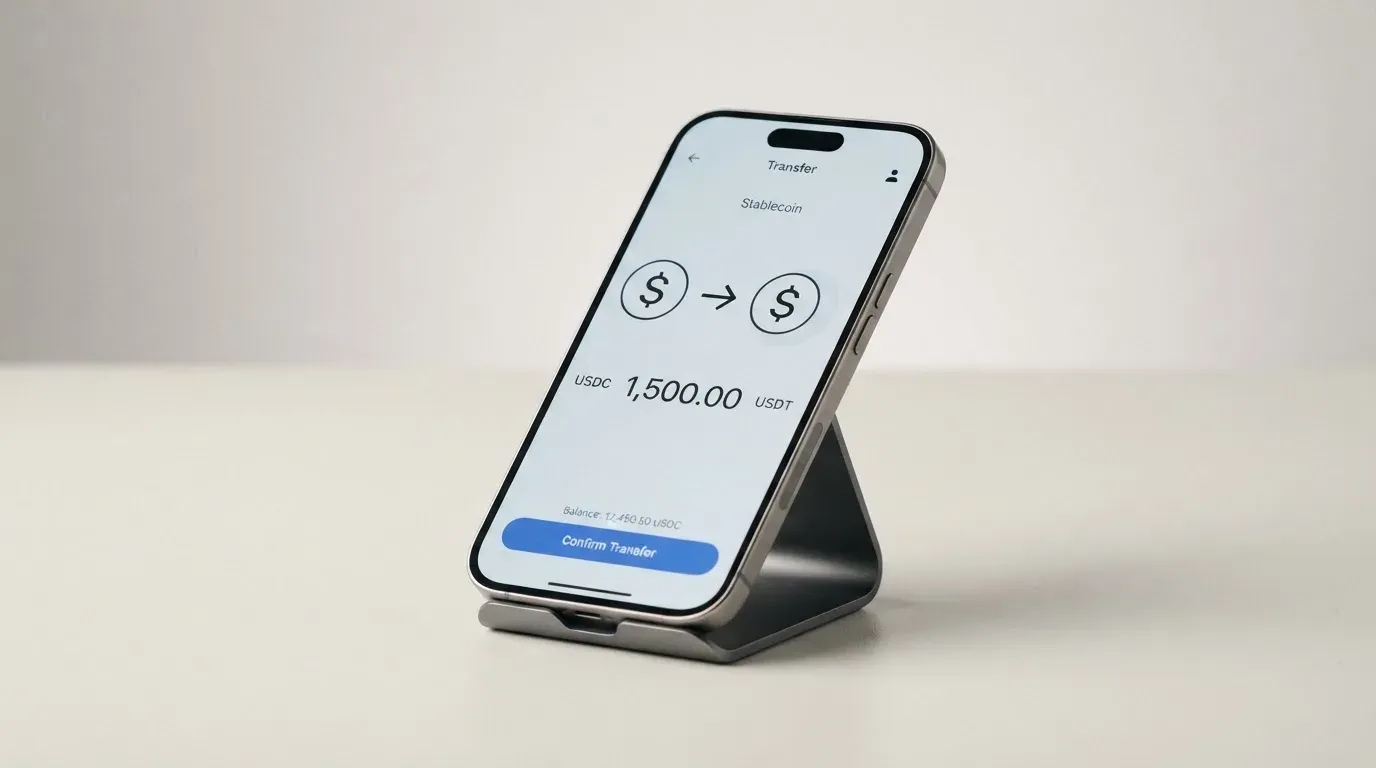
Top up with USDC or USDT on Solana and there is no processing fee at all. That is the cheapest and most direct route, and it is why this card sits so naturally next to a Solana wallet. Supported tokens from other networks are converted to USDC for you through “Send to Spend”, though that path costs more — at least $0.30 plus network gas.
There are practical floor and ceiling numbers. The minimum deposit is $3, and $10 on Ethereum. A single transfer is capped at 200,000 USDC. If the Solana address you send to has no USDC token account, there is a one-time account creation cost. Transfers on-chain are irreversible, so sending to a network the card does not support can mean losing the money or needing support to recover it — that is a property of blockchains, not of this card.
Fiat is the other route, through Noah, with fees taken out of the deposit:
| Rail | Fee | Percentage |
|---|---|---|
| SEPA | €0.87 | 0.10% |
| ACH | $2.00 | 0.05% |
| Fedwire | $20.00 | 0.05% |
| SWIFT | $30.00 | 0.05% |
If the fee cannot be covered by the deposit, it is not refunded.
Getting money back out is more limited than getting money in. Wallet withdrawal works on Solana only, has a minimum of 1.00, treats 1 USDC or USDT as $1, and is not available on every card. Bank transfer goes out by Fedwire, ACH, SEPA, SWIFT or local payout across 15 currencies including EUR, GBP, TRY and AED, with a fixed fee plus a percentage; only USDC deposits can go to fiat. DCS cards do not support withdrawals yet, and the off-ramp is restricted in some regions.
Paying with it every day
Add it to Apple Pay or Google Pay and Jupiter charges no fee for that; whether the wallet is available at all depends on Apple and Google in your region. The card is accepted anywhere Visa is accepted, subject to the merchant categories the issuer blocks automatically: gambling, money transfers, securities brokers and certain high-risk merchants. The full restricted list is not stated.
The app is the control panel. Spend lives in its own tab, and support is reachable from the Spend tab menu or from Help & Support in your profile. The iOS app shows 4.9 from about 2.1K ratings on the US App Store listing in search results; I found no Google Play rating. That is the whole platform’s rating rather than the card’s alone.
Cashback is the reason to keep this card in your wallet. The base rate is 2% on qualifying purchases, capped at $100 a month across your cards. Refer at least two qualifying people in a calendar month and it rises to 4% for the following month, with the cap rising to $200. The Claynosaurz card also pays 2% within that shared cap, and carries an FX rebate of up to $100 a month until the end of 2026. The currency the cashback is paid in is not stated.
If a payment goes wrong, you are on Visa’s chargeback rails: dispute a fraudulent charge or a purchase that never arrived through the issuer — Rain or DCS — and merchant refunds and voids settle within up to 7 business days. Your protection comes from the network and the issuer, not from Jupiter.
What can go wrong
The big one is not a scam risk but a structural one: your money sits with a partner, not with you. Jupiter states it does not take custody of wallet funds, and card balances are held by the issuing partners Rain and DCS — with deposits staying on-chain as collateral for Rain cards. Documentation names no legal entity for Jupiter itself, and the issuers are described only as “regulated financial partners”. So the counterparty you depend on when you swipe is a company you did not choose: DCS for Australia, Japan, Malaysia, the Philippines, Singapore, South Korea, Taiwan, Thailand and Vietnam, Rain for all other countries, one issuer per user.
The second thing is that the physical card is a work in progress. Phased rollout, no stated shipping-country list, non-refundable orders — if you need plastic for a trip in three weeks, this is not the card to depend on.
The third is freezing. You can freeze instantly in the app. DCS cards need a 6-digit SMS code to unfreeze, so a lost phone with that number is a real problem; and a card frozen by Jupiter can only be unfrozen by support, not by you. Insurance and two-factor authentication are not covered in the documentation.
On complaints, I found nothing card-specific — the negative results I saw were about Jupiter Money in India, a different company. The Trustpilot rating for jup.ag is 3.1 out of 5 from 21 reviews, but that is the whole Jupiter platform, not this card: 62% one-star, only two reviews in the last twelve months, and the themes are failed swaps, lost funds, high perpetual-futures fees and support links redirecting to Discord. No card or KYC complaints appeared there, and a May 2026 review praises the card cashback. I also cannot confirm an official incident; the source I checked turned out to be unrelated.
One more thing that is easy to get wrong: a declined authorisation can leave a hold on your balance for up to seven days, so a shop that reverses a payment can still freeze that money while it sorts itself out.
What to take instead
If none of this fits, the honest comparison is with other crypto cards that score similarly and make different trade-offs.
| Card | Score | Who it suits | Cost shape |
|---|---|---|---|
| Jupiter Global | 7.3 / 10 | Solana holders spending USDC, wants 2% cashback | No annual fee; FX 1% (Rain) or 1.8% (DCS) |
| MetaMask | 7.1 / 10 | People in 45 listed countries who want to spend straight from a self-custody wallet | Virtual free, Metal $199/year; no FX fee, minimal per-transaction fee |
| KAST | 6.1 / 10 | People who want many cards and generous cashback caps | Tiered membership $0, $1,000 or $10,000 a year; FX 0.5%–1.75% |
| TokenPocket | 5.8 / 10 | European and Asia-Pacific users who want a card in EUR24 or USD24 | 1% on crypto deposits, refunded later via rewards; small NFT creation fee |
MetaMask is the closest rival on score and the most different in design. Sign-up is open in 45 listed countries including Argentina, Brazil, Canada, Mexico, Germany, France, Spain and Uruguay, with other regions on a waitlist, proof of residency required, and US and UK sign-ups temporarily closed per its FAQ. It spends directly from the connected wallet on Linea, Base, Monad and Solana, holds tokens including USDC and USDT, runs on Mastercard, and charges no foreign transaction fee. Its virtual card is free; the Metal card is $199 a year. Cashback is 1% on Virtual; Metal headlines 3% with a footnote capping 3% to the first $10,000 spent and 1% after. Its catch is a self-custody wallet with a 45-country list.
KAST is the volume-and-tiers option. Up to ten cards per user, from a Visa Platinum Standard to metal and gold Infinite cards, with other designs including Solana and Bitcoin themes. Membership runs $0, $1,000 or $10,000 a year, billed annually upfront, with an inactivity fee of $1 a month after twelve months. Stablecoin top-up is 0% and card spend in USD is 0%; the FX fee is 0.5%–1.75% depending on your residence and the transaction country, with $0.10 on non-USD transactions under $25 and $0.50 for a declined transaction on insufficient balance. Cashback is 1.5% on the first $2,000 a month, rising to 2% and 3% on the paid tiers. Its eligibility rules are the strictest of the four: residence-based, published only at the verification screen, and holding an ID from a restricted region can block you even from a supported country.
TokenPocket is the weakest of the four at 5.8. A Mastercard or Visa debit card for a list of European and Asia-Pacific countries, running on Arbitrum, with balances in EUR24 and USD24 and virtual-only Fiat24 cards. It charges 1% on crypto deposits, said to be refunded later through rewards or reduced transaction fees, plus a small NFT creation fee partly covered by TokenPocket; no cashback is stated and the FX fee is not stated.
If you want a plain bank card with a debit account behind it, none of these is that — and that is not a gap in the comparison, it is the category.
Who I would recommend it to
I would recommend the Jupiter Global card to three kinds of person. First, if you already hold USDC or USDT on Solana and want a spendable Visa balance with no annual fee and a flat 2% back — this is close to the cleanest version of that I have seen priced out in public. Second, if you are in one of the named countries and want a card that never overdraws, because it can only spend what you loaded. Third, if you travel inside the US or mostly pay in dollars, where the FX fee never bites.
I would steer you away if you spend mainly in a non-dollar currency — 1.8% on a DCS card is a real cost, and 1% is not free either. I would also steer you away if you need the physical card soon, if you are in an unlisted country hoping for the best, or if you would rather not complete identity verification at all, because there is no way around that here.
Frequently asked questions
What is the Jupiter Global card?
It is a Visa card you fund with crypto rather than a bank account. You deposit USDC or USDT, the balance converts to spendable dollars, and the card draws down only what you have in it. There is no credit line, no annual fee, and no borrowing. A virtual card arrives after verification; the physical card is rolling out in phases until the end of 2026.
How does the Jupiter Global card work in daily life?
You load the balance, then spend it anywhere Visa is accepted, online, in a shop, or through Apple Pay and Google Pay at no Jupiter fee. The card currency is USD, so non-USD payments carry a conversion fee. Cashback is 2% on qualifying purchases up to $100 a month, rising to 4% and a $200 cap the month after you refer two qualifying people.
Is Jupiter Global a bank?
No — and the distinction matters for your money. The card is issued through partners the documentation describes as regulated financial partners: DCS for a group of Asia-Pacific countries, Rain for all others. You are assigned one issuer. Card balances are held by those partners rather than by Jupiter, which states it does not take custody of wallet funds.
Who can apply, and who cannot?
Eligibility follows country of residence, not citizenship. Around 52 countries are listed, including Brazil, Mexico, Japan, Singapore and the UAE, plus 30 US states; Bangladesh and Nigeria are paused. Russia, Georgia, Turkey, Serbia, Armenia and Kazakhstan are not on the list. Countries that are unlisted get reviewed case by case during verification, which is a request rather than an entitlement.
Does getting the card require KYC?
Yes, and there is no way around it. A single Global ID verification covers the account, usually taking a few minutes, or about 3 to 5 working days if it goes to manual review. Proof of address is required in the APAC region and usually for unlisted countries. You must be 18 or older. Only one Global ID can be active at a time.
How do I top up the card, and what does it cost?
USDC and USDT on Solana carry no processing fee at all, which is the cheapest route. Tokens from other networks are converted to USDC through “Send to Spend” and cost at least $0.30 plus network gas. The minimum deposit is $3, or $10 on Ethereum, and one transfer can carry up to 200,000 USDC. Fiat deposits through Noah cost from €0.87 on SEPA to $30.00 on SWIFT.
Is the Jupiter Global card free?
Mostly, but not entirely. There is no annual fee and no monthly fee is stated. A physical card costs $13.13 plus shipping, a replacement virtual card is free, and the Claynosaurz virtual card is $25. Spending in USD is free; spending elsewhere costs 1% on Rain cards or 1.8% on DCS cards. Card orders are non-refundable.
Can I use it in Apple Wallet and at ATMs?
Apple Pay and Google Pay are supported with no Jupiter fee, subject to Apple and Google offering them in your region. ATMs work on Rain cards at $1 plus 0.65%, with an added $0.30 plus 1% for non-USD withdrawals; DCS cards do not offer ATM withdrawals “for now”. A third-party site reports 0% ATM fees on the virtual card, but that is unconfirmed and conflicts with the official figure.
Is the card safe, and what happens if I lose my phone?
You can freeze the card instantly in the app. DCS cards need a 6-digit SMS code to unfreeze, so losing the phone that receives it is a genuine problem. A card frozen by Jupiter can only be released by support. Insurance and two-factor authentication are not addressed in the public documentation, and no card-specific complaints came up in my checks.
How do I withdraw money or close my account?
Wallet withdrawal works on Solana only, with a minimum of 1.00, and is not available on every card; DCS cards do not support it yet. Bank transfer out runs through Fedwire, ACH, SEPA, SWIFT or local payout in 15 currencies, but only USDC deposits can go to fiat. A verified Global ID cannot be deleted — closing the account requires contacting support.
Wallet card fees and costs – cryptocardfacts
Content created by the «cryptocardfacts» team