
Keytom card review: a USDC-funded Visa with sharp edges worth knowing about
 Available in US
Keytom is a Visa card that spends from a USDC balance, run by a Canadian money services business called KEYTOM SERVICES LTD. The pitch is straightforward: load stablecoins onto a prepaid-style card, pay anywhere Visa is taken, and skip the bank account that many readers either cannot get or do not want. Whether the actual experience matches that promise is the subject of this review.
I went through Keytom’s card pages, FAQ, policies and the limited public feedback available. The card is interesting in places, frustrating in others. This page walks through who can get it, what it costs, how top-up works, and where the rough edges sit. I have not used the card myself; everything below comes from what Keytom publishes and what users have written publicly.
Conditions on this page are current as of October 28, 2026.
Verdict: 6.0 out of 10
The score reflects a card that does what it says in a narrow set of circumstances, but charges a flat monthly fee and currency conversion markups that punish anyone spending outside USD. If you earn in USDC, live somewhere with a weak banking system, and pay mostly in dollars, it has a use. If you spend in mixed currencies, want a rewards programme, or expect Apple Pay, the value drops fast.
| Criterion | Mark | Why it lands there |
|---|---|---|
| Who can get it | 8 / 10 | Says residents of “150+ countries”; excludes Russia, Belarus, Ukraine, Serbia, Ghana, Uganda, Iran and others |
| Cost | 3 / 10 | Virtual card free, physical 50 USDC, 10 USDC monthly; 1% in USD, 2.35% in other currencies, 2% at ATMs |
| Top-up options | 4 / 10 | USDC balance, Visa Direct by card, or convert euros/crypto in Keytom; networks not listed |
| Reliability and complaints | 7 / 10 | KEYTOM SERVICES LTD, Canadian MSB registered with FINTRAC; Trustpilot 4.3 from 37 reviews |
| Everyday use | 8 / 10 | Virtual and physical Visa, Google Pay and PayPal, USD 3,000/day at ATMs; no Apple Pay |
| Total | 6.0 / 10 |
The audience the card fits best is the one Keytom targets: people who hold USDC, want a Visa to spend it through, and either do not have or do not trust a local bank. For that user the card does the job and the 1% USD markup is a known cost. For anyone else, the monthly fee and the 2.35% foreign currency charge make it a poor deal compared to alternatives that either do not charge monthly fees or do not mark up FX so heavily.
Who will they give you the card
Keytom says the card is available to residents of more than 150 countries. That figure is generous on paper, but the Customer Acceptance Policy lists a set of prohibited jurisdictions that narrows the audience in practice. The list includes Russia, Belarus, Ukraine, Serbia, Ghana, Uganda, and Iran, along with other countries that I will not enumerate here. If you are a resident of one of those, you cannot be onboarded. The same applies if you have direct or indirect links to those jurisdictions, including as an ultimate beneficial owner of a company, or if you reside or hold citizenship there.
The policy has some nuance worth knowing. Place of birth or former citizenship alone is not disqualifying. If you were born in a prohibited country but now hold a valid residence permit or citizenship in an eligible jurisdiction, you can still apply, though Keytom says it will apply enhanced due diligence. In other words, the restriction is by current residence and citizenship, not by ancestry or past papers. The policy page itself is written for corporate clients, so the individual reading this should not be surprised if their own onboarding flow feels less detailed than what corporate applicants see.
If you live in a country not on the prohibited list, are 18 or older (this is the typical age threshold for prepaid cards generally; Keytom’s own page does not spell it out for individuals), and can pass identity checks, the card is on the table. If your country is listed or you hold citizenship in one of the restricted jurisdictions, it is not.
How to get it
Keytom does not describe its onboarding in KYC terms on the card page itself. What it does say is that it uses two-factor authentication, transaction monitoring and anti-money-laundering checks, and may ask for verification information when something looks unusual. The application page does not publish a list of required documents for individuals, so the exact checklist is not stated. Based on third-party reporting from August 2026, individuals are asked for a passport, national ID or residence permit, a selfie or liveness check, proof of address, and source-of-funds evidence when requested. Treat that list as unofficial: it has not been confirmed by Keytom in the same place as the card terms.
Once approved, you can hold up to two cards: one virtual, one physical. Both run on the Visa network. The card is denominated in USD and you cannot change that. The card behaves like a prepaid product: the BIN is a credit-style one, but it spends from your own USDC balance rather than a credit line, so there is no loan involved. Validity runs up to five years.
The physical card takes about 14 days to arrive and costs 50 USDC. Keytom does not list which countries it can ship physical cards to, and the FAQ adds the standard hedge that issuance, delivery and payments “may be limited or unavailable in some jurisdictions”. The replacement cost for a lost or damaged card is not stated.
There are no KYC tiers in the published materials. Keytom reserves the right to ask about a specific transaction or request documents for unusual activity, but the official processing time and the official rejection reasons are not stated. If your application is refused, you should expect a short message rather than a detailed breakdown.
What it really costs: fees, markups and the monthly bill
This is where the card loses points. The headline numbers look reasonable, but they stack.
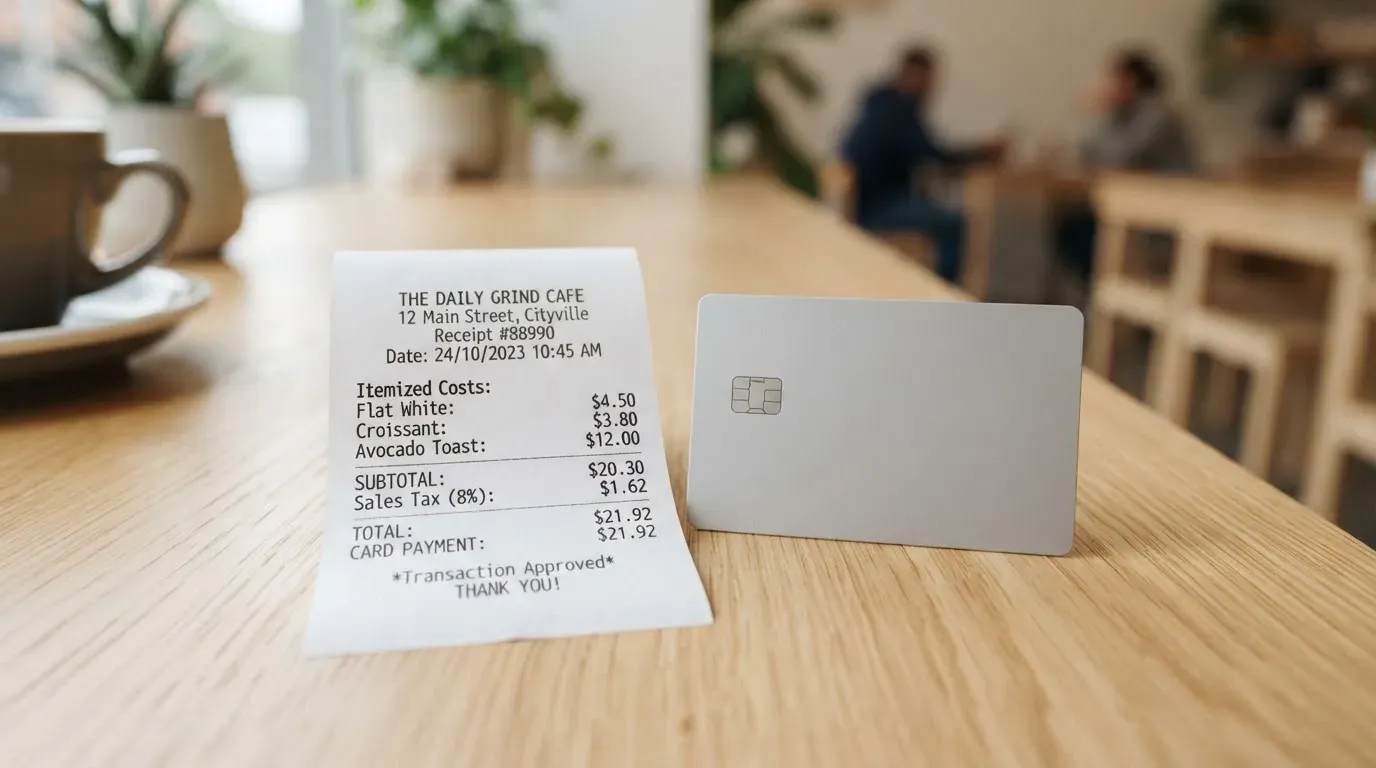
The costs table below covers what is published. Beyond that, I walk through three common situations so you can see which fees bite.
| Fee or limit | Amount |
|---|---|
| Virtual card issue | Free |
| Physical card issue | 50 USDC (~14 days delivery) |
| Monthly card fee | 10 USDC per card (20 USDC if you hold both) |
| Payment in USD | 1% (min 0.66 USDC) |
| Payment in other currencies | 2.35% (min 0.66 USDC) |
| ATM withdrawal, USD | 2% (min 0.66 USDC) |
| ATM withdrawal, other currencies | 3.35% |
| ATM daily limit | USD 3,000 |
| ATM monthly limit | USD 10,000 |
| ATM withdrawal count | 3 per day, 30 per month |
| ATM annual limit | USD 100,000 |
| Soft per-transaction limit | ~USD 150,000 |
| Monthly spend cap | No fixed cap |
| Card currency | USD only |
| Balance currency | USDC |
A few things stand out. First, the monthly fee of 10 USDC applies to every card you hold. If you have both a virtual and a physical, that is 20 USDC a month, or USD 240 a year, before you have spent a cent. Second, the foreign-currency markup of 2.35% is on top of whatever Visa’s exchange rate gives you, and it is more than double the 1% you pay for USD purchases. Third, the monthly fee is charged only when your balance covers it, which is a polite way of saying it is not optional.
A USD payment
If you buy a USD 50 item at a US-based online store, the card takes 1% of the amount, so the cost is 0.50 USDC plus the 0.66 USDC minimum, so 0.66 USDC. The crypto-to-USD conversion uses a weighted average of the top five exchanges, per the FAQ. That rate is generally close to spot but is not guaranteed to match what you would get on any single exchange at that second.
A payment in another currency
The same USD 50 item billed in euros will cost you 2.35%, or 1.18 USDC, on top of the conversion rate Visa applies. If the merchant or your bank adds their own FX margin, you pay that too. This is the most expensive path: a significantly higher cost than the USD rate, which over a year of mixed-currency spending adds up quickly.
An ATM withdrawal
Take out USD 200 from an ATM. Keytom takes 2%, so 4 USDC, plus the ATM operator’s own fee if any. That is 4 USDC on a USD 200 withdrawal, before the operator’s surcharge. If you take out euros, the rate is 3.35%, or 6.70 USDC on a EUR 200 withdrawal, before any operator fee. The virtual card works at contactless ATMs, but everything else (limits, fees, count) above applies to the physical card.
The single-tier structure means there is no upgrade path that lowers these numbers. There is no cashback tier, no discount for holding more USDC, no annual-fee waiver. The fee is the fee.
Top up: how the card gets funded
The card spends from a USDC balance. To get money onto it, you have three options as described on the card page: a card top-up through Visa Direct, a direct USDC top-up, or converting euros or crypto you already hold inside Keytom into USDC. Beyond that, the public card page does not list minimum top-up amounts, the networks on which USDC can be sent, or who pays the network fee. That last point is not trivial: if you are sending USDC over Ethereum and have no ETH for gas, the transfer will fail. Keytom does not document which chains it accepts.
Third-party reporting from August 2026 adds a few unofficial numbers. For a personal account, SEPA incoming is 0.5% plus EUR 0.25 and outgoing is 1% plus EUR 0.25, with a EUR 2.75 minimum on each leg. Converting euros to crypto is reported at 1.5%. Withdrawing crypto from Keytom is reported at 0.1% plus the network fee. These figures are unofficial and have not been confirmed by Keytom in the same place as the card terms, so treat them as a starting point rather than a contract.
If you plan to top up, the practical questions are which chain to use and how much the network fee will cost you. Sending USDC on a low-fee chain and confirming with Keytom support that the chain is supported is the safe path. Sending on a chain Keytom does not support, or to an address on the wrong network, is a one-way mistake: blockchain transfers are not reversible, and recovery depends on Keytom’s support team.
There is no described way to withdraw the card balance back to a bank account or to a self-custody crypto wallet through the card page itself. ATM cash is one route, and a Deletion Policy is linked, but its contents are not described on the card page. If withdrawing balance is important to you, contact support before you load the card.
Paying with it every day
The card works wherever Visa is accepted online and in physical stores, subject to a few categories that are blocked. Fuel pumps, gambling and a few other merchant categories are not supported; some platforms also block in-game purchases. If you have a specific use case, check the merchant category code before you load the card.
The virtual card can be added to Google Pay or PayPal. Apple Pay is, as of the FAQ, “not available yet”, with a Trustpilot reply from October 2026 suggesting the company is working on bringing it back. If you rely on Apple Pay, that gap matters. The card is tokenised when added to a wallet, so the underlying card number is not stored on the merchant’s side.
The app is available on iOS and Android. App Store and Google Play ratings are not stated. Refunds go through the merchant and typically take 2 to 15 days. The original payment fee is not returned, so a refund can come back slightly lower than you paid. There is no extra refund fee on top. For hotels and airlines, holds can last up to 30 days. Chargebacks are not mentioned.
There is no cashback or purchase rewards programme on the card page. Third-party reporting from August 2026 confirms that no rewards are advertised, but treat that as unofficial. If a rewards programme matters, this is not the card.
What can go wrong
The card is run by KEYTOM SERVICES LTD, a Canadian Money Services Business registered with FINTRAC under MSB number M21788474. That means the company is registered for money services, not that it is a bank, and the issuing bank behind the Visa programme is not named. If you are looking for deposit insurance, that comes from the issuing bank, and Keytom does not name one. The card FAQ says crypto is “insured up to USD 100 million through Fireblocks”, which is a custody insurance arrangement rather than deposit insurance for your fiat balance.
The balance is held by Keytom, not by you in self-custody. That makes the card custodial: you trust the company with your USDC until you spend it. The published safeguards include 2FA, transaction monitoring, AML checks, card freeze from the dashboard, segregated client accounts, and the Fireblocks insurance wording already mentioned. Withdrawals can be paused on suspicious activity.
On Trustpilot, the company has a 4.3 out of 5 from 37 reviews in the 12 months I checked, with 81% five-star and 14% one-star. The themes that come up in negative reviews are fees and exchange rates seen as high versus alternatives, a referral reward that was withheld and an account that was closed (the company’s reply from October 2026 says rewards can be withheld for suspected abuse), and the absence of Apple Pay. Only about 10 of the 37 reviews were visible in the public listing, so the picture is partial.
Support is offered through in-app chat, the website and [email protected]. Hours are business days, 5:00 to 15:00 UTC; after-hours messages are answered the next business day. Languages are not stated, and the site is shown in English only.
A few general risks worth keeping in mind. Custodial platforms have a history of failure, from Mt. Gox through Coincheck to Ronin, so holding funds with any custodian carries counterparty and hack risk. Stablecoins themselves can lose their peg: USDC briefly did in March 2023, and the older TerraUSD collapsed. USDC over Tron is no longer a native option after Circle stopped supporting it in February 2024, so the chain you send on matters. And the card network, here Visa, can suspend a programme: that has happened to crypto cards before, including the FTX US debit card after Visa terminated its global agreements in November 2022.
What to take instead
If Keytom’s mix of fees and restrictions does not fit, a few alternatives exist. None is a perfect substitute, and the choice depends on whether you want a virtual-only card, a multi-currency card, or a US-specific product.
International Visa Card
A virtual U.S.-issued Platinum Visa card that pays in USD. Not available to residents or legal registrants of Belarus, mainland China, North Korea, Cuba, India, Iraq, Iran, Israel, Myanmar, Nepal, Nicaragua, Russia, Syria, Turkey, Ukraine, Venezuela or Vietnam, with FATF grey-list countries reviewed case by case. Purchases are blocked in North Korea, Cuba, Iran, Russia, Syria, Ukraine and Venezuela. A physical card is listed as “coming soon”. Virtual issuance is USD 5 one-time, with no maintenance fee. Plans run from a free Classic tier through Pro at USD 9 a month to Max at USD 19 a month. Card use in USD is free on all plans; foreign-currency payments use Visa’s rate plus a 2% FX fee. Deposits of any kind are free. Top-up is by depositing USDC or USDT into the USD account at 1:1, or via USD, EUR, SEPA, SWIFT or FedNow deposits. No cashback is stated. The card scores 6.7 out of 10. Compared to Keytom, the upside is no monthly fee on the free tier and no USD payment fee; the downside is the USD 5 issuance and the 2% FX markup, which is below Keytom’s 2.35% but still a flat cost.
UNi Card
A multicurrency Mastercard tied to the UNi.Global account. Residency rules are not stated. The card has no annual fee and no foreign transaction fee; assets are converted at live OTC rates, with no hidden exchange fees. The Spend-to-Earn programme returns up to 3% with the UNi Card. Funding details are not stated. Overall score: 6.1 out of 10. The advantage is multicurrency spending without an FX markup, plus a rewards programme. The downside is the gaps in published information: issuance fee, residency rules and funding methods are not described.
Whop Cards
Visa cards that work anywhere Visa is accepted, with consumer availability in 31 US states and businesses in 41. Unsupported consumer countries include Belarus, mainland China, Cuba, Hong Kong, India, Iran, Iraq, Israel, Myanmar, Nepal, Nicaragua, North Korea, Russia, Syria, Turkey, Ukraine, Venezuela and Vietnam. The basis for the rule (citizenship, residence) is not stated. The page says “no extra fees”, and no issuance or monthly amounts are listed; conversion and FX fee amounts are not stated. Funding comes from a Whop balance backed by stablecoin collateral from a linked wallet, though the specific coins and networks are not stated. Cashback is 5% at select merchants, currently Uber, with more planned. Overall score: 5.2 out of 10. The advantage is a clean fee-free structure and a real cashback programme. The downside is the very limited US-only availability and the lack of detail on costs and funding.
A quick comparison: Keytom’s free virtual issue and 1% USD fee are competitive, but the USD 120-a-year monthly fee for the two-card setup and the 2.35% foreign-currency charge are where it loses to most peers. International Visa Card is cheaper for USD-heavy users; UNi Card wins for multicurrency users; Whop Cards is the only one with a meaningful cashback programme but locks you into a US footprint.
Who I would recommend it to
Keytom is a fit for a specific user. If you hold USDC, want to spend it through a Visa, and either do not have a bank account or do not want to use it, the card does the job. The 1% USD markup is a known cost, the card is prepaid so you cannot overdraw, and the company is registered with FINTRAC in Canada.
It is not a fit if you spend in mixed currencies, want rewards, need Apple Pay, or expect a generous free tier. The 10 USDC monthly fee is the single biggest reason to look elsewhere. If you only need the card occasionally, the monthly charge will eat into the balance faster than your spending. If you need it every day, the question is whether the convenience justifies a fee that compounds to USD 120 a year.
My honest read is that Keytom is a useful tool for a narrow use case, and a poor general-purpose card outside that case. If you fall in the narrow case, it is worth trying. If you do not, the alternatives above are more competitive for the same kind of spending.
Frequently asked questions
What is the Keytom card?
The Keytom card is a prepaid-style Visa that spends from a USDC balance. You load stablecoins, the card pays in fiat, and the balance is held by Keytom rather than in your own wallet. It comes as a virtual card and an optional physical card, both denominated in USD.
How does the Keytom card work?
You fund a USDC balance, either by transferring USDC directly, by topping up from a card via Visa Direct, or by converting euros or crypto you hold inside Keytom. When you pay, Keytom converts USDC to USD at a weighted average of the top five exchanges, takes its fee, and the Visa network handles the rest. There is no credit line: the card spends what you have loaded.
Is Keytom a bank?
No. Keytom is a Canadian money services business registered with FINTRAC as MSB M21788474, under the name KEYTOM SERVICES LTD. The company is not a bank, and the issuing bank behind the Visa programme is not named. Crypto held on the platform is described as insured up to USD 100 million through Fireblocks; that is custody insurance, not deposit insurance.
Who owns Keytom?
Keytom is operated by KEYTOM SERVICES LTD, a Canadian-registered company. Ownership details and investor information are not described on the card pages.
Is the Keytom card available in my country?
Keytom says residents of more than 150 countries can apply. The Customer Acceptance Policy lists prohibited jurisdictions including Russia, Belarus, Ukraine, Serbia, Ghana, Uganda and Iran, and the rule extends to people with direct or indirect links to those jurisdictions, including beneficial owners of companies. The policy applies by current residence and citizenship; place of birth or former citizenship alone is not disqualifying if you hold a valid residence permit or citizenship in an eligible jurisdiction and pass enhanced due diligence.
How do I get a Keytom card?
You sign up through the Keytom app or website, pass the identity checks, and request a card. The virtual card is free; the physical card costs 50 USDC and takes about 14 days to arrive. You can hold up to two cards, one virtual and one physical, and the documents you will be asked for are not itemised on the card page itself.
Does the Keytom card require KYC?
Keytom does not describe its onboarding as KYC, but it uses two-factor authentication, transaction monitoring and AML checks, and may ask for verification information when a transaction looks unusual. Third-party reporting lists passport, national ID or residence permit, a selfie or liveness check, proof of address, and source-of-funds evidence when requested, but those details are unofficial and not confirmed by Keytom in the same place as the card terms.
How do I top up the Keytom card?
You can top up by transferring USDC directly, by using a card through Visa Direct, or by converting euros or crypto you already hold inside Keytom into USDC. The networks on which USDC is accepted, the minimum top-up amount, and who pays the network fee are not stated on the card page, so confirm with support before you send.
How do I add the Keytom card to Apple Wallet?
You cannot, at the time of writing. The FAQ says Apple Pay is “not available yet”, and a Trustpilot reply from October 2026 indicates the company is working on bringing it back. The virtual card can be added to Google Pay or PayPal in the meantime.
Is the Keytom card safe?
It is as safe as a custodial product can be: 2FA, transaction monitoring, AML checks, dashboard card freeze, segregated client accounts and the Fireblocks insurance wording are all in place. The trade-off is that your USDC sits with Keytom rather than in your own wallet, and custodial platforms have failed before. If you keep only what you plan to spend soon, the exposure is limited.
App and neobank card fees – cryptocardfacts
Content created by the «cryptocardfacts» team